



iHeartRadio for Google TV: Your Music, Podcasts, and Live Radio on the Big Screen
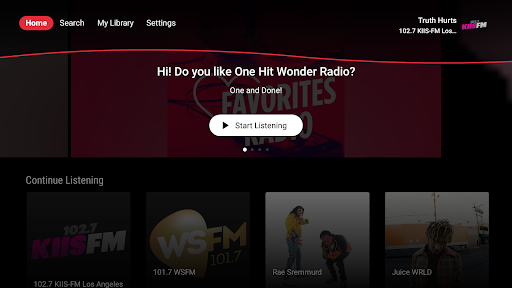
iHeartRadio for Google TV brings the best of music, talk, and podcasts right to your living room. With a TV-optimized interface, you can explore thousands of live radio stations, on‑demand podcasts, and curated playlists, all designed for easy navigation on a big screen. Stream across devices—from your TV to smartphones and wearables—and enjoy quick access with voice commands via Google Assistant or a simple remote control.
A World of Live Radio, Music, and Podcasts at Your Fingertips
From local AM and FM favorites to global stations, iHeartRadio on Google TV puts top radio, sports talk, and entertainment in one place. Discover live broadcasts, trending shows, and mood‑matched playlists that fit any moment—whether you’re working, working out, or unwinding. The platform also features popular sports talk and a wide range of podcasts from major networks and personalities, giving you a comprehensive hub for audio content on the TV screen.
Personalization That Feels Like Your Own DJ
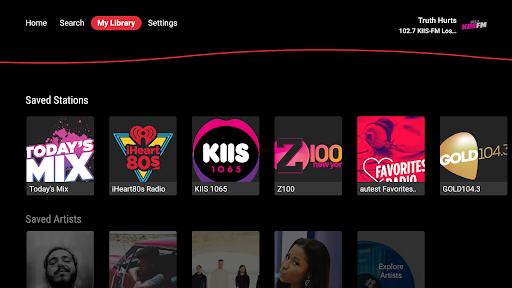
What sets iHeartRadio apart is its personalized recommendations. You can create stations based on your favorite artists or songs, and the app learns from your listening habits to tailor what you hear next. It’s like carrying a DJ in your living room who understands your tastes and nudges you toward new discoveries, while still letting you save and replay your favorites whenever you want.
Seamless Google TV Integration
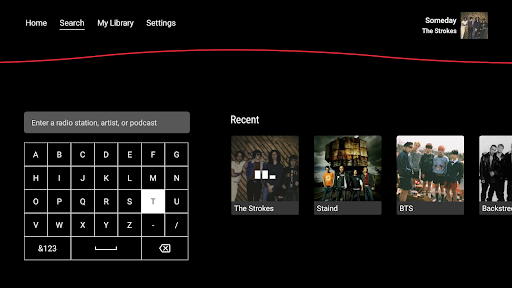
The Google TV experience is woven into the app, offering smooth navigation and intuitive controls. There’s no heavy setup required—the interface is designed for TV browsing, and you can use Google Assistant to start playback with simple voice commands. It’s an effortless way to switch between a live station, a podcast episode, or a mood-based playlist without reaching for a remote.
Explore Content, Save What You Love, and Discover New Favorites
Content discovery is at the heart of the experience. Browse a robust catalog of podcasts across genres—from comedy to true crime—and follow your favorites for easy access. You’ll also find hand‑picked playlists and curated streams, including features like a weekly “Mixtape” vibe that refreshes with new tracks each week. For podcast lovers, you can download episodes for offline listening and enjoy playback at your preferred speed (0.5x to 2x) for flexible listening sessions on the go or while relaxing at home.
Premium Options and Flexible Listening
For those who want more control, iHeartRadio offers premium tiers that unlock ad‑free listening, on‑demand music and playlists, and enhanced playback features. Premium subscribers can search and play any track from a vast library, save and replay songs, and download content for offline listening. Create unlimited personalized playlists and tailor your listening experience to fit your schedule, whether you’re streaming over Wi‑Fi or on the move.
Pros
- Intuitive, easy-to-navigate interface.
- Broad lineup of live radio stations.
- Personalization with playlists and favorites.
- Smooth, high-quality streaming performance.
- Free tier offers a solid set of features.
Cons
- Limited offline playback options.
- Free version includes intrusive ads.
- Dependence on a stable internet connection for best results.
- Several features require a paid subscription.
- Occasional app crashes reported by users.











