
Graphics Manager : GFX Addon
Discover the powerful Graphics Manager : GFX Addon, an essential extension designed to elevate your mobile gaming experience. Compatible with Gamers GLTool version 1.4 and above, this addon app enhances your device’s graphical capabilities, allowing you to enjoy smoother gameplay and better visuals. Whether you're a casual gamer or a hardcore enthusiast, integrating this GFX addon into your gaming setup can truly transform how you play on your smartphone.
Compatibility and Installation
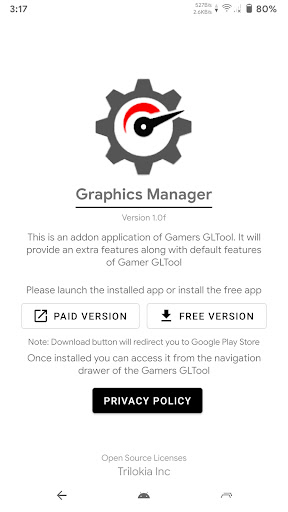
Before diving into the features, it’s important to note that the Graphics Manager : GFX Addon strictly requires Gamers GLTool version 1.4 or higher. This addon works seamlessly with your existing Gamers GLTool installation, giving you an array of additional graphical options. To get started, you can choose between two versions: the free version or the pro version.
Install either version, and once done, it will be accessible from the navigation drawer of your Gamers GLTool app, ready to unleash enhanced graphical features on your favorite mobile games.
Enhance Your Gaming with Advanced Graphics Settings
A Game Changer for Mobile Gamers
If you’ve ever wished for richer graphics or smoother gameplay, the Graphics Manager : GFX Addon is here to make those dreams a reality. This app is engineered to modify your game’s graphical settings, empowering you to unlock higher resolutions, enable HDR graphics on supported titles, and increase frame rates. Think of it as giving your smartphone a little extra graphical punch—making your gaming sessions more immersive and visually appealing.
Easy Setup and User-Friendly Interface
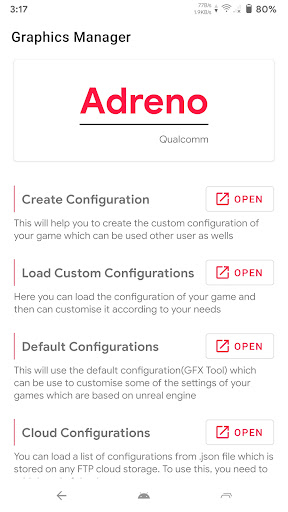
Getting started is straightforward. After installation, you'll find a clean and intuitive interface guiding you through customizing graphics preferences. You can effortlessly tweak resolution, unlock higher frames per second (FPS), and enable advanced visual effects without complicated procedures. The support for a wide range of games ensures that most titles in your library can benefit from these enhancements, making every gaming session a visual feast.
Performance Optimization and Battery Efficiency
Boost Your Game’s Performance
One of the standout features of the GFX addon is its ability to optimize game performance. By fine-tuning the graphical settings, the app effectively reduces lag and frame drops, leading to a more responsive and enjoyable gaming experience. Frustrating moments during intense scenes become a thing of the past, as your device handles demanding visuals with ease.
Balance Power Consumption and Graphics Quality
Additionally, the app incorporates smart options to balance performance and battery life. This ensures that you can indulge in extended gaming sessions without worrying about rapid battery drain. Simple adjustments allow you to enjoy stunning visuals while conserving your device’s power, keeping you in the action longer and maintaining optimal performance.
Is the Graphics Manager: GFX Addon Worth It?
For anyone serious about mobile gaming, the Graphics Manager : GFX Addon represents a significant upgrade. It offers tangible benefits that include improved visuals, smoother gameplay, and better resource management. While it won’t turn every device into a flagship overnight, it definitely narrows the gap by maximizing your phone’s capabilities.
In summary, this app is a must-have tool for enhancing your gaming experience on Android devices. Easy to use, effective, and compatible with a wide array of games, the GFX addon helps you get the most out of your hardware and enjoy immersive, high-quality gaming. If you're looking to push your mobile gaming to the next level, give the Graphics Manager : GFX Addon a try—you might be surprised at the visual improvements and performance boosts it can deliver.
Pros
- Significantly enhances game graphics
- User-friendly interface
- Compatible with a wide range of games
- Offers customizable settings
- Boosts device performance
Cons
- Potential for overheating
- Accelerates battery drain
- Requires high-end devices to run effectively
- Needs frequent app updates
- May void game warranties











