
Introducing Game Launcher: Gaming Hub App — Your Ultimate Mobile Gaming Organizer
Welcome to Game Launcher: Gaming Hub App, the all-in-one solution crafted to streamline your Android device’s app and game management. If you're tired of scrolling endlessly through your phone, trying to find that one treasured game buried among countless others, this app is your perfect companion. It transforms chaotic app lists into an organized, easily accessible gaming hub, making your mobile gaming experience more enjoyable and efficient.
Key Features of Game Launcher: Gaming Hub App
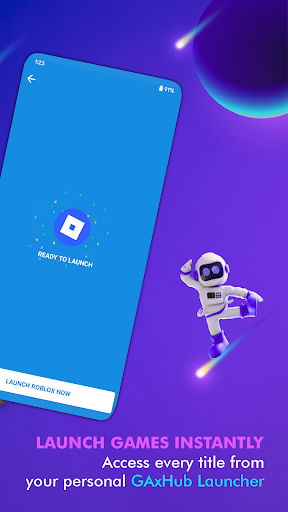
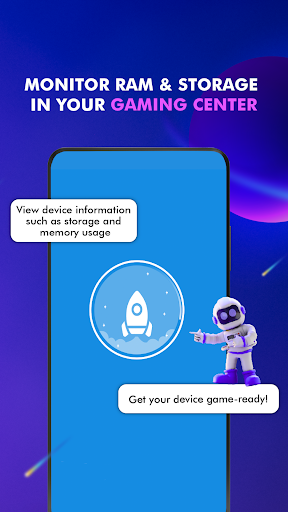
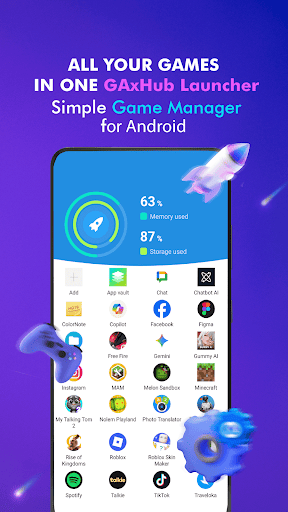
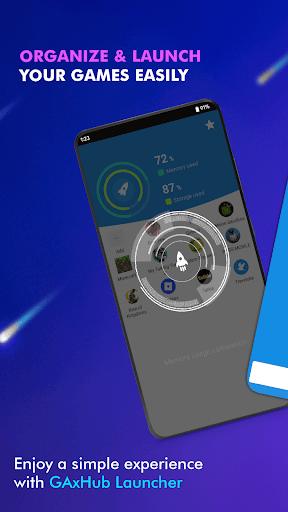
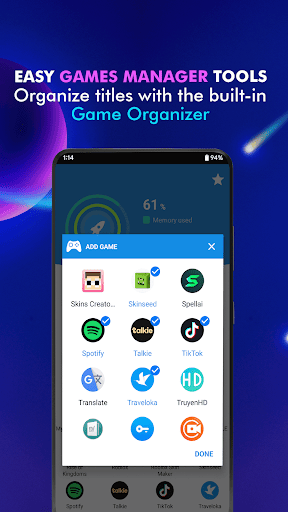
• Android Game Launcher: Effortlessly manage your favorite games and apps with a sleek, user-friendly interface designed specifically for Android users. The launcher consolidates all your apps into one centralized location, eliminating clutter and saving you precious time.• Gaming Hub: All your games and applications are neatly organized in a single destination. Whether it’s casual games, productivity apps, or entertainment, the Gaming Hub ensures quick access and easy management.• App Organization: The app features an intelligent Organizer Master that automatically detects popular titles from renowned publishers and adds them to your library. Plus, you can manually add any app or game you love, customizing your gaming experience.• Performance Monitoring: Keep tabs on your device’s RAM usage and storage space. This feature helps optimize your device’s performance and ensures smoother gameplay, especially during intensive gaming sessions.• Smart Launching: Use the app’s quick-launch feature to start your favorite games rapidly. No more hunting through menus—your games launch with just a tap, making your gaming sessions seamless.
Enhanced User Experience and Practical Benefits
Many users have found Game Launcher: Gaming Hub App to be more than just a launcher. It’s akin to having a dedicated personal gaming assistant right in your pocket. By organizing all your games into a single library, it instantly reduces the frustration of finding that hidden app you downloaded months ago. The intuitive interface makes setup simple—just a few taps are enough to create your personalized gaming library and start enjoying a clutter-free phone.One of the standout aspects of the app is its performance optimization tool. While it does not claim to directly boost game FPS or act as a dedicated game booster, the app does help monitor and improve your device's overall performance. By keeping an eye on RAM consumption and storage, it helps you identify potential bottlenecks, enabling smoother and lag-free gameplay during those crucial gaming moments.Beyond organization, Game Launcher: Gaming Hub App keeps you informed with the latest updates from the gaming community. It offers news, trailers, and updates right within the app, making it a comprehensive source for gaming insights. Moreover, its intelligent recommendations introduce you to new games tailored to your preferences, broadening your gaming horizons without the hassle of manual searches.Designed with aesthetics and usability in mind, the app’s sleek, modern interface is accessible to all users, regardless of technical proficiency. Navigating through your game library, monitoring device performance, and exploring new titles is smooth and intuitive—ensuring a hassle-free experience every time.
```Final Thoughts
In summary, Game Launcher: Gaming Hub App is more than just an app organizer—it's a powerful, all-encompassing gaming hub that elevates your mobile gaming journey. Whether you're a casual player or a dedicated gamer, it offers a range of features that streamline app management, optimize device performance, and keep you connected to the latest gaming trends. With this app on your device, you can enjoy a cleaner, more organized, and more efficient gaming experience. Say goodbye to chaos and hello to your new gaming headquarters—right in your pocket!
Pros
- Improves gaming experience effectively.
- Provides features for organizing games.
- Consumes minimal battery power.
- Compatible with a wide variety of games.
- Intuitive and easy-to-use interface.
Cons
- Includes in-app purchase options.
- Occasional advertisements may interrupt gameplay.
- Requires internet connection to access full features.
- Offers limited options for customization.
- Might cause performance issues on low-end devices.











