
Introducing the Endoscope Camera Connector App
The Endoscope Camera Connector is an innovative mobile application that transforms your smartphone into a powerful inspection tool. Designed for Android devices, this app allows seamless connection between your phone and various external cameras such as USB or Borescope cameras, including models suitable for sewer inspection, plumbing, or general inspection tasks. Whether you're a DIY enthusiast, a professional technician, or simply curious about those hard-to-reach areas in your home, this app provides an efficient and user-friendly solution for visual inspection and documentation.
How Does the Endoscope Camera Connector Work?
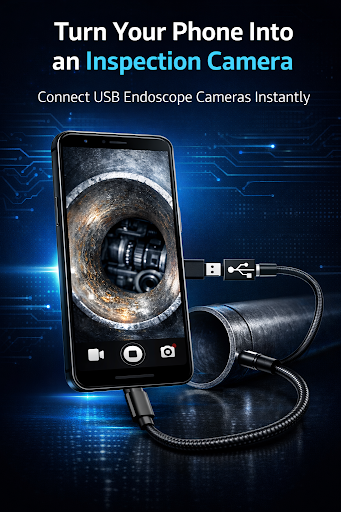
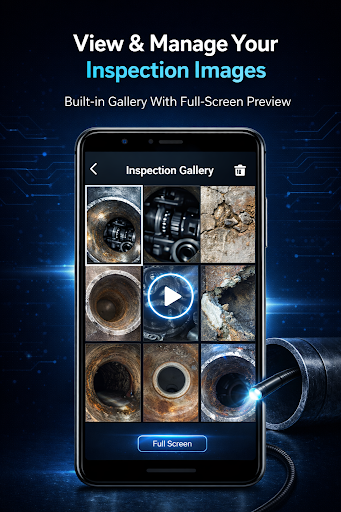
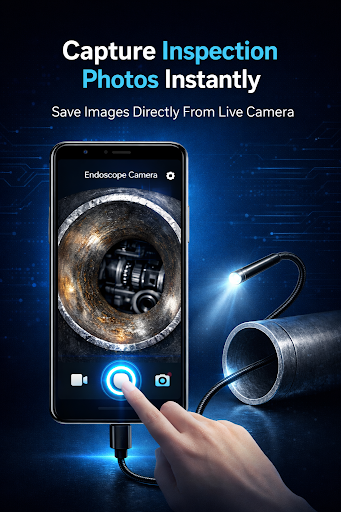
The Endoscope Camera Connector functions primarily as an OTG view application. To use it, connect your external borescope or USB camera to your smartphone via USB OTG or Type-C cable. Once connected, open the app, which recognizes the external device and displays live video feed from the camera. This setup makes it possible to explore and inspect tight, dark, or inaccessible spaces with ease. Before diving into your inspection, verify whether your device supports USB OTG technology. The app includes a USB OTG checker feature in its settings to confirm compatibility. Additionally, ensure your camera is UVC-compatible for optimal performance. This setup allows you to capture high-quality photos and record videos with sound, storing all media in your device's gallery for easy access and management.
How to Use the Endoscope Camera Connector
Using the app is straightforward:
- Open the Endoscope Camera Connector app on your Android device.
- Connect your endoscope camera to your phone via USB or Type-C.
- Tap the camera icon in the app interface.
- Allow any necessary permissions and click OK.
- You will now see the live feed from your endoscope on your screen.
Practical Uses of the Endoscope Camera Device
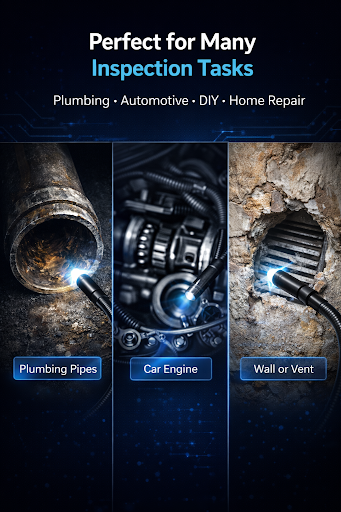
The endoscope and Borescope cameras have versatile applications beyond simple inspections. They are invaluable for tasks such as:
- Inspecting blocked drains or sewer lines without removing pipes. This process eliminates the need for traditional drain unblocker or plumber’s camera equipment.
- Checking inside wall cavities or behind heavy appliances.
- Diagnosing internal issues in machinery or engines.
- Conducting home maintenance and repair projects with precision and ease.
Why Choose the Endoscope Camera Connector?
This app stands out due to its user-friendly interface, reliable performance, and versatile features. It supports various camera resolutions to ensure clear and detailed visuals, and its adjustable LED light setting enhances visibility in dark or low-light environments. The app also allows flexible camera angles, enabling you to get those tricky shots from different perspectives. Regular updates from the developers ensure continuous improvement, new features, and compatibility enhancements, which makes this app a dependable choice for everyday inspections or specialized tasks. Its ability to organize media files efficiently helps prevent data loss and streamlines your workflow.
Conclusion
Whether you're inspecting your car engine, checking for leaks, or exploring hidden spaces within your home, the Endoscope Camera Connector app offers an affordable and effective solution to enhance your inspection capabilities. Its seamless integration with external cameras turns your smartphone into a portable inspection tool, saving time and effort while providing high-quality visuals. Download the Endoscope Camera Connector today and start exploring the unseen world around you with confidence and ease!
Pros
- Easy to connect and set up with various devices.
- Provides real-time video streaming.
- Supports high-resolution imaging.
- Compatible with most USB and OTG cables.
- Portable and lightweight design.
Cons
- Limited compatibility with some older devices.
- Requires specific apps for full functionality.
- Short cable length may restrict movement.
- Image quality may vary with lighting conditions.
- Potential connectivity issues in certain environments.











