
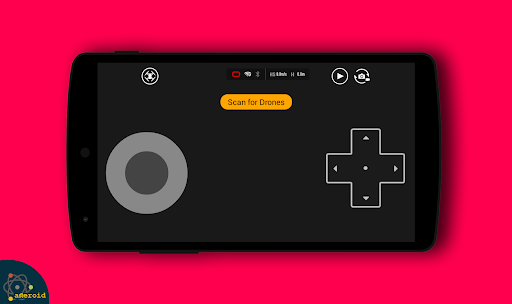
Discover the Power of the Drone Remote Control App
Ever wished you could command your drone effortlessly with just a tap on your smartphone? The Drone Remote Control app makes this dream come true, transforming your Android device into a versatile remote control for a wide range of drones. Whether you're a casual flyer or a seasoned drone pilot, this application offers an intuitive and feature-rich experience that elevates your drone flights to new heights.
Seamless Setup and User-Friendly Interface
Getting started with the Drone Remote Control app is straightforward. After downloading from the app store, you'll be greeted with a sleek, user-friendly interface designed for ease of use. The setup process is guided with clear instructions, ensuring even newcomers to drone flying can quickly configure the app. With just a few taps, your drone is ready to take off, allowing you to focus entirely on flying and capturing stunning footage.
Rich Features for an Elevated Flying Experience
Customizable Controls and Sensitivity
One of the standout features is the ability to customize controls, adjusting their sensitivity to match your flying style. This flexibility makes the app suitable for beginners and experts alike, providing precise control during complex maneuvers.
Real-Time Video Streaming
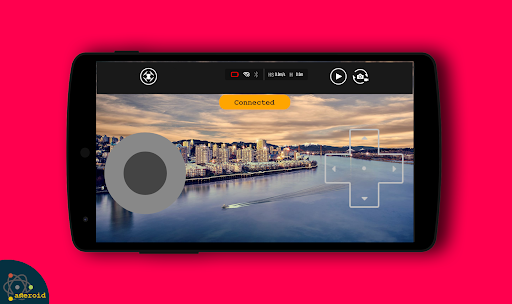
The app supports live stream First Person View (FPV), giving you a bird's-eye perspective as your drone soars through the sky. This feature enhances immersion and helps you capture more dynamic shots, making your drone flights more thrilling and professional-looking.
GPS Integration and Navigation
GPS integration allows for accurate tracking and navigation, essential for complex mapping or capturing footage in challenging terrains. You can plan and automate flight paths, making large-area mapping and surveying easier than ever.
Automatic Functions for Convenience
Features like automatic takeoff, landing, and return-to-home provide added safety and convenience, especially when flying in unpredictable environments or during extended sessions.
Control Camera and Capture Media
The app can connect to your drone's WiFi camera, enabling you to control the camera view, capture pictures, record videos, and manage media directly from your device. This streamlines your workflow and ensures you never miss a memorable shot during your flight.
Control Drones of All Makes and Models
Designed as a universal remote control for drones, this application is compatible with all DRONE models—newer units with WiFi capabilities in particular. It’s a fun way to take control of your own drone or surprise friends by remotely managing their drones. Whether it's quadcopters or other drone models, this app provides a reliable and efficient control solution.
Note: While it works seamlessly with the latest drones, it may not be compatible with some older hardware. Always check your device specifications before installation.
Enhance Your Drone Experience
Beyond basic flight control, the Drone Remote Control app offers seamless flight plan creation on any device, allowing you to automate various phases of your flight such as takeoff, flight, image capture, and landing. This automation ensures smooth, uninterrupted flights and makes large-area mapping more manageable.
Regular updates add new features and refine existing ones, improving drone stability, control responsiveness, and battery management. These ongoing improvements ensure you always have access to the latest tools for an optimal flying experience.
In summary, the Drone Remote Control app is an essential tool for anyone interested in drone flying, whether for recreation, photography, or mapping tasks. Its ease of use, extensive capabilities, and versatility make it one of the best drone control applications available today. Take your drone adventures to the next level—try this amazing free universal control app and discover new possibilities in drone flying!
Pros
- User-friendly interface suitable for beginners
- Compatible with a wide range of drone models
- Supports real-time video streaming
- Offers customizable control settings
- Provides low battery alerts
Cons
- Limited operational range in urban environments
- Dependent on a stable internet connection
- Consumes a high amount of battery power
- Lacks offline mode functionality
- Not compatible with older devices











