

Introducing CloudEye 365: Your Personal Cloud Monitoring Companion
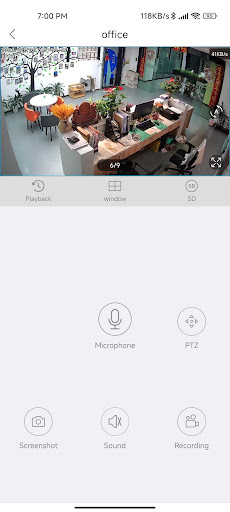
CloudEye 365 is an user-friendly application designed to simplify remote monitoring and enhance security for both your home and office environments. With this innovative app, users can effortlessly access live video feeds from anywhere, providing peace of mind and real-time surveillance. Whether you're away on vacation or managing a busy office, CloudEye 365 acts as your literally eye in the cloud, offering continuous oversight throughout the year.
Key Features of CloudEye 365
At its core, CloudEye 365 is built to ensure your safety by providing instant notifications for any security threats. The app intelligently detects abnormal movement or suspicious activity through connected devices, alerting you immediately so you can respond proactively. This feature is instrumental in preventing potential risks to your personal security and property.
Beyond security, the app's real-time data monitoring capabilities extend to managing digital assets, cloud storage, applications, and network activities. The intuitive data visualization tools, including comprehensive graphs and statistics, enable users to understand their digital environment at a glance. This makes CloudEye 365 an essential tool not just for physical security but also for digital asset management.
Getting Started with CloudEye 365
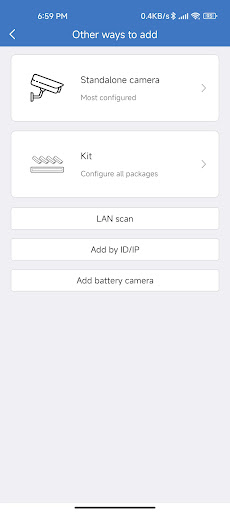
Setting up CloudEye 365 is straightforward. Available on both Android and iOS platforms, the app caters to a broad audience. After installation, users are greeted with a sleek, intuitive interface that simplifies navigation. Whether you're a beginner or a tech enthusiast, the user experience remains smooth and hassle-free.
Exploring the Features
Real-Time Monitoring and Alerts
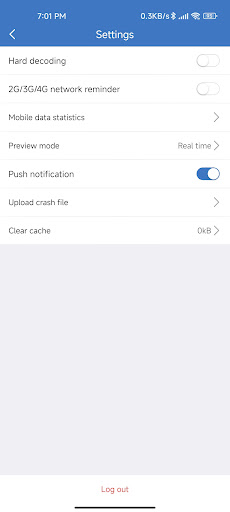
The app excels in providing real-time surveillance of your digital and physical assets. Its customizable alert system allows you to set specific thresholds for various metrics. When these thresholds are exceeded, CloudEye 365 immediately notifies you, enabling prompt action. This proactive alert system is especially valuable in preventing security breaches or data loss.
Data Visualization and Management
One of the most impressive aspects is its data visualization capabilities. Clear graphs and detailed statistics make complex information easy to interpret. This feature is essential for users managing multiple systems or monitoring extensive data streams, providing clarity and aiding decision-making.
User Experience and Security
Using CloudEye 365 offers a satisfying experience, thanks to responsive design and seamless performance on various devices. While some features might appear technical to newcomers, the app includes helpful tooltips and a comprehensive FAQ section to assist users.
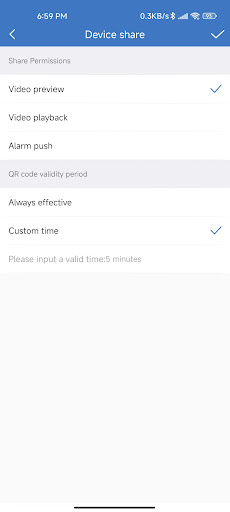
Security is a top priority, and CloudEye 365 employs robust encryption protocols to safeguard your information. Knowing your data is protected by strong security measures enhances trust and confidence in the platform.
Final Thoughts
Overall, my experience with CloudEye 365 has been exceptionally positive. Whether you're looking to monitor physical security with remote cameras or keep tabs on your digital assets, this app offers versatile tools that are easy to utilize once familiarized. Although there may be a slight learning curve, the benefits of comprehensive monitoring and security clearly outweigh initial challenges.
If you're in search of a dependable monitoring app that seamlessly integrates security and digital management, CloudEye 365 is certainly worth exploring. It empowers users to stay informed, secure, and in control of their environment — both online and offline.
Pros
- User-friendly interface
- Real-time data synchronization
- Customizable notifications
- Secure cloud storage
- Cross-platform compatibility
Cons
- Requires constant internet connection
- Limited offline features
- High battery consumption
- Subscription-based pricing
- Complex initial setup











