
Introduction to the Cardboard App
Have you ever imagined stepping into a world crafted entirely by your own imagination? With the Cardboard app, that dream becomes a reality. This innovative application transforms your smartphone into a virtual reality portal, offering a captivating experience without the need for expensive equipment. Whether you’re exploring distant landscapes or engaging in thrilling adventures, Cardboard provides an accessible and fun way to immerse yourself in virtual environments.
What is Cardboard?
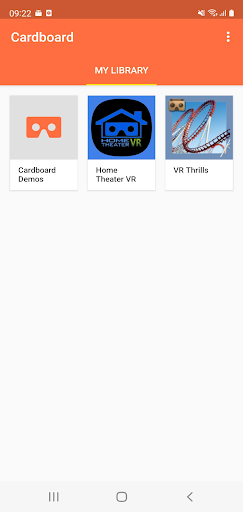
Cardboard is more than just a simple app; it’s a game-changer in the world of virtual reality. Designed to be compatible with a variety of smartphones, this app allows users to launch their favorite VR experiences, discover new applications, and easily set up a Cardboard viewer. All you need is your smartphone and a basic Cardboard viewer, which you can assemble yourself. This makes it an affordable entry point into the realm of virtual reality, opening up endless possibilities for entertainment and education.
For those interested in getting started, learn more and get your own Cardboard viewer. Sharing your adventures is also encouraged through the Google+ community, where users exchange insights, tips, and exciting VR content.
Immersive Virtual Reality Experience
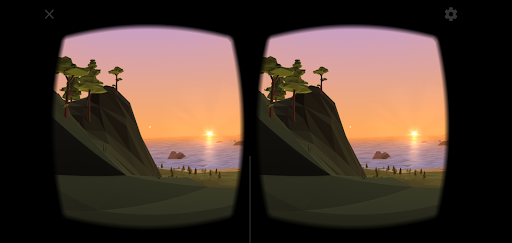
Skeptical about how a simple cardboard and an app could deliver a genuine virtual reality experience? I was too, at first. However, once I slipped my phone into the viewer and looked through the lenses, I was genuinely amazed. The experience felt incredibly immersive — it’s like your smartphone becomes a portal that whisks you away to breathtaking landscapes or even next-generation adventures.
Setting up the app is straightforward. Download Cardboard, assemble your Cardboard viewer (don’t worry, it’s easier than assembling furniture), and follow the simple prompts. The application guides you through every step, making it accessible even for beginners. Once everything is in place, you're ready to explore an array of ▶️ immersive VR experiences.
Features of Cardboard
Simplicity and User-Friendly Design
What sets Cardboard apart is its minimalist approach. There are no complex settings or overwhelming options—just insert your smartphone into the viewer, and you’re all set to explore.
Variety of Demo Content
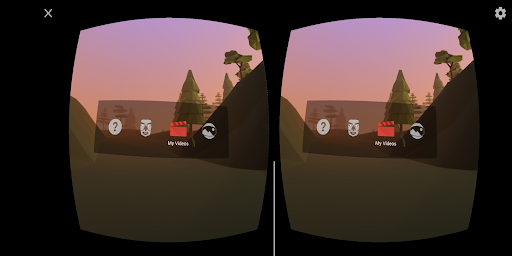
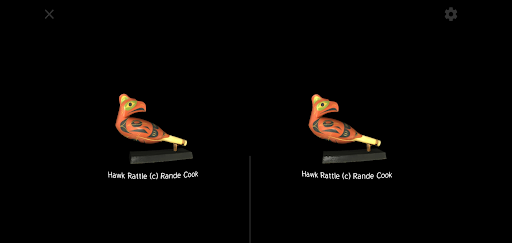
The app includes several engaging demonstrations, such as Google Earth, where you can virtually fly around the globe, and Arctic Journey, which offers a peek into icy landscapes from the comfort of your home. These demos showcase what is possible in VR and are perfect for beginners eager to test out their new setup.
Compatibility and Compatibility Library
One of the strengths of Cardboard is its broad compatibility. It works seamlessly across many smartphones, whether Android or iOS. Plus, the app continually expands its library of supported VR apps, so there’s always something new to discover as you deepen your virtual journey.
Endless Possibilities with Cardboard
Every time I use Cardboard, I find myself transported to new worlds. From soaring over the Grand Canyon to standing atop towering skyscrapers, the immersive nature of the experience is astonishing. The virtual surroundings feel so authentic that I often forget I’m in my living room!
Educational content is another highlight. Several apps integrate interactive learning, like virtual tours of ancient Rome or exploring the human body in detailed 3D models. These features make learning engaging and fun, especially for students and curious minds.
Conclusion: Your Gateway to Affordable Virtual Reality
If you’ve ever been curious about virtual reality but hesitated because of high costs, Cardboard is the perfect solution. It’s an affordable, easy-to-use app that unlocks a world of excitement and discovery right from your smartphone. Dive into vivid adventures, explore new landscapes, or learn something new—all without breaking the bank. So, why not give Cardboard a try and let your imagination run wild? The adventures await!
Pros
- Immersive VR experience
- Compatible with many devices
- Affordable VR solution
- Easy to set up
- Wide range of VR apps
Cons
- Limited graphics quality
- Requires holding the device
- Not very durable
- Limited interactivity
- May cause motion sickness











