



Discover the Ultimate Audio & Music Player App for Android
Are you passionate about music and looking for the perfect app to enjoy your favorite tunes? The Audio & Music Player app offers an immersive listening experience with a sleek design, powerful features, and customizable options. Whether you're at home, on the go, or in a party mood, this free music player app is your go-to companion for all your audio needs.
Elegant and User-Friendly Interface
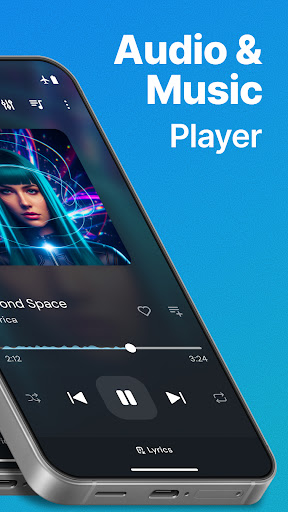
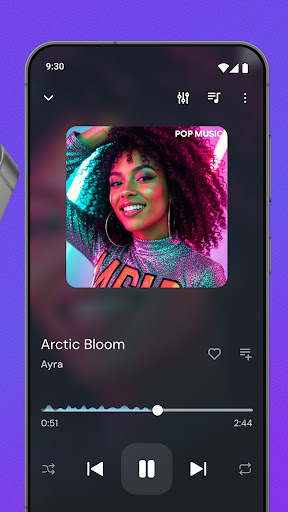
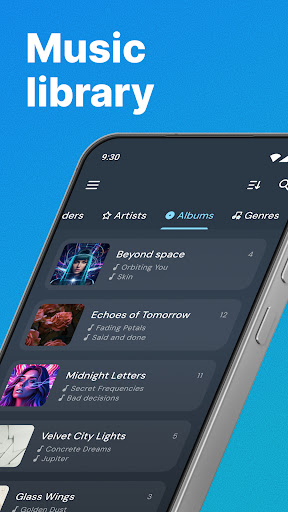
Upon launching the Audio & Music Player, users are greeted with a modern and intuitive interface that’s easy to navigate. The thoughtfully designed layout ensures quick access to your music library, playlists, and settings. With a choice of color themes and stylish player skins, you can personalize your listening environment to suit your style. The app’s clean design makes switching between songs, albums, or playlists effortless, providing an enjoyable experience whether you’re a casual listener or a dedicated audiophile.
Powerful Features for Enhanced Music Playback
This app is packed with features that elevate your offline music experience. Key functionalities include:
• Play Music
Effortlessly play songs by title, artist, album, or playlist, giving you complete control over your listening session.
• Equalizer
Sharpen your sound with a customizable equalizer that offers various presets and manual controls to fine-tune the audio to your preferences. Whether you prefer boosted bass or clearer treble, the equalizer transforms your audio experience.
• Bass Booster
Get a mega boost of bass for any track, making your music more vibrant and powerful.
• Easy Navigation & Quick Search
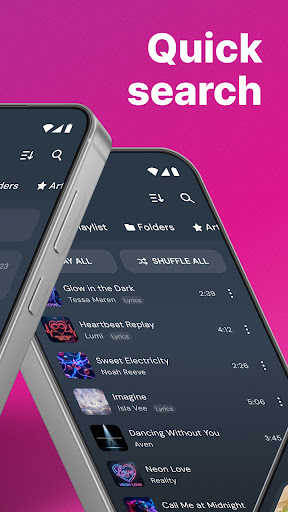
Navigate through your extensive library easily with one-touch controls and find your favorite songs swiftly using the quick search feature.
• Playlists & Play Queue
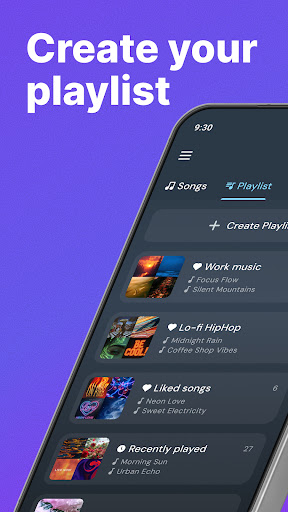
Create, edit, and organize playlists with drag-and-drop ease. View upcoming tracks in the play queue to keep your music flow seamless.
• Party Shuffle
Shuffles your playlist to keep the party lively and unpredictable.
• Album Art & Stylish Themes
Enjoy beautiful album covers displayed on your offline music player, adding visual appeal to your listening experience.
• Notifications & Controls
Control playback directly from Android notifications, compatible with Android 5.0 and later, for quick access without opening the app.
Optimized for Quality Sound & Performance
The Audio & Music Player app delivers crystal-clear sound quality optimized for all types of music genres. Whether you prefer deep bass, crisp vocals, or balanced audio, the app handles various sound profiles elegantly. Its robust performance ensures smooth playback even with large audio files, and there are no lags or glitches to interrupt your musical journey. The app also supports multiple audio formats, making it versatile for diverse music collections.
Customization and Personalization
Personalize your music environment by choosing from a variety of stunning themes and color schemes. The customizable skin options allow you to tailor the app’s appearance, making your player truly your own. The widget functionality provides quick access to playback controls directly from your home screen—perfect for managing your music on the fly without opening the app each time. This level of personalization ensures a unique and enjoyable experience every time you listen.
Why Choose this Offline Music Player?
Designed for convenience, this app enables you to take your entire music library anywhere offline. It is ideal for users who frequently listen to music in areas with limited or no internet connection. The simple, yet feature-rich interface makes managing your music collection straightforward and fun. With ongoing updates and support, the Audio & Music Player continues to be a top choice for Android users seeking a high-quality, free, and reliable offline music player.
Conclusion: Your Perfect Music Companion
Whether you’re commuting, relaxing at home, or hosting a lively party, the Audio & Music Player app offers everything you need to enjoy your audio collection in style. Its elegant design, extensive feature set, and superior sound quality make it a standout choice among free music apps. Download now and elevate your music experience—your songs await!
Pros
- High-quality audio playback
- User-friendly interface
- Supports various audio formats
- Customizable playlists
- Offline listening capability
Cons
- Contains advertisements in the free version
- Limited options for equalizer settings
- Occasional app crashes
- Premium features require a subscription
- Not compatible with some devices











