

Discover the Features of Audio Master - Ringtone Maker
If you're passionate about customizing your phone's sounds, Audio Master - Ringtone Maker is the indispensable app that simplifies the process of creating personalized ringtones. Whether you want to turn a favorite song into a unique ringtone, alarm tone, or notification sound, this versatile application offers a wide array of features designed for both ease of use and professional-quality results.
Comprehensive Audio Editing Made Easy
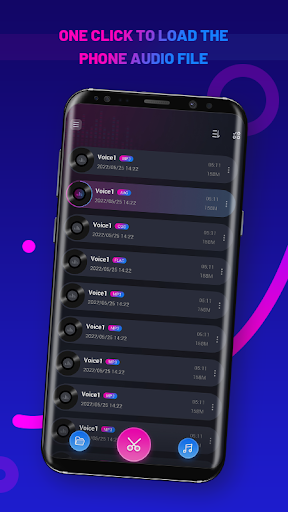
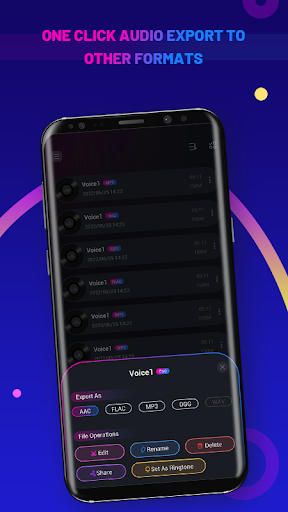
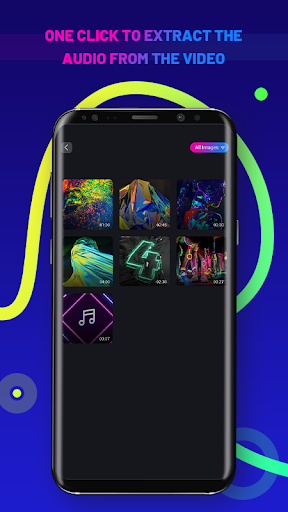
• Import audio files in the phone with one click: Easily bring your favorite sounds into the app directly from your device. • One-click extraction of audio files in video: Extract audio effortlessly from videos stored on your phone, saving time and effort. • Support for conversion of audio files to other formats: Whether you need MP3, WAV, or other formats, the app handles conversions smoothly for compatibility with different devices.
Advanced Editing Capabilities
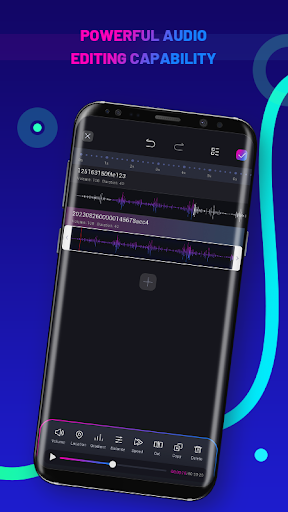
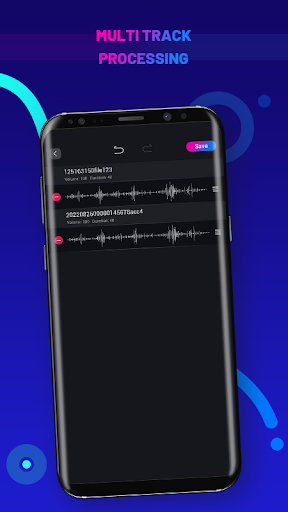
• Support for editing and renaming audio files: Customize your audio clips with ease by trimming, cutting, or renaming them to your liking. • Multi-track editing: Add multiple audio files for layered editing, allowing you to create complex sound compositions. • Adjust track priority: Manage the importance of each track in your project for precise control over the final output. • Drag to change length and position: Intuitive dragging tools make it simple to alter clip duration and place sounds exactly where you want within the timeline.
Support for Multiple Tracks and Saving Projects
• The app offers two track alignment modes, giving you flexibility in how you layer sounds. • Automatic project saving: All your edits are saved automatically, so you can pick up right where you left off at any time.
Your Personal Ringtone Creation Companion
Are you tired of generic ringtones? With Audio Master - Ringtone Maker, transforming your favorite tunes into custom, handcrafted ringtones is just a few taps away. Available on both Android and iOS, this app ensures everyone can enjoy the benefits of personalized sound alerts without complicated procedures.
User-Friendly Interface for Everyone
Upon launching the app, you'll notice a clean, intuitive interface that makes navigation simple regardless of your technical expertise. The main screen displays your existing audio files, allowing quick selection for editing. Once selected, the editing interface provides a streamlined workspace to cut, trim, merge, or apply effects easily—akin to having a mini recording studio in your pocket.
Rich Features to Enhance Your Audio Creations
• Besides creating custom ringtones, you can also craft alarm tones and notification sounds, giving your device a unique personality. • The application supports a broad range of audio formats—no need for additional conversions before editing. • Features like fade in and fade out effects add a professional touch, making your sounds more polished and engaging. This attention to detail makes the app stand out among other ringtone makers.
Personal Experience and Final Thoughts
From personal use, Audio Master proves to be a remarkably efficient and fun tool for creating unique sounds. The process is quick and engaging, especially when experimenting with different effects. Its straightforward design means you won't get bogged down by complicated steps, even if you're a beginner. Plus, it’s commendable that the app maintains a ads-free experience, allowing you to focus solely on your creative process.
In conclusion, whether you're looking to create a catchy ringtone, an alarm tone, or a notification sound, Audio Master - Ringtone Maker offers the perfect blend of powerful features and user-friendly design. It is a must-have app for anyone eager to personalize their phone's sounds effortlessly. Try it today and let your phone sing with your favorite tunes!
Pros
- Intuitive interface for quick editing
- Supports a wide variety of audio formats
- Fast processing speed
- Produces high-quality ringtone outputs
- Provides customization options for tones
Cons
- Limited advanced editing capabilities
- Contains advertisements that may disrupt workflow
- Free version offers restricted features
- Lacks cloud synchronization for projects
- Sometimes experiences app crashes











