


Introduction to Audio Editor, MP3 Cutter
Are you searching for a reliable and professional audio editor and music editor? Do you want to effortlessly edit audio or cut music in multiple formats? Look no further—Audio Editor, MP3 Cutter is your ultimate solution! This innovative app empowers users to perform precise edits with millisecond accuracy, making it an essential tool for anyone involved in audio production, whether for personal projects, content creation, or professional work. With its intuitive interface and versatile features, this app makes audio cutting, merging, and refining more accessible than ever.
Key Features of Audio Editor, MP3 Cutter
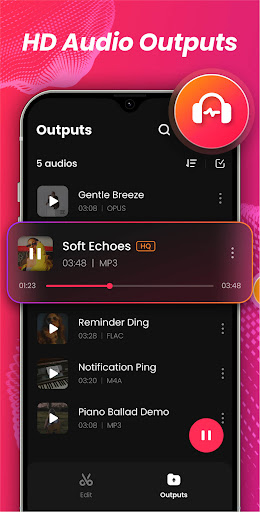
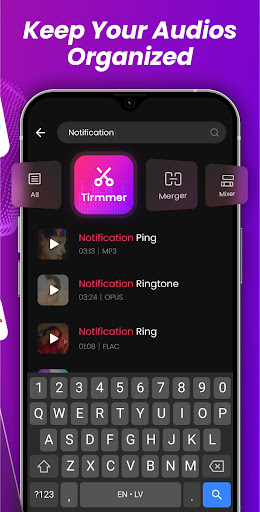
Designed with both beginners and advanced users in mind, Audio Editor, MP3 Cutter offers a comprehensive suite of functionalities. One of its standout features is the ability to support a wide range of audio formats including AAC, OGG, FLAC, MP3, MP2, WAV, OPUS, and M4A. This broad compatibility ensures you can handle virtually any audio file you encounter. Whether you're trimming a podcast, editing a song, or creating custom ringtones, this app caters to your needs seamlessly.
Advanced Trimming Modes
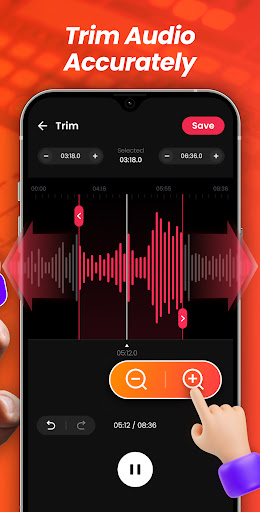
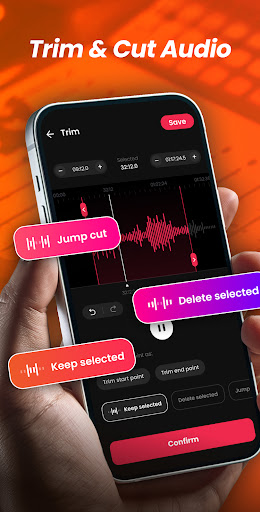
The app provides three distinct trimming modes to give you maximum control over your audio editing process:
- Keep selected: Deletes both ends of the audio, preserving only your chosen segment.
- Delete selected: Removes a specific segment and seamlessly splices the remaining parts together.
- Jump cut: Cuts multiple segments and joins the remaining sections, ideal for creating quick transitions or medleys.
Precise Editing Capabilities
Enjoy pinpoint accuracy with the zoomable audio waveform, allowing you to make meticulous edits. You can set custom start and end times for trimming and use fine adjustments like fast forward or rewind by 0.1 seconds to fine-tune your edits. This ensures your cuts and edits are exactly as you envision, ideal for creating high-quality audio clips or ringtones.
Multi-Function Audio Tools
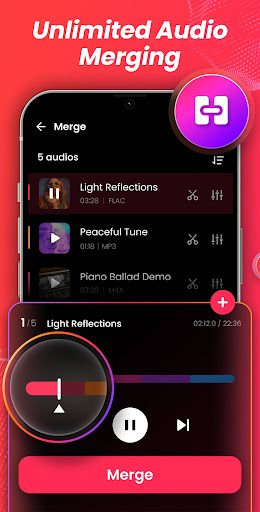
Beyond simple trimming, Audio Cutter functions as a handy audio merger, enabling you to combine multiple audio files into a single piece. You can add fade-in and fade-out effects or overlay tracks for more complex audio productions. Whether assembling a medley or refining a podcast intro, these tools provide professional-level control right at your fingertips.
Future Enhancements
Upcoming features include an audio mixer for synchronized multi-track processing and a ringtone maker to customize your incoming call alerts, alarms, and notifications. You will be able to set different ringtones for contacts and customize your audio experience even further, making this app a versatile all-in-one sound editor and song editor.
Why Choose Audio Editor, MP3 Cutter?
This app stands out as a premier music cutter and sound editor because of its easy-to-use interface, fast processing speeds, and unlimited editing capabilities. Whether you want to create a custom ringtone, cut audio clips for editing projects, or merge tracks into a medley, Audio Editor, MP3 Cutter has you covered. Its lightweight design ensures minimal impact on device storage while delivering powerful editing tools. Whether you’re on an Android or iOS device, the app's stability and performance remain consistent, making it a reliable choice for all your audio editing needs.
Final Thoughts
In a competitive market filled with complex audio editing tools, Audio Editor, MP3 Cutter emerges as a simple and effective solution. It offers everything from basic music cutting to advanced editing features, all wrapped in an intuitive interface. Whether you're creating personalized ringtones, fine-tuning your music, or assembling audio segments for a project, this app makes the process straightforward and efficient. Once you experience the convenience and power of Audio Editor, MP3 Cutter, you'll wonder how you ever managed without it. Try it today and enhance your audio editing journey!
Pros
- User-friendly interface for straightforward editing
- Supports a variety of audio formats
- Enables accurate cutting and trimming of audio
- Provides effects to improve audio quality
- Allows batch processing of multiple files
Cons
- Contains advertisements that may be distracting
- Limited features in the free version
- Reports of occasional app crashes
- Lacks support for cloud storage integration
- Export options could be more comprehensive











