

Discover the Power of AndroPods: Airpods on Android
Are you an Android user dreaming of experiencing the seamless integration and advanced functionalities of Apple’s AirPods? Look no further! AndroPods is an innovative Android app designed to bridge the gap between the Apple ecosystem and your Android device. This app enables you to enjoy the experience of using AirPods with features like battery level monitoring, in-ear detection, and voice assistant activation—bringing a new level of convenience to your wireless audio experience.
Supported Devices and Compatibility
The AndroPods application offers extensive support for various AirPod models and similar earbuds, making it a versatile choice for Android users:
Supported Devices
- AirPod 1
- AirPod 2
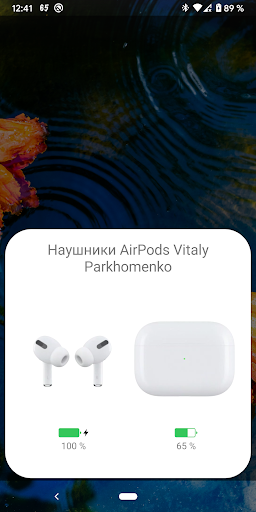
- AirPod Pro – now you can choose between AirPod Pro and the 1st, 2nd generation, with corresponding animations and images displayed
- Powerbeats Pro – supported with icons and animated visuals
- AirPod 3
Key Features of AndroPods
This application unlocks several advanced features to enhance your experience with AirPods on Android. Here's what you can expect:
Battery Level Indicator
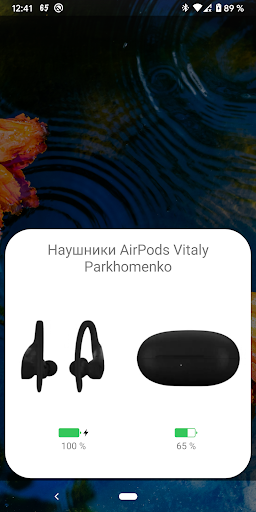
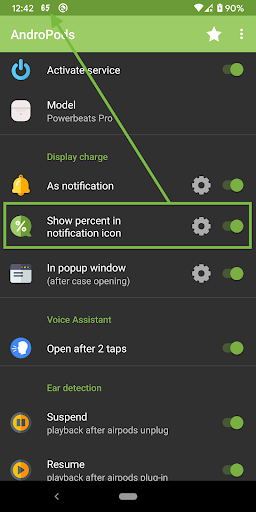
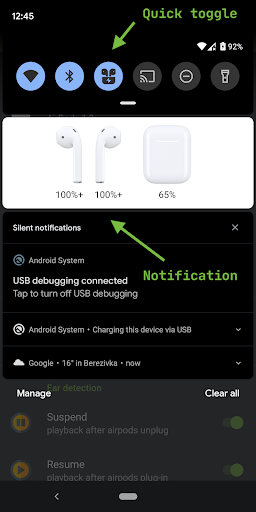
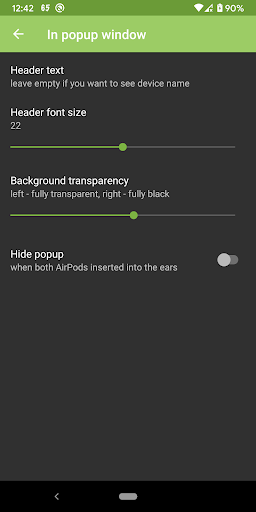
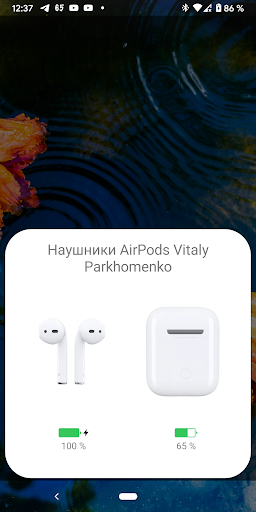
An intuitive popup window with animation mimics the original AirPods battery indicator. The app displays current battery levels directly in notifications, with customizable visibility and percentage in notification icons for quick, at-a-glance updates.
In-Ear Detection
Enjoy automatic pause and resume of playback—just like on an iPhone. When you remove the earbuds, media playback suspends; when you plug them back in, it resumes seamlessly, providing a truly wireless and native-like experience. [PRO]
Voice Assistant Activation
Activate your preferred voice assistant by tapping on your AirPods four times. This feature, available in the [PRO] version, allows you to effortlessly control your device hands-free.
Getting Started with AndroPods
Getting started is straightforward:
- On first launch, grant the application permissions for location detection (necessary for Bluetooth LE discovery) and overlay permission (to display popups).
- Select your preferred options within the app.
- Enable the service, and you’re all set!
**Important Notices:**
- Voice Assistant triggering works only when no other media is playing in the background due to Android limitations. Please avoid leaving negative reviews for this reason.
- If you experience occasional issues with battery level updates, adding AndroPods to your phone’s battery whitelist may help improve accuracy.
Why Choose AndroPods for Your Android Device?
Ever wondered how it feels to use AirPods with your Android device? AndroPods turns that curiosity into reality by offering a smooth, easy-to-use interface that brings a suite of AirPods-like features to your Android phone. The setup process is quick and intuitive, guiding you through pairing your earbuds effortlessly. Once paired, the app unlocks features such as real-time battery monitoring displayed conveniently on your screen and in notifications—so you’re always aware of your earbuds’ charge status.
Customization options let you assign actions to double taps, making it easy to control playback or skip tracks without reaching for your phone. The app also mirrors the effortless in-ear detection found on Apple devices, automatically pausing and resuming music when you remove or insert your earbuds.
While minor connectivity hiccups and occasional latency issues can occur, the developers actively update and improve the app. Their responsiveness and dedication ensure the app remains reliable and user-friendly. Whether you’re a tech enthusiast or a casual listener, AndroPods offers a compelling way to experience AirPods features on Android—further proof that technology can harmonize across platforms.
Final Thoughts: Is AndroPods Worth It?
If you’re an Android user eager to enjoy the convenience of AirPods-like functionality, AndroPods is undeniably worth exploring. Its rich feature set, ease of setup, and commitment to ongoing improvements make it an essential tool for anyone looking to elevate their wireless audio experience. Even with some limitations, the app delivers a taste of Apple’s seamless ecosystem integration and empowers users to get more from their earbuds.
Pros
- Seamless connection with AirPods
- Notifications for battery status
- Customizable touch controls
- Automatic reconnection capability
- Compatible with all AirPods models
Cons
- Limited features in the free version
- Occasional connection disruptions
- In-app advertisements can be intrusive
- Needs access to location services
- Device compatibility may vary











