

- Name Whatnot
- Category Shopping
- Available on PC, Mobile, Surface Hub, HoloLens
- OS Windows 10 version 19003.0 or higher
- Keyboard Integrated Keyboard
- Mouse Integrated Mouse
- languages English (United States)
Introducing Whatnot for Windows: A Fresh Take on Shopping and Collecting
Imagine a versatile digital marketplace where collectors, enthusiasts, and casual shoppers can seamlessly browse, bid, and buy a plethora of unique items—all within a sleek Windows app. That's what Whatnot for Windows aims to deliver. Developed by the team behind the popular live shopping platform, this application blends social interaction with streamlined e-commerce, making it an intriguing addition to your digital toolkit.
Core Features That Stand Out
Rich Live Shopping Experiences
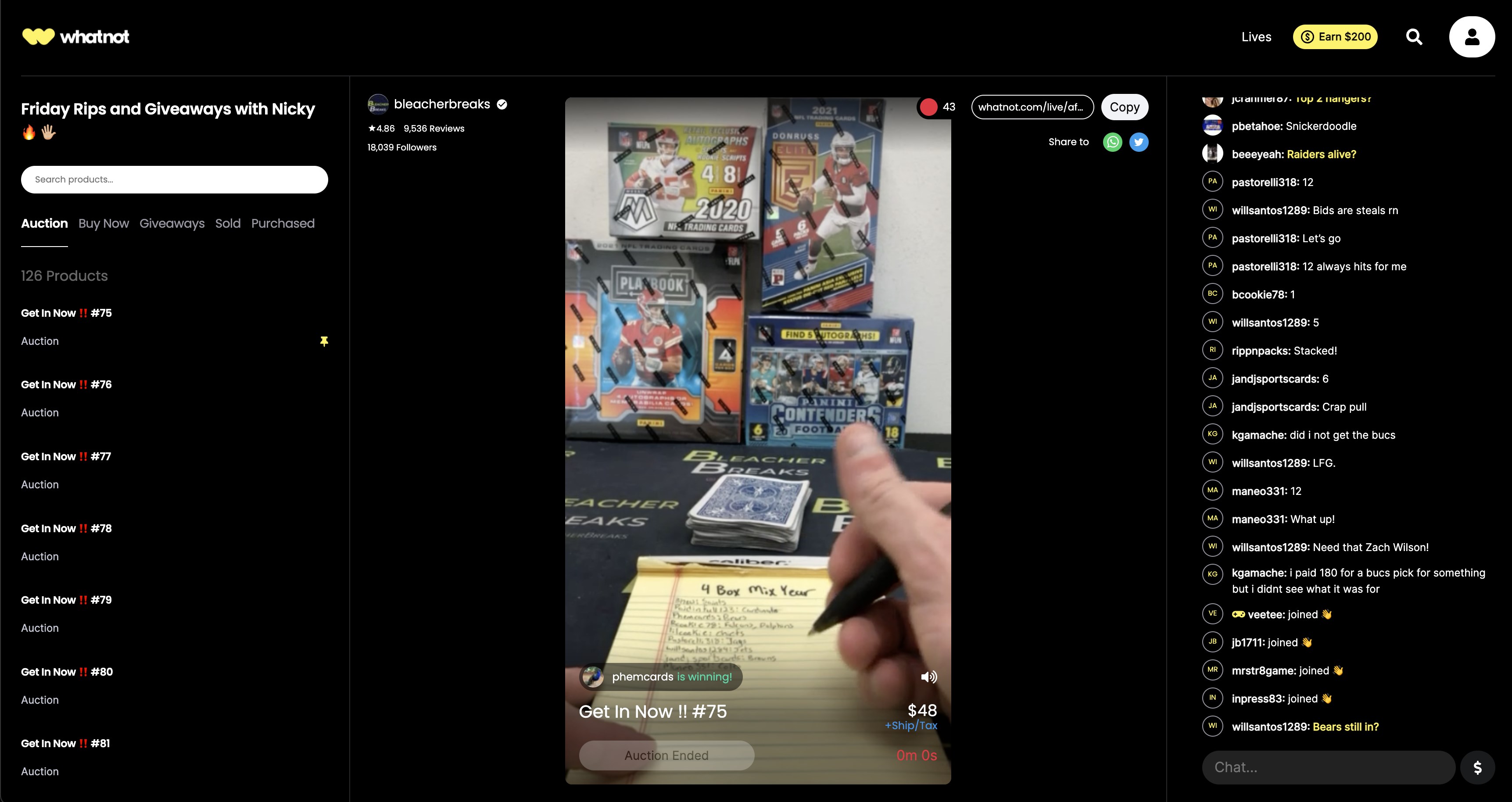
At its heart, Whatnot is rooted in live selling—much like attending a bustling marketplace or an auction in person, but in your digital comfort zone. The app allows users to participate in live streams where sellers showcase a diverse range of products—from vintage collectibles to the latest gadgets. The dynamic, real-time bidding and chat interactions create an engaging, almost palpable feeling of being inside a lively bazaar.
Extensive Product Variety & Categorization
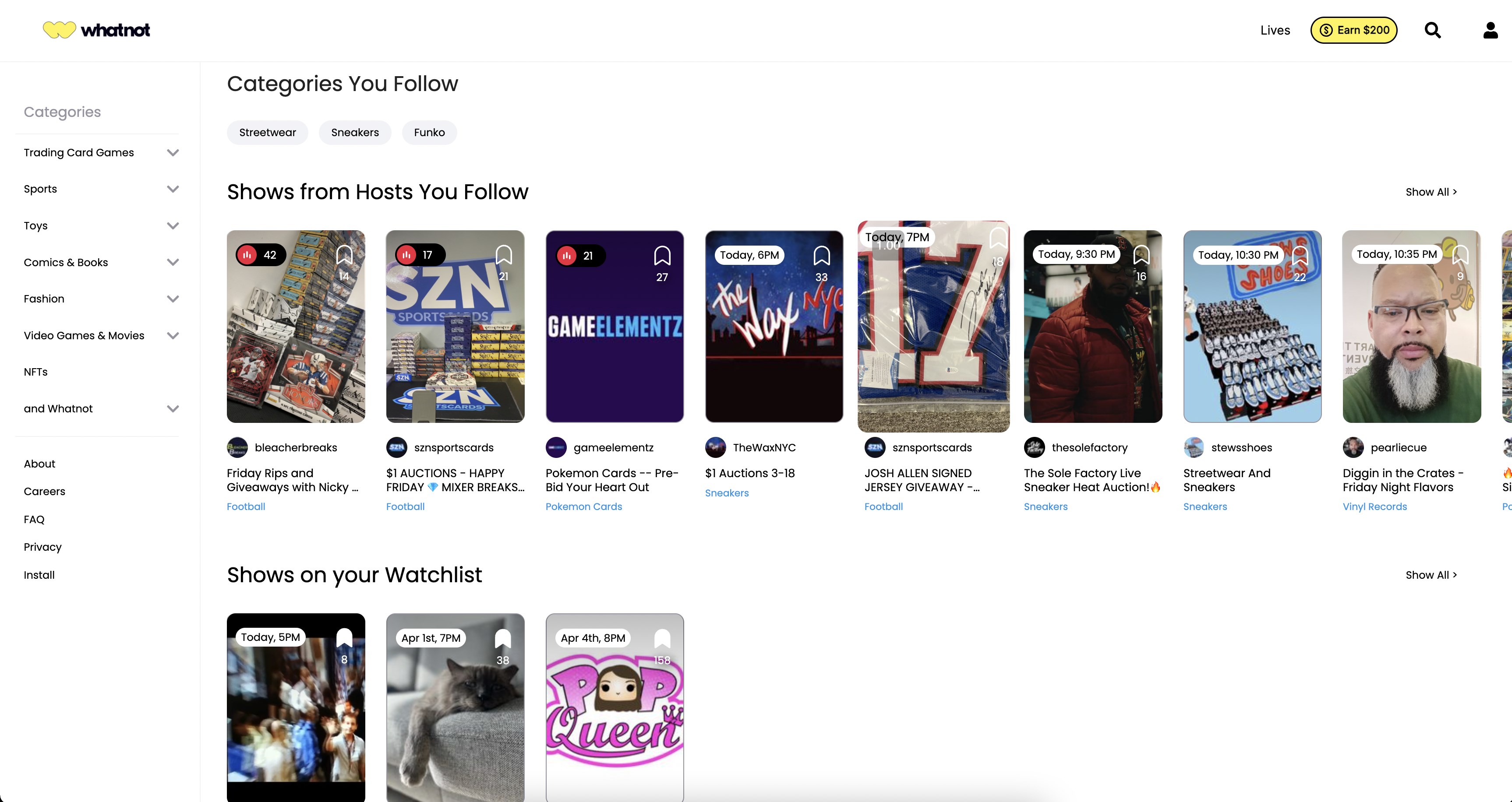
Unlike many shopping apps that pigeonhole items into broad categories, Whatnot excels in detailed, intuitive categorization. Whether you're hunting for rare comic books, sneakers, or signed memorabilia, the app's organized catalog makes it easy to find your favorites. The layered filters and curated collections help users quickly pinpoint exactly what they want, making browsing both efficient and enjoyable.
Transparent & Competitive Pricing
Pricing transparency is a standout feature. Buyers can see starting bids, current bid amounts, and seller feedback upfront, reducing the guesswork often associated with online auctions. Sellers, meanwhile, benefit from clear fee structures, reducing anxiety about hidden costs. This openness fosters trust and encourages more active participation—no shady deals or surprises here.
User Experience and Interface Design
The app sports a clean, modern interface that feels friendly yet professional—akin to walking into a well-organized specialty shop. Navigating through categories, live streams, and search functions is smooth; transitions are quick, with minimal lag, making the experience fluid even with multiple open tabs. Onboarding new users is straightforward thanks to guided tutorials and intuitive icons.
Learning curve? Quite gentle. Even first-time users will find it easy to understand how to join streams, place bids, and manage their account. The subtle animations and logical layout contribute to a user-friendly environment, almost like having a helpful shop assistant guiding you through your shopping journey.
How Does Whatnot Differ from Other Shopping Apps?
Compared to traditional e-commerce giants or generic shopping platforms, Whatnot's edge lies in its live auction component combined with social features. Many apps focus solely on transactional convenience, but Whatnot emphasizes community engagement. Its detailed categorization—organized like curated mini-shops—makes product discovery effortless, as if each category has its own dedicated boutique.
Pricing transparency also lends a layer of trust that's often missing elsewhere. Plus, the app's approach to product variety and categorization ensures you're not just scrolling endlessly but are guided to niche markets and rare finds, elevating your shopping from routine to treasure hunting.
Recommendation and Usage Suggestions
I would suggest this app especially to collectors, hobbyists, or anyone who enjoys the thrill of live auctions and discovering unique items. Casual shoppers interested in rare or limited-edition goods will find Whatnot a valuable tool. The app's best feature—its lively, interactive shopping environment—is worth experiencing at least once, particularly for those who appreciate a social dimension to their purchases.
Overall, Whatnot for Windows is a thoughtfully designed platform that balances engaging live experiences with transparent, organized shopping. It might not replace your go-to retail apps for everyday convenience, but for specialized finds and the excitement of live bidding, it offers a refreshing, user-friendly alternative.
Pros
- User-Friendly Interface
- Wide Variety of Content
- Seamless Integration with Microsoft Account
- Secure Payment Options
- Regular Updates and Improvements
Cons
- Occasional App Crashes
- Limited Offline Access
- Minor Interface Glitches
- Limited Customer Support Options
- Regional Content Restrictions