
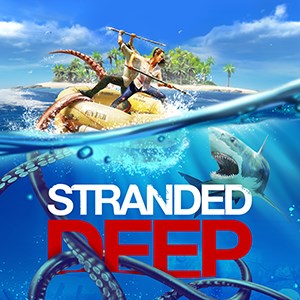
- Name Stranded Deep
- Category Action & adventure
Introducing Stranded Deep for Windows: A Survival Adventure Beneath the Ocean
Stranded Deep for Windows is a compelling survival game that immerses players into the vast and unpredictable marine wilderness, challenging them to survive against the odds on a deserted island after a plane crash.
Developed by Beam Team Publishing
Created by the dedicated team at Beam Team Publishing, this game leverages their passion for crafting immersive survival experiences, combining realistic environments with engaging gameplay mechanics.
Core Features Highlighted
- Procedurally Generated Islands: Each playthrough offers a unique array of islands with different resources, landscapes, and hazards, ensuring no two adventures are alike.
- Deep Crafting and Building System: Players can craft tools, weapons, and shelter from found materials, transforming the environment into a personalized survival base.
- Underwater Exploration: An exciting highlight allows players to dive beneath the waves to discover shipwrecks, underwater caves, and hidden treasures, adding layers of depth to gameplay.
- Dynamic Weather and Day/Night Cycle: The realistic weather patterns and natural light variations significantly influence survival strategies and immersion.
Engaging Survival in a Harsh Marine World
From the moment you start Stranded Deep, you're thrust into a vivid world teeming with both beauty and danger. Imagine washing ashore after a turbulent flight, with nothing but your wits, a makeshift spear, and the endless ocean before you. The game paints this scenario with a vivid brush—lush green islands dotting the turquoise sea, waves crashing against rocky shores, and the distant calls of seabirds. It feels like stepping into a survival documentary shot through a cinematographer's lens—both breathtaking and tense. The core mechanic of transforming raw resources into survival gear feels satisfying, almost like piecing together a puzzle from the wreckage of your circumstances.
Island Life and Resource Management
The heart of the game lies in managing limited resources while exploring the island and seas. Crafting tools from stones, wood, and scraps becomes an engaging puzzle—much like assembling nature's bits into functional items. The interface for crafting is intuitive: select a raw material, choose a tool or shelter, and watch your creation come alive. Balance is key—overharvesting can deplete your resources quickly, demanding strategic planning. The game's UI maintains a clean, straightforward layout that reduces clutter, helping players focus on survival rather than navigation. The learning curve is gentle enough for newcomers but deep enough to satisfy seasoned survival fans. The game's progression feels natural, progressing from basic survival to more complex tasks like crafting rafts and exploring underwater wrecks.
Underwater World: A Hidden Treasure Trove
One of Stranded Deep's most distinctive features is its underwater exploration mechanic. Diving beneath the surface transforms the gameplay into a treasure hunt, revealing shipwrecks, submerged caves, and coral reefs filled with colorful marine life. The underwater environments aren't just visual eye-candy; they are resource hubs crucial for advanced crafting. This feature sets the game apart from other survival titles by seamlessly blending terrestrial and marine exploration, making you feel like a true maritime explorer. The controls for underwater navigation are fluid, and the game does a good job of incorporating oxygen management, adding a realistic layer of challenge. The underwater zones provide a welcome change of scenery and bring an additional dimension to survival strategy—think of it as discovering a sunken city in the depths of your adventure.
Experience and Recommendations
Compared to other action and adventure titles, Stranded Deep shines brightly with its realistic survival mechanics and immersive environment. Its unique underwater exploration feature, combined with dynamic weather and procedurally generated islands, ensures that each game session feels fresh and engaging. While the interface and controls are user-friendly, mastering underwater exploration and resource management requires patience and strategic thinking, making it a rewarding experience for dedicated survival enthusiasts.
If you enjoy games that demand ingenuity, patience, and a love for the natural world, Stranded Deep for Windows is highly recommended. It's especially suited for players who appreciate a grounded, realistic survival simulation rather than fast-paced action. Whether you're crafting a sturdy shelter, exploring the ocean's mysteries, or simply soaking in the stunning visuals, this game offers a deep and satisfying adventure that's worth trying out. With its standout underwater exploration and procedural island generation, it stands out as a compelling choice for survival game aficionados looking for a challenging yet beautiful world to lose themselves in.
Pros
- Immersive survival experience
- Beautiful underwater graphics
- Progression system and resource management
- Procedurally generated islands
- Responsive controls and intuitive interface
Cons
- Frequent minor bugs
- Limited save options
- Performance fluctuations on lower-end devices
- Lack of tutorial or guidance for new players
- Monotonous gameplay over time











