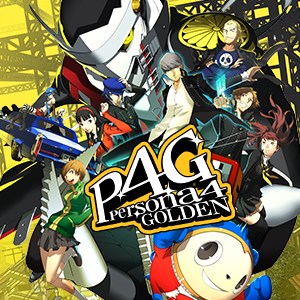
- Name Persona 4 Golden
- Category Role playing
Persona 4 Golden for Windows: A Nostalgic JRPG Experience Reinvigorated
Persona 4 Golden for Windows offers a beautifully remastered glimpse into the beloved Nintendo PlayStation title, bringing its rich storytelling and engaging gameplay to PC gamers worldwide with enhanced features and accessibility.
Basic Information: Where Classic JRPG Meets Modern Accessibility
At its core, Persona 4 Golden is a captivating blend of dungeon crawling, social simulation, and character development wrapped in an engaging narrative. Developed by ATLUS, this Windows adaptation marks a significant step in making the acclaimed JRPG more accessible beyond consoles. The game's standout features include an expanded social link system that deepens character bonds, a more polished user interface tailored for keyboard and mouse, and a smoother gameplay experience thanks to optimized performance settings. Its target audience primarily consists of fans of role-playing games, visual novel enthusiasts, and players seeking a compelling story-driven experience with deep character progression.
A Fresh Take on a Time-Honored Classic
Stepping into Persona 4 Golden on PC is like opening a well-loved photo album—familiar scenes evoke nostalgia, but the fresh details and sharper images invite new reflections. This game excels at drawing players into its colorful rural setting, where every decision feels weighty and every friendship blooms with meaningful choices. From the moment you start, you're greeted with an inviting interface and smooth gameplay that instantly transports you into a world where your actions shape the narrative's twists and turns.
Engaging Character Progression and Narrative Depth
The crown jewel of Persona 4 Golden's uniqueness lies in its character progression system. Unlike many RPGs, where levelling up feels mechanical, this game intertwines character development with social relationships. Building bonds, or “social links,” unlocks new abilities and powers, making each interaction feel purposeful. The game's narrative is equally intricate—your choices in dialogues and decisions influence story outcomes, revealing multiple endings and encouraging repeated playthroughs. This deep integration of character growth and story consequences sets it apart from standard role-playing titles and keeps players invested in both individual characters and the overarching plot.
Streamlined User Interface and Intuitive Gameplay
Persona 4 Golden's interface is thoughtfully redesigned for Windows, making navigation and menu management a breeze. Whether you're exploring the haunted dungeon “The Midnight Channel” or managing social schedules, the layout is intuitive, reducing learning curve and allowing players to focus on enjoying the story. The game runs smoothly on a wide range of PC configurations, with adjustable settings for graphics and performance, creating a seamless experience whether you're gaming on a high-end rig or a modest setup.
Comparative Advantages in the Role-Playing Realm
When stacked against other RPGs, Persona 4 Golden's dedication to character and story depth makes it stand out. Its social link system offers a layer of personalization and emotional investment rarely matched elsewhere, while the narrative choices lead to genuine consequences, adding replayability. Unlike typical JRPGs that rely heavily on combat grind, Persona 4 Golden emphasizes meaningful interactions and character arcs, making it a refreshing alternative for players seeking depth over simply battling monsters.
Final Recommendations: A Must-Play for Story and Character Enthusiasts
If you're a fan of role-playing games that blend storytelling with strategic social mechanics, Persona 4 Golden for Windows is highly recommended. Its refined interface and performance enhancements make it enjoyable for newcomers and veterans alike. The game's most compelling feature—its intertwined social system and narrative consequence—offers an experience that's both emotionally resonant and intellectually engaging. For players seeking a mature, character-driven JRPG with a nostalgic touch and modern polish, this title is definitely worth a shot. Just remember, it's a game that rewards patience and thoughtful choices; dive in and enjoy every twist of this well-crafted story.
Pros
- Enhanced Gameplay Experience
- High-Quality Graphics and Art Style
- Deep Social Simulation Elements
- Great Soundtrack and Voice Acting
- Flexible Customization Options
Cons
- Occasional Performance Lag
- Long Load Times
- Limited Controller Support
- User Interface Clutter
- Achievements and Save Sync Issues