
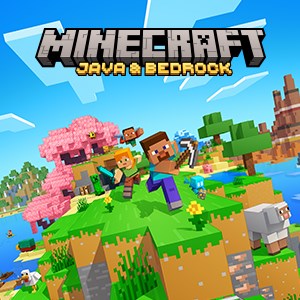
- Name Minecraft: Java & Bedrock Edition for PC
- Category Action & adventure
Introducing Minecraft: Java & Bedrock Edition for PC
Minecraft: Java & Bedrock Edition for PC is a versatile sandbox game that combines two of the most popular Minecraft platforms into a single, accessible experience, offering endless creativity and adventure for players on Windows PC.
Developed by Microsoft Studios, a titan in interactive entertainment
Developed and published by Microsoft Studios, this version merges the Java Edition's open customization capabilities with the Bedrock Edition's cross-platform versatility, providing a comprehensive sandbox experience tailored for dedicated Minecraft fans.
Highlight Reel: What Makes This Edition Stand Out
- Seamless integration of Java and Bedrock features, allowing players to access modding, skin customization, and cross-platform multiplayer from one client.
- Enhanced multiplayer capabilities, supporting cross-device play across Windows, consoles, and mobile devices.
- Access to a vast ecosystem of community-created mods, skins, and resource packs, especially in the Java Edition environment.
- Regular updates with new content, bug fixes, and feature enhancements directly from Microsoft.
Who Is This For?
This version particularly appeals to both veteran Minecraft players, who value modding and extensive customization, and newcomers seeking a user-friendly interface with the flexibility to play across various devices. It's also ideal for creative minds wanting a reliable platform to build, explore, and share with friends and community members worldwide.
Embark on a Journey Through Pixelated Paradise
Imagine stepping into a world woven from blocks where your imagination is the only limit—whether you're crafting massive castles, mining for rare treasures, or battling pixel monsters. Minecraft: Java & Bedrock Edition for PC feels like unlocking the ultimate sandbox, where every click brings a new adventure. Its vibrant pixel art and expansive worlds draw you into a universe teeming with endless possibilities, making each session feel like a walk through a living, breathing digital playground.
Intuitive and Visually Appealing Interface
The interface of the game strikes a balance between functionality and ease of use. The main menu is streamlined, allowing quick access to worlds, multiplayer options, and community resources. Navigating through crafting menus and inventory management is straightforward, even for new players, thanks to thoughtfully designed icons and clear categorization. The aesthetic aligns well with Minecraft's playful yet professional art style, enhancing immersion without overwhelming the user.
Fluid Performance and User Experience
Playing on a reasonably recent Windows PC, the game operates with commendable smoothness. Loading times are minimal, and world rendering is quick, which keeps the gameplay flowing effortlessly. The game's responsiveness ensures your every command—be it placing blocks or switching tools—is executed with precision. The learning curve is gentle; new players can quickly adapt, while experienced builders will appreciate the depth of customization and mod support. Overall, the experience feels polished yet accessible, fostering creativity without frustrating delays.
Unique Features and Competitive Edge
What truly sets this edition apart from other action-adventure games is its unrivaled creative freedom bolstered by cross-platform multiplayer, meaning you can collaborate or compete with friends regardless of device. The integration of modding support and community content—particularly in the Java Edition—creates a rich ecosystem of user-generated content that continually refreshes the gameplay. Additionally, the seamless update process ensures you always have access to the latest features, enhancing longevity and engagement. These aspects make Minecraft not just a game, but a dynamic universe that evolves along with its community.
Recommendation and Usage Tips
Overall, Minecraft: Java & Bedrock Edition for PC is highly recommended for players who value customization, creative freedom, and cross-platform play. It's suitable for all ages, from kids eager to build their first structures to seasoned players designing complex redstone contraptions. For newcomers, starting with the Bedrock features provides an easier entry point, while experienced modders should explore the Java Edition's extensive community offerings. Ensure your PC meets the system requirements for a smooth experience, and keep an eye on community forums for the latest mods, resource packs, and multiplayer servers. Dive in with curiosity, and you'll find yourself immersed in a world limited only by your imagination.
Pros
- Cross-Platform Compatibility
- Access to Both Java and Bedrock Editions
- Regular Updates and Support
- Extensive Community and Mod Support
- Rich Creative Tools
Cons
- Large Download Size
- Performance Variability
- Complexity for Beginners
- Inconsistent Multiplayer Experience
- Limited Cross-Platform Voice Chat











