
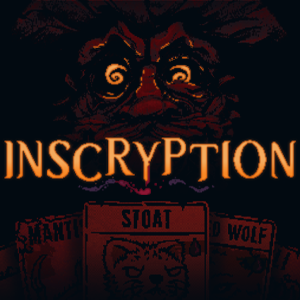
- Name Inscryption
- Category Action & adventure
Inscryption for Windows: A Dark and Inventive Card-Based Adventure
Inscryption is a unique blend of card game mechanics and narrative-driven horror, delivering an immersive experience that challenges players' strategic thinking and storytelling preferences.
Brief Overview: Dark Magic in a Digital Realm
Developed by Devolver Digital, a name synonymous with innovative indie titles, Inscryption stands out as a captivating game that merges psychological horror with deep deck-building gameplay. Its core features include a mysterious, evolving storyline, richly crafted card mechanics that go beyond typical deck-building, and a suspenseful atmosphere that keeps players on their toes. Aimed at fans of both horror and strategic card games, its audience spans mature gamers seeking a fresh, thought-provoking experience.
An Engaging Journey Into the Unknown
From the moment you start Inscryption, you're greeted with a haunting tableau reminiscent of an old, flickering screen in a dimly lit cabin. The game quickly immerses you in a dark journey where every decision feels like navigating a treacherous game of chess under the gaze of unseen eyes. Its narrative unfolds in unexpected ways, constantly blurring the line between digital artifice and psychological torment, making each session feel like unraveling a cryptic mystery.
Innovative Card Mechanics and Strategy Depth
At its heart, Inscryption offers a deck-building experience that evolves with each chapter. Unlike traditional card games where mechanics can feel static, Inscryption introduces mechanics like resource management intertwined with ritualistic gameplay, where cards possess unique abilities that interact dynamically. The game employs a semi-permanent progression system, encouraging players to adapt and strategize with cards they've unlocked or acquired, creating a layer of depth comparable to a tense game of cat-and-mouse. This mechanic stands as its most distinctive feature—transforming standard card battles into an atmospheric puzzle, where every play feels like a piece of a larger, unfolding story.
Atmosphere, Interface, and Player Experience
The interface design complements the eerie mood perfectly—minimalistic but evocative, echoing old-school computer terminals and hand-drawn illustrations. Navigation is intuitive, with smooth transitions that maintain flow without feeling intrusive. The game's pacing is carefully calibrated: it introduces complex concepts gradually, easing players into its mechanics through clever tutorials and contextual hints, thereby minimizing frustration and enhancing accessibility. The dark, foreboding soundtrack further immerses players, making each match feel like a clandestine ritual rather than a mere card duel. This careful blend of aesthetics and functionality results in a user experience that's both compelling and comfortable once you get the hang of it.
What Sets Inscryption Apart?
Compared to other action and adventure card games, Inscryption's most unique advantage lies in its narrative structure and meta-commentary—it's not just about winning battles but about uncovering layers of story, secrets, and even metafictional elements that challenge your perception of gameplay itself. Its blending of horror themes with strategic depth creates an experience that's unsettling yet intellectually stimulating—truly a game that plays with your mind as much as your cards.
Final Thoughts and Recommendations
In terms of recommendation, Inscryption is highly suited for players who appreciate a blend of storytelling, strategy, and atmospheric horror. Its layered mechanics and mysterious narrative make it a rewarding experience for those willing to delve into its secrets. While the game has a learning curve, the well-crafted tutorials and gradual complexity ensure it's accessible for players who enjoy a rewarding challenge. Considering its innovative approach and atmospheric depth, I'd confidently recommend this title to fans of dark, thought-provoking games seeking something beyond the typical card or adventure game formula.
Pros
- Engaging Gameplay
- Stunning Artwork
- Innovative Narrative
- Rich Sound Design
- Moderate Learning Curve
Cons
- Occasional Performance Issues
- Steep Starting Difficulty
- Limited Controller Support
- Replayability Dependent on Interest
- Content Depth for Casual Players











