
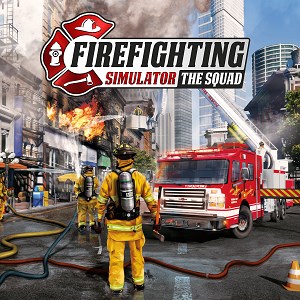
- Name Firefighting Simulator - The Squad
- Category Action & adventure
Firefighting Simulator - The Squad: A Realistic Dive into Fire Rescue Action
If you've ever dreamed of stepping into the boots of a heroic firefighter and experiencing the adrenaline rush of saving lives, Firefighting Simulator - The Squad offers an immersive and detailed virtual training ground. This game stands out as a meticulously crafted firefighter simulation, balancing attention to detail with engaging gameplay. Developed by Astragon Entertainment, renowned for its realistic simulation titles, the game promises an authentic firefighting experience on Windows PCs.
Core Features that Shine Bright
At its heart, Firefighting Simulator - The Squad boasts several standout features. First, its highly detailed fire and rescue scenarios allow players to manage various emergency situations, from blazing building fires to vehicle accidents. Second, the game offers a comprehensive array of firefighting equipment and vehicles, mimicking real-world gear to enhance immersion. Third, teamwork and coordination are emphasized, enabling multiplayer modes where players can operate as part of a firefighting squad—just like in real-life emergencies. Moreover, the game's realistic physics and environment interactions elevate the experience further, making every rescue mission both challenging and rewarding.
Immersive and Intuitive User Experience
The interface design of Firefighting Simulator is both practical and clean, crafted for ease of navigation without sacrificing realism. The layout guides players smoothly from vehicle operation to hazard management, ensuring that even newcomers can quickly grasp basic mechanics. Operation feels fluid, with responsive controls that mimic real-world firefighting techniques, such as ladder deployment, hose handling, and extrication tools. The learning curve is moderate—punctuated by tutorials and gradual mission complexity—that allows players to build confidence without feeling overwhelmed. Visuals are crisp, with detailed environments that vividly recreate urban settings, industrial zones, and forested areas—all integral to a comprehensive firefighting simulation.
What Sets It Apart from Other Action & Adventure Titles?
Unlike many action games that focus on combat or exploration, Firefighting Simulator prioritizes tactical decision-making, teamwork, and procedural accuracy. Its realistic physics engine distinguishes it from more fantastical titles, as every fire spread, smoke behavior, and structural collapse reacts authentically. A key feature—the squad-based multiplayer mode—sets it apart, emphasizing collaborative rescue operations, communication, and strategy. This cooperative dimension elevates the game from a solo adventure to a shared immersive experience, making it uniquely appealing for friends or firefighting enthusiasts alike.
Recommendation and Usage Tips
Overall, I would recommend Firefighting Simulator - The Squad to players interested in simulation games, emergency response strategies, or realistic action scenarios. It's particularly suited for those who appreciate attention to detail and procedural accuracy over fast-paced chaos. For best results, new players should take advantage of the tutorial missions to familiarize themselves with equipment and procedures. Given its depth and realism, it's suitable for mature audiences and hobbyists eager to learn about firefighting operations. If you're seeking an educational yet engaging experience that emphasizes teamwork and tactical planning, this game is a compelling choice.
Pros
- Realistic firefighting experience
- Variety of firefighting equipment
- Intuitive controls
- Multiple mission types
- Educational elements included
Cons
- Occasional performance lag
- Limited multiplayer options
- Graphics could be more detailed
- Steep learning curve for some controls
- Occasional bugs in mission triggers











