
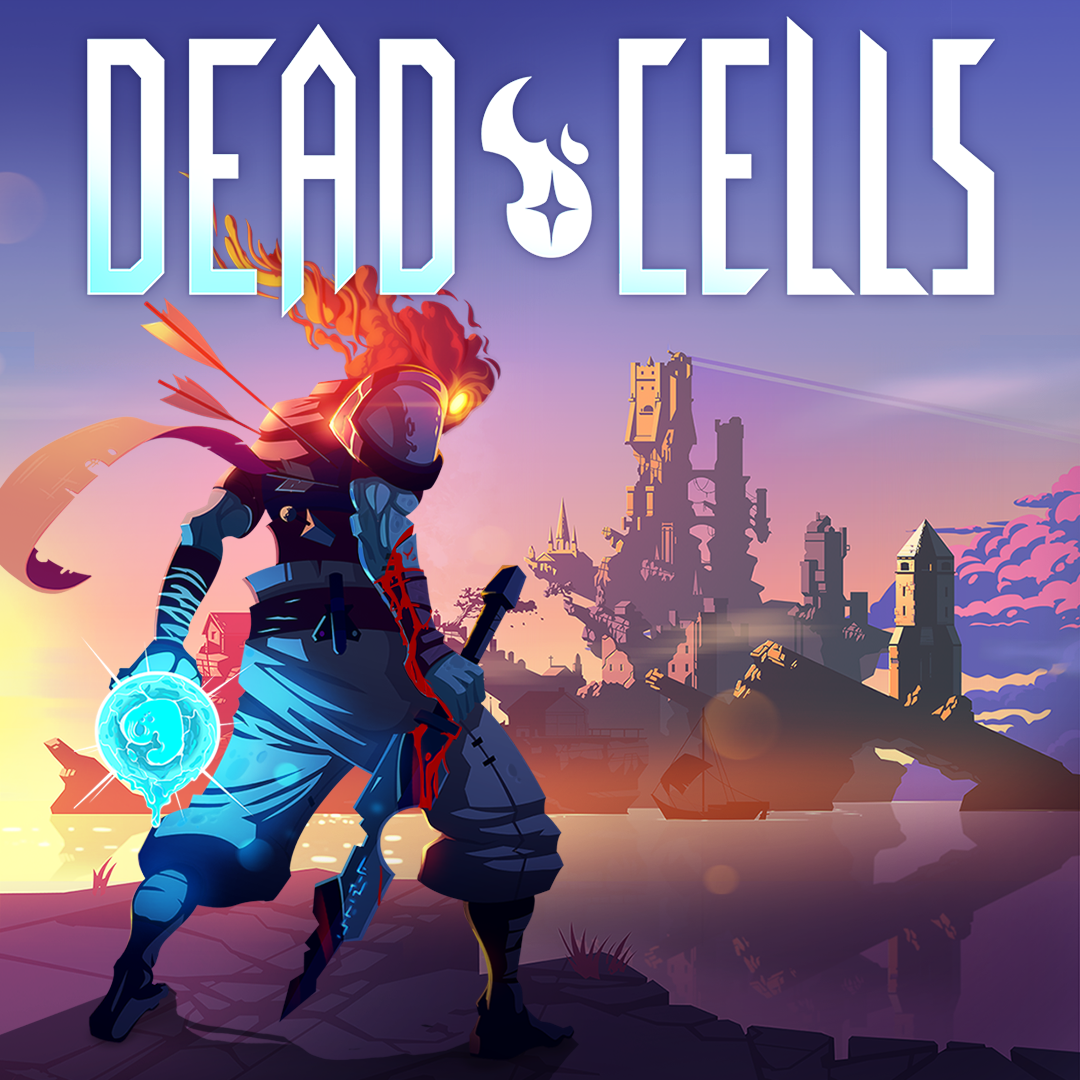
- Name Dead Cells
- Category Action & adventure
Dead Cells for Windows: A Roguelike Action Masterpiece That Keeps You on Your Toes
If you're a fan of challenging, fast-paced combat combined with roguelike unpredictability, Dead Cells for Windows offers a compelling experience that pushes your reflexes and strategic thinking to the limit. Developed by Motion Twin, this game seamlessly blends Metroidvania exploration with visceral combat, creating an engaging loop that keeps players coming back for more.
About the App: What Makes Dead Cells Stand Out
Dead Cells is a critically acclaimed roguelike action-platformer that emphasizes fluid movement, strategic combat, and relentless exploration. Designed for Windows users, it delivers a console-quality experience right on your PC.
Developed by Motion Twin
The game is crafted by the talented French indie studio Motion Twin, known for their meticulous design and commitment to delivering innovative gameplay experiences.
Main Features Highlights
- Fast-Paced, Precise Combat: Master a variety of weapons and skills to execute smooth, responsive combat sequences against hordes of enemies.
- Procedurally Generated Levels: Every run offers a fresh layout, ensuring high replayability and unpredictability.
- Rich Progression System: Unlock new weapons, abilities, and mutations that allow personalized playstyles as you conquer the depths.
- Stunning Pixel Art & Sound Design: Artistic visuals combined with atmospheric soundtracks immerse players into a haunting, mysterious world.
The game caters to gamers who seek challenge, experimentation, and a sense of progression, making it ideal for action enthusiasts and roguelike fans alike.
Immersive Gameplay: Intensity and Strategy Combined
From the moment you dive into Dead Cells, you're greeted with a vibrant, pixel-art universe teeming with hostile foes and hidden secrets. Imagine walking into a dimly lit, dungeon-like environment where every step you take could be your last—this game's atmosphere is both gritty and captivating, drawing you into its dark fairy tale setting.
Core Mechanics Explored
One of Dead Cells' strengths lies in its combat system. Combining quick reflexes with strategic weapon choices, players engage in ballet-like duels where timing and positioning are everything. Weapons range from swift blades to massive axes, each offering different fighting styles, encouraging experimentation for each boss encounter or mini-boss on the way.
The game's "mutations" add another layer of depth, acting as passive upgrades that modify gameplay—think of them as genetic enhancements that turn you into a more formidable, versatile fighter. The seamless transition between movement, dodging, and attacking ensures that players remain engaged, rarely feeling bogged down or sluggish.
Level Design & Progression
Dead Cells' levels are randomly generated, but with a clever design that balances challenge and reward. Progression feels rewarding, as unlocking new weapons and mutations invigorates subsequent runs. The sense of discovery—finding hidden paths, secret rooms, or rare items—mimics exploring a living, breathing labyrinth, making each attempt feel unique.
The User Experience: Navigating with Ease
Visually, Dead Cells sports vibrant pixel art that balances nostalgia with modern flair. The interface is intuitive, allowing easy access to inventory, map, and abilities without cluttering the screen. Operation feels smooth on Windows, with responsive controls that make dodging and attacking feel instinctive—ideal for high-adrenaline moments.
Learning curve-wise, newcomers may initially face a steep challenge, but the game provides helpful indicators and adaptive difficulty to ease players into its mechanics. The game's responsiveness and clear visual cues help players understand enemy patterns and timing, making the learning process gratifying rather than frustrating.
What Sets Dead Cells Apart?
Compared to other action and adventure titles, Dead Cells shines particularly in its combination of procedurally generated worlds and tight, fluid combat. Many roguelikes can feel repetitive or overly difficult, but Dead Cells balances difficulty with a rewarding sense of mastery—each run feels like progressing through a mosaic of skill and luck.
Its focus on fast-paced movement, coupled with a wide array of weaponry and mutations, encourages diverse playstyles, from aggressive melee combat to cautious ranged tactics. The game's atmospheric music and art style further enhance its immersion, making it more than just a grind—it's a journey through a beautifully crafted, dangerous world.
Final Verdict: Is Dead Cells a Must-Play?
Overall, Dead Cells for Windows earns a solid recommendation for players seeking a challenging, well-crafted action game. Its unique blend of roguelike randomness, fluid combat, and captivating aesthetics make it stand out among peers. Whether you're a seasoned gamer or a newcomer craving a deep, rewarding experience, Dead Cells offers plenty to explore and conquer.
For those willing to embrace its difficulty and enjoy the thrill of mastery, this game is highly recommended—just prepare to die a lot, but also to learn and grow with every run. If you're seeking an adrenaline-fueled adventure wrapped in stunning pixel art, Dead Cells is certainly worth your time.
Pros
- Smooth and responsive controls
- Stunning pixel art and visual design
- Engaging and challenging gameplay
- Frequent updates and added content
- Support for cloud save and cross-device sync
Cons
- Occasional frame rate drops during intense scenes
- Limited tutorial for new players
- In-app purchase options can be expensive
- Occasional matchmaking or connectivity issues
- Battery consumption can be high during extended play











