






- Name Canasta Palace
- Category Action & adventure
- Developer Spiele-Palast GmbH
- Available on PC
- OS Windows 10 version 14393.0 or higher
- Keyboard Integrated Keyboard
- Mouse Integrated Mouse
- languages English (United States), German
Canasta Palace for Windows: A Sophisticated Twist on Classic Card Games
Canasta Palace is a thoughtfully crafted digital rendition of the beloved Rummy-inspired card game, offering players a refined, user-friendly experience on Windows. Developed by Spiele-Palast GmbH, this app stands out by blending traditional gameplay with sleek design and modern functionalities, making it an excellent choice for card enthusiasts seeking both casual play and strategic depth.
Developer and Core Features
Produced by the innovative team at Spiele-Palast GmbH, Canasta Palace is designed to appeal to a broad audience—from seasoned card players to newcomers eager to learn. Its standout features include intuitive gameplay mechanics, customizable game options, and a smooth, visually appealing interface, all optimized for Windows users. Additionally, the app offers multiplayer capabilities, allowing friends and family to engage in friendly competition regardless of physical location.
Vivid Beginnings: An Engaging Flavor for Card Enthusiasts
Imagine stepping into a virtual palace where the atmosphere is lively yet elegant, setting the stage for hours of addictive card play. Whether you're looking to unwind after a busy day or challenge your strategic mind, Canasta Palace invites you into a world where classic card tactics meet modern design. Its welcoming interface lowers the entry barrier for beginners, while offering enough nuance to keep advanced players entertained. This balance makes it more than just a game—it becomes a digital clubhouse for card lovers everywhere.
Deep Dive into Core Functionalities
Elegant Interface and User Experience
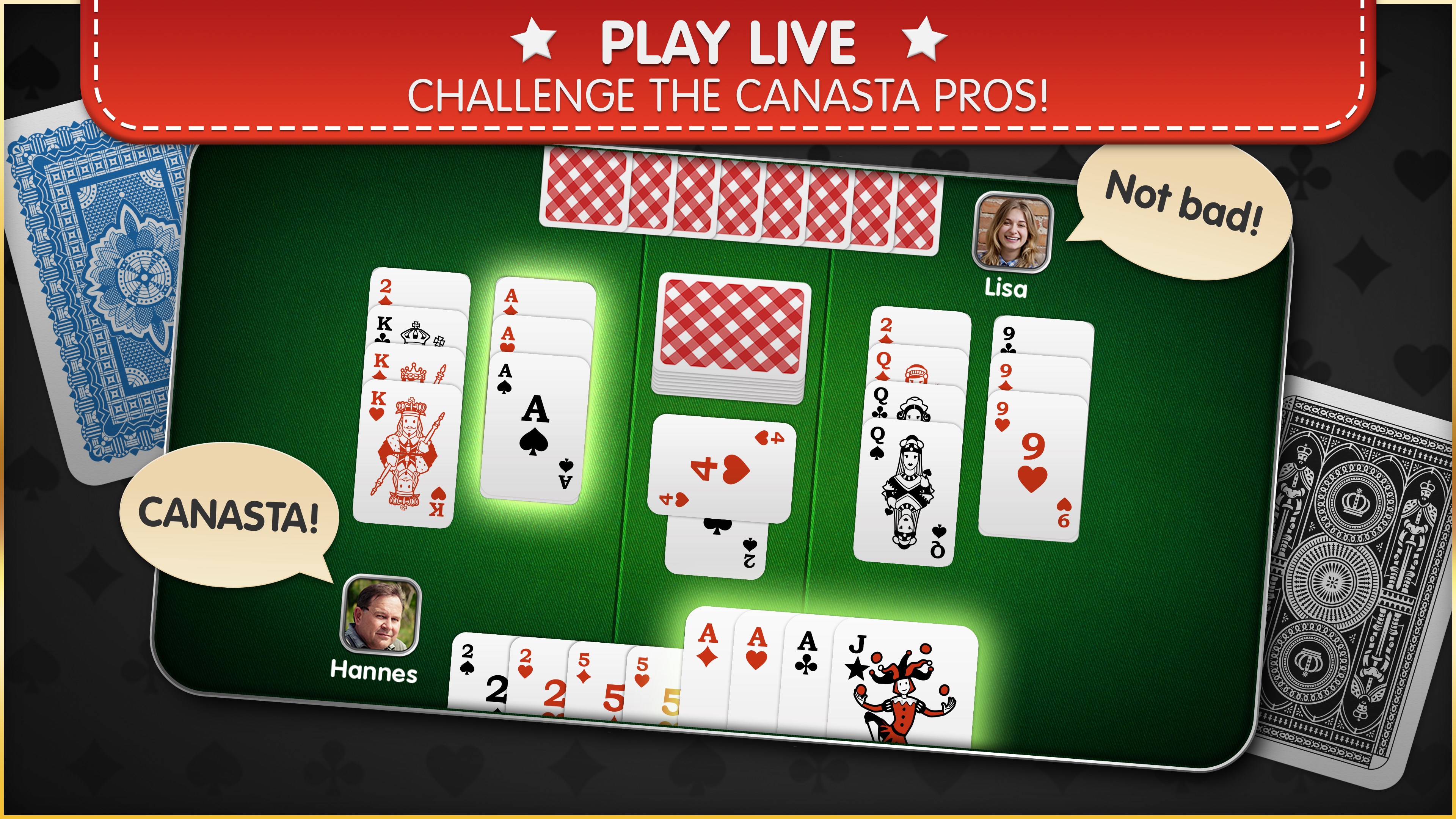
The first thing you'll notice upon launching Canasta Palace is its sleek, well-organized interface. The clean design with soft color palettes and intuitive icons makes navigation a breeze, eliminating the frustration often associated with more cluttered digital card games. The gameplay area is thoughtfully laid out, ensuring that all essential elements—cards, scores, menus—are easily accessible without overwhelming the eye. The responsiveness of the app feels seamless, with swift animations and crisp transitions that make playing feel natural and engaging.
Game Mechanics and Customization
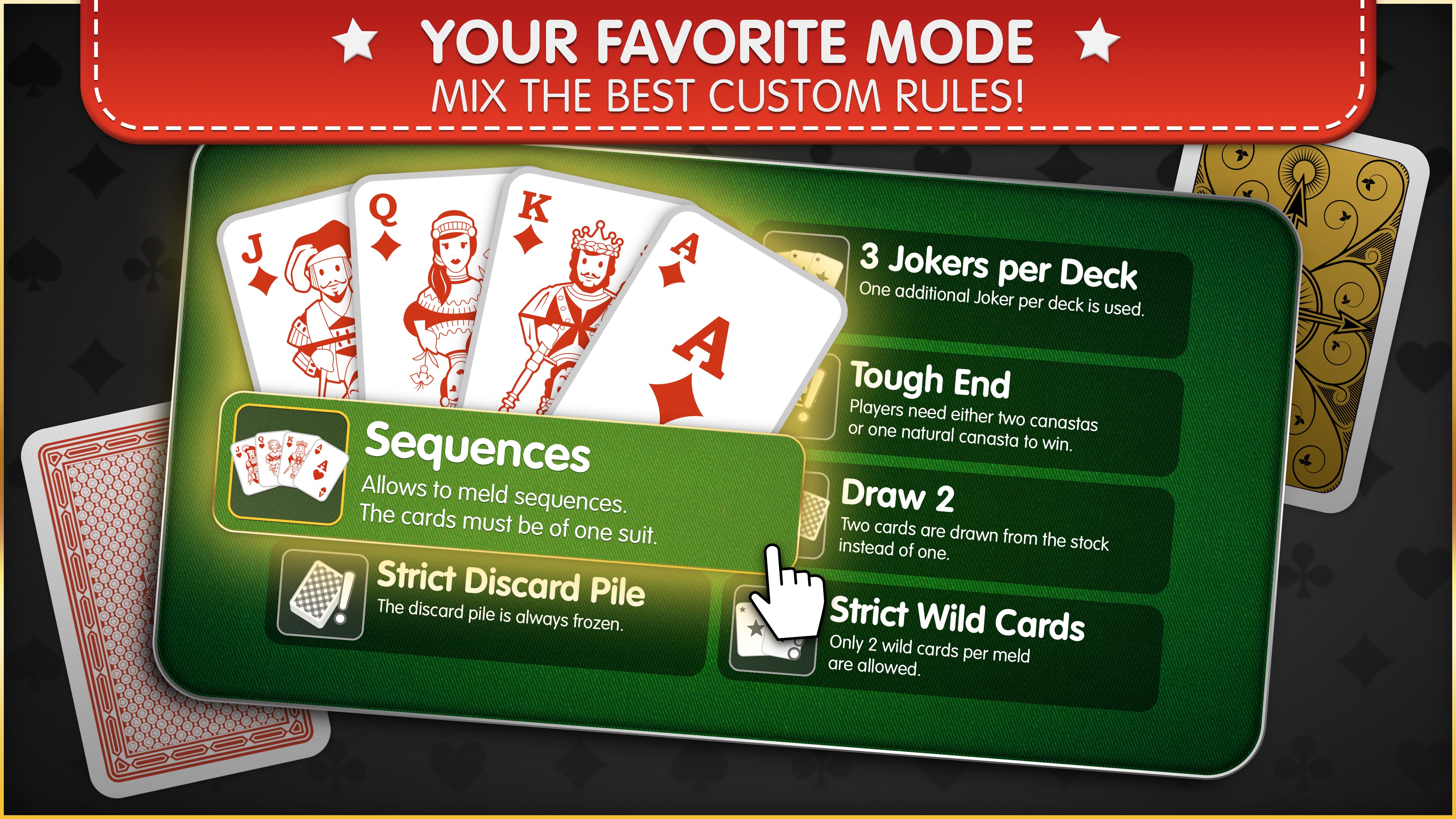
Canasta Palace shines in its faithful recreation of classic gameplay, but it also offers a tasteful array of customization options. Players can choose different rule sets, adjust difficulty levels, or tailor game parameters such as the number of opponents or deal styles. These options cater to both purists seeking authentic play and experimental players wishing to try new variants. The app also provides helpful tutorials and in-game tips, easing newcomers into the intricate strategies of Canasta without sounding intimidating.
Multiplayer and Social Aspects
One of the most compelling features is the multiplayer mode. Whether you want to team up with friends or compete against players worldwide, Canasta Palace's robust online functionality ensures smooth matches and real-time communication. The app supports invites, chat functions, and match-saving options, creating a social environment that adds to its appeal. This focus on community and interaction elevates the experience beyond solitary gaming, fostering a sense of camaraderie rooted in shared strategic battles.
Unique Selling Points and Differentiation
Compared to other card games on the Windows platform, Canasta Palace emphasizes a balanced mix of tradition and innovation. Its most distinctive feature lies in its comprehensive customization options, allowing for personalized gameplay suited to various skill levels and preferences. Also, its polished interface and thoughtful tutorial system set it apart from less polished counterparts, making the learning curve less intimidating for beginners while deepening the strategic complexity for veterans.
Recommendations and Final Thoughts
Overall, Canasta Palace for Windows is a highly recommended app for anyone interested in classic card games presented with modern flair. Its focus on user experience, coupled with customizable rules and multiplayer capabilities, makes it versatile and engaging. I suggest it primarily for casual players seeking an elegant digital card table or competitive players who wish to sharpen their skills in a supportive environment. While it may not revolutionize the genre, its polished execution and attention to detail make it a valuable addition to the digital card gaming landscape.
Pros
- Intuitive user interface
- Smooth gameplay experience
- Multiplayer support
- Variety of game modes
- Regular updates and bug fixes
Cons
- Limited customization options
- Occasional server connectivity issues
- Ads interfere with gameplay
- Limited tutorial for beginners
- Possible performance inconsistencies on older devices











