
Introducing zmNinja: Your Ultimate Home Security Monitoring App
Are you searching for a reliable and feature-rich mobile application to manage your home security cameras? Look no further than zmNinja. Designed to work seamlessly with ZoneMinder, zmNinja offers a powerful and user-friendly platform for monitoring your surveillance system from anywhere in the world. Whether you're a tech enthusiast or a beginner, zmNinja brings the convenience of home security management right to your fingertips, making it an essential tool for enhanced security and peace of mind.
Getting Started with zmNinja
Setting up zmNinja is straightforward and designed to be accessible for users of all experience levels. To begin, you'll need to have ZoneMinder installed on your server—ensure you are running ZM 1.30 or above, as zmNinja leverages the latest ZoneMinder APIs. Once your server is prepared, connecting zmNinja involves just a few taps. The app supports both Android and iOS, so no matter what device you prefer, setup is smooth. The intuitive wizard guides you through the configuration, ensuring no complicated steps are missed, making it simple even for newcomers to home security systems.
Intuitive User Interface and Advanced Features
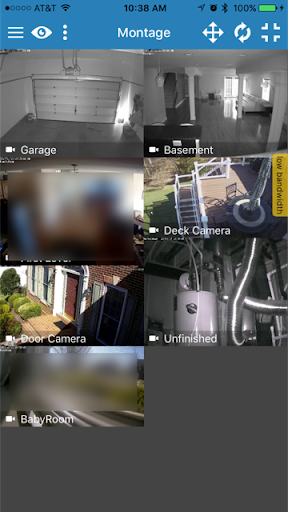
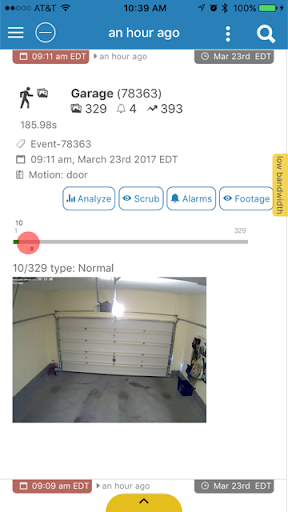
The user interface of zmNinja is clean, modern, and easy to navigate. Upon logging in, you're greeted with a dashboard that displays all your connected cameras, each streaming live footage with remarkable clarity. The app supports pinch-to-zoom, letting you focus on specific areas of the camera feeds effortlessly. One of the highlights is push notifications: whenever motion detection is triggered, you're instantly alerted, empowering you to respond to suspicious activity immediately.
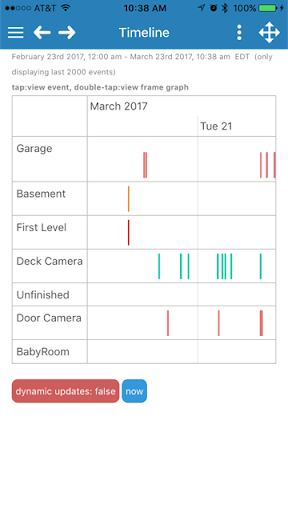
Additionally, zmNinja offers an event playback feature, so you can review recordings of motion events that occurred earlier. This function is particularly handy if you want to verify an incident or missed alert. Supporting both landscape and portrait modes, the app adapts perfectly to your viewing preferences, whether you’re at home or on the go.
Performance and Power Efficiency
Performance is a crucial factor in any security application, and zmNinja excels here. The app runs smoothly without lag or crashes, ensuring you can rely on it during critical moments. It’s optimized to balance rich features with low resource consumption, so it doesn’t drain your device’s battery excessively. This efficient design lets you keep the app running in the background for extended periods without worrying about quick battery drain, making it suitable for continuous monitoring.
Why Choose zmNinja for Your Home Security?
In summary, zmNinja is a reliable, feature-packed mobile app that enhances your home security system management. Its seamless integration with ZoneMinder provides comprehensive surveillance control from your pocket, whether you're at home, at work, or traveling. Its user-friendly interface combined with powerful features like real-time notifications and event playback makes it a standout choice for homeowners seeking peace of mind.
Furthermore, the developers at ZoneMinder are committed to ongoing support, ensuring zmNinja continues to evolve and improve. With extensive FAQs and dedicated support channels, help is always available should you encounter any issues. If you’re considering upgrading your home security setup, give zmNinja a try—the app is designed to make surveillance management simple, efficient, and effective.
Pros
- Intuitive user interface
- Supports multiple camera brands
- Regular software updates
- Customizable alerts
- Low resource consumption
Cons
- Limited features in the free version
- Complex setup process for beginners
- Occasional connection problems
- Requires a constant internet connection
- No cloud storage options











