
Remote for Vizio TVs – Overview
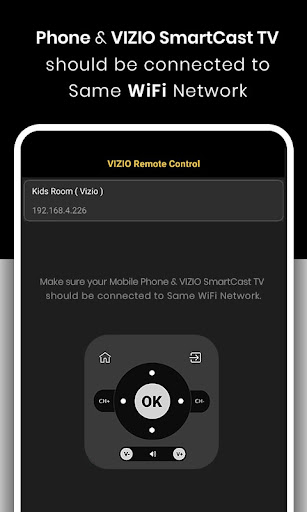
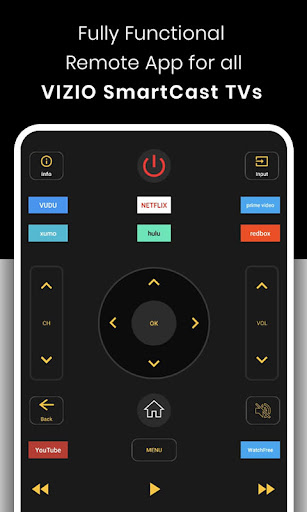
Remote for Vizio TVs is a smart TV control app developed by Codematics Services Pvt Ltd that gives you an easy and workable solution to control your Vizio smart TVs with any Android Phone. This is a fully functional remote control alternative for your physical TV remote which enables your phone to function as a remote control. Please note that it’s important to connect your Phone and Vizio TV with the same Wi-Fi network.
This remote app is a top choice for users because
It is Simple fast, efficient and user-friendly.
It works perfectly for all Vizio smart TVs.
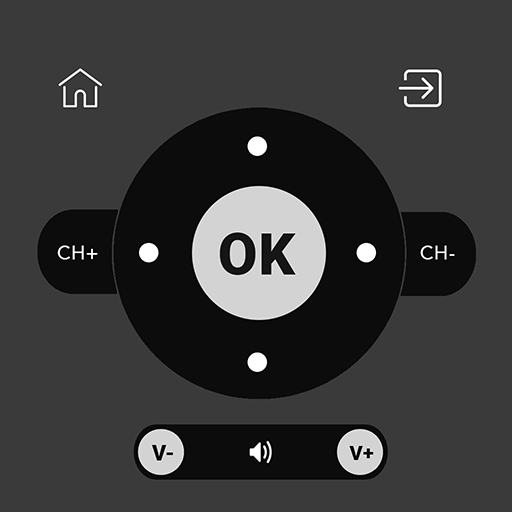
Easy navigation through arrows keys (up, down, right, and left).
Switching of channels and easy adjustment of volume.
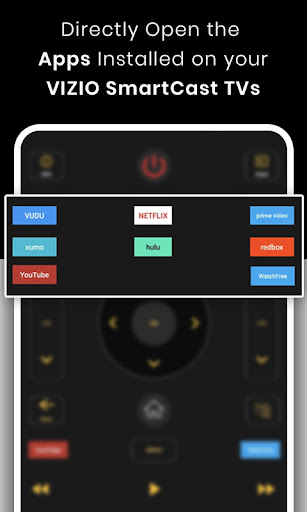
Open apps directly from the app.
Disclaimer: This app is developed by Codematics Services Pvt Ltd and does not have any affiliation with Vizio Inc.
Getting Started, Features, and Performance
Have you ever been in that all-too-familiar situation where you’ve misplaced your TV remote just as your favorite show is about to start? Well, let me introduce you to the Vizio Smart TV Remote app – your new best friend in the world of remote controls. This app transforms your smartphone into a smart remote control, offering a seamless and intuitive way to manage your home entertainment system without the need for the physical remote.
Setting Up the App Getting started with the Vizio Smart TV Remote app is as quick and easy as a snap! After downloading and installing the app, you just need to connect your smartphone and Vizio TV to the same Wi-Fi network. The app automatically detects your TV, and voila, you’re ready to dive into a world of convenience. The user interface is straightforward and user-friendly, making it perfect for techies and non-techies alike.
Features That Stand Out
This app is packed with a bunch of cool features that enhance your viewing experience. Firstly, it offers a full range of control functionalities that you’d expect from a physical remote. Whether you want to adjust the volume, change channels, or access your favorite streaming services, the app’s got you covered.
Plus, it supports voice commands, so you can just tell your TV what you want to watch – talk about living in the future!
Another standout feature is the keyboard functionality. Remember those frustrating moments trying to type using the traditional remote? Well, with this app, typing is as easy as using your smartphone’s keyboard. This is especially handy when searching for shows or entering passwords.
Performance and Reliability
Now, I’ve used a fair number of remote apps, and the Vizio Smart TV Remote app stands out in terms of performance. It’s reliable, with minimal lag time, ensuring that your commands are executed almost instantaneously. This app has proven itself to be a reliable companion for everyday TV control, and I haven’t encountered any major glitches or crashes during my time using it.
Ending Thoughts
In conclusion, the Vizio Smart TV Remote app is a must-have for anyone with a Vizio TV. It’s packed with features that make controlling your TV a breeze, and its seamless performance makes it a reliable tool in your home entertainment arsenal. So, if you’re tired of searching for your remote every time you want to watch TV, give this app a try. You might just find that it’s the remote control solution you never knew you needed!
Vizio Smart TV Remote App — A Blog-Style Feature Description
In today’s connected living rooms, a missing remote can derail a movie night in seconds. The Vizio Smart TV Remote app changes that story by turning your Android phone into a capable, on-demand remote for Vizio TVs. Built by Codematics Services Pvt Ltd, this smart remote control app connects over your home Wi-Fi, delivering fast, reliable performance with a clean, responsive interface. Whether you’re adjusting volume, navigating channels, or launching apps, control is just a tap away.
Getting started is refreshingly simple: install the app, connect your phone and TV to the same Wi-Fi network, and let the app automatically discover your TV. The interface emphasizes ease of use, with intuitive controls that work for both tech enthusiasts and casual viewers. Over time, this remote becomes more than a stand-in for a lost device; it becomes a convenient hub for daily viewing, including quick access to streaming services and the smart features built into your Vizio TV.
Voice commands add a futuristic touch, letting you tell your TV what to watch without fiddling with buttons. If you prefer typing, the built-in keyboard makes searching for titles or entering passwords a breeze, eliminating the frustration of tiny remote keyboards. The result is a smoother, more efficient viewing experience—especially helpful when multiple family members want to jump between apps or channels.
From a performance perspective, the Vizio Smart TV Remote app generally delivers low-latency responses, so your commands feel instant. It’s a dependable companion for everyday TV control, with minimal crashes and a consistently reliable experience in typical home entertainment use.
For those exploring search terms, this Vizio remote app remains a natural fit for queries like "Vizio remote app," "Vizio TV remote," "remote control app for Vizio TVs," "Android phone as remote," "Wi‑Fi remote control," and variations that emphasize ease of use, voice control, and smart TV compatibility.
Pros
- User-friendly interface
- Seamless connectivity
- Customizable settings
- Wide compatibility
- Voice control feature
Cons
- Requires stable internet
- Limited free features
- Occasional lagging
- Ads in free version
- In-app purchases needed











