

U.S. Bank Mobile Banking
Discover the convenience and security of managing your finances with the U.S. Bank Mobile Banking app—your mini bank in your pocket. Designed to provide a seamless banking experience, this app offers a range of features that make handling your money easier than ever, whether you're on the move or relaxing at home.
Security at Your Fingertips
Security is a top priority with U.S. Bank Mobile Banking. Log in effortlessly using your credentials at usbank.com, or enroll directly through the app if you don’t already have online access. The app keeps your account protected with advanced security measures like fingerprint and facial recognition login options, ensuring your financial information stays safe. You’ll also receive alerts for duplicate charges, suspicious activities, and low balances—keeping you always informed.
Additional security features include the ability to set travel notifications, lock or unlock your cards remotely, and add your cards to mobile wallets. These tools provide flexibility and reassurance, giving you control over your accounts wherever you are. The app also supports choosing your preferred language—English or Spanish—making banking accessible and convenient for a broad range of users.
Manage Accounts and Personal Insights
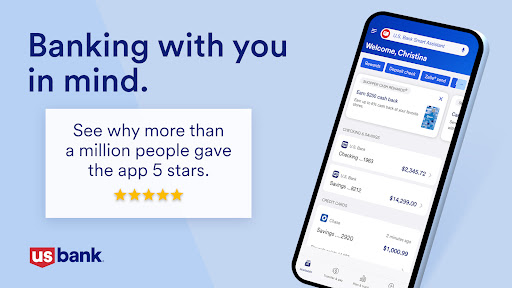
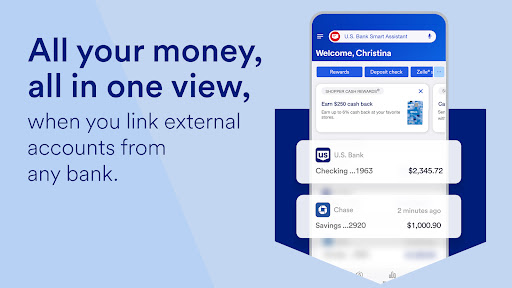
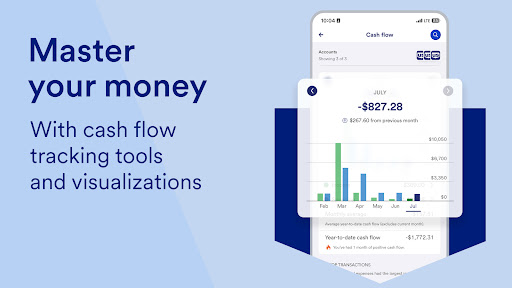
With U.S. Bank Mobile Banking, you can view all your accounts and balances in one centralized location—checking, savings, credit cards, loans, and more. Securely access your credit scores and monitor your financial health at a glance. The app offers personalized insights into your spending habits, such as monthly expenses in categories like Food & Dining, along with tailored suggestions to help you save and grow your money based on your transaction history.
U.S. Bank Smart Assistant®
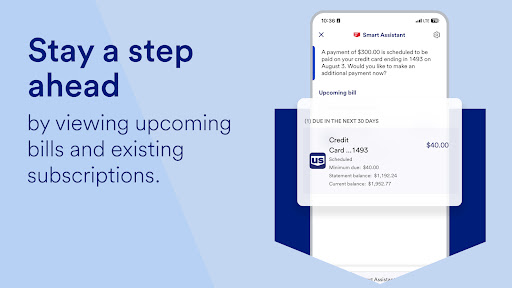
The U.S. Bank Smart Assistant® feature allows you to manage your accounts using simple voice commands. Need your routing number? Just ask. Want to transfer money? Say, “Transfer $50 from checking to savings,” and it’s done. This intelligent assistant simplifies your banking tasks, saving you time and effort while ensuring you stay on top of your finances.
Easy Money Movement
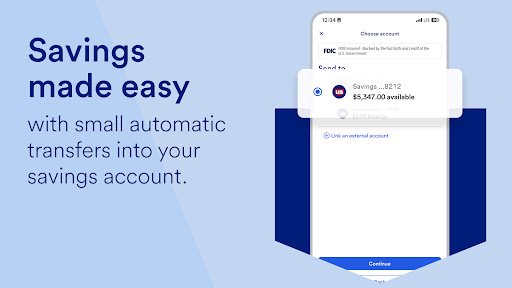
Transferring money has never been easier. Send or request money from friends and family using Zelle®2, a fast, secure way to settle debts instantly. Deposit checks by snapping a picture with your mobile device, now with increased limits for larger deposits. Pay bills and manage your payments—all from a single platform. You can also transfer funds between your U.S. Bank accounts effortlessly, giving you flexible control over your money’s movement.
Explore and Apply for Banking Products
The app helps you find new financial products tailored to your needs—whether it’s opening a new account, applying for a credit card, or exploring loan options. You can even complete applications directly within the app and often receive a decision within minutes, making banking quick and hassle-free.
Customer Support and Assistance
Need help? The Help Center offers answers to common questions, while the Digital Explorer provides demos to guide you through various features. Schedule an appointment with a banker or get real-time support with Co-browse. You can also locate nearby branches and ATMs easily, ensuring assistance is always within reach.
Investment and Financial Planning
Through U.S. Bancorp Investments, you can view your investment accounts and balances, transfer funds between your U.S. Bank and investment accounts, and manage your portfolios—all from the app. These features provide a comprehensive financial management experience, combining banking with investment tools for holistic financial planning.
Final Thoughts
In summary, the U.S. Bank Mobile Banking app stands out for its intuitive design, robust security, and array of features that cater to modern banking needs. Whether you’re checking your balances, making transfers, managing investments, or exploring new products, this app empowers you to handle your finances with confidence and ease. As industry benchmarks have shown, it’s recognized as one of the best mobile banking apps, making it a top choice for anyone looking to streamline their financial life. Download the app today and experience banking that’s reimagined for the digital age—easy, secure, and always within reach.
Pros
- User-friendly interface
- Secure login options
- Real-time transaction alerts
- Bill pay feature
- Mobile check deposit
Cons
- Frequent app crashes
- Slow customer support
- Limited international features
- Complex navigation for new users
- Occasional login issues











