
Transform Your Phone into a Universal TV Remote Control
Say goodbye to the hassle of managing multiple remote controls with the TV Remote App for All TV. This innovative application allows you to effortlessly control Smart TVs and Non-Smart TVs using either WIFI or an IR Blaster. Compatible with over 100+ brands, this universal remote app replaces your traditional TV remote, bringing convenience and simplicity right to your fingertips.
Whether you're replacing a lost or broken remote, or seeking a more streamlined way to manage your entertainment devices, this app is designed to meet your needs. Its features include voice search, screen mirroring, and easy remote control functionalities, making your TV experience more intuitive and enjoyable.
Key Features of the TV Remote App for All TV
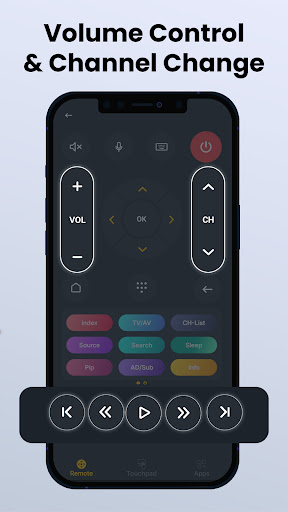
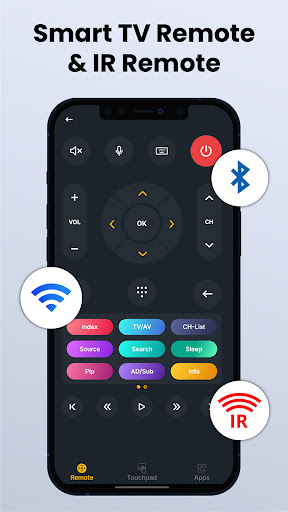
Power, Volume, Mute & Channel Control – Enjoy full remote functionality, just like a traditional controller. From turning on your TV to adjusting settings, everything is within reach.
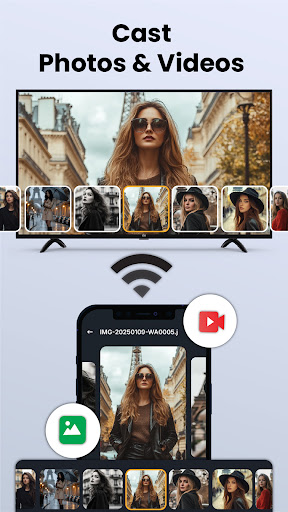
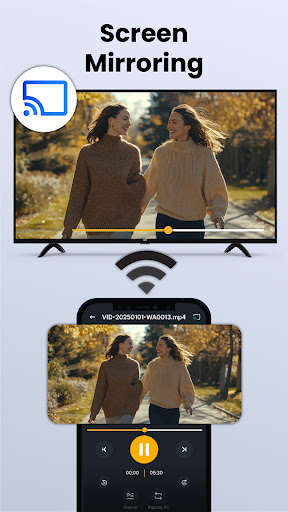
Screen Mirroring & Smart Sharing – Cast videos, photos, or apps directly from your phone to your TV, enhancing your multimedia experience without additional devices.
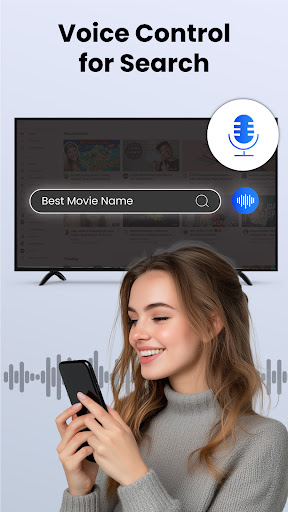
Voice Search & Navigation – Control your TV hands-free using voice commands, or navigate menus seamlessly with intuitive controls.
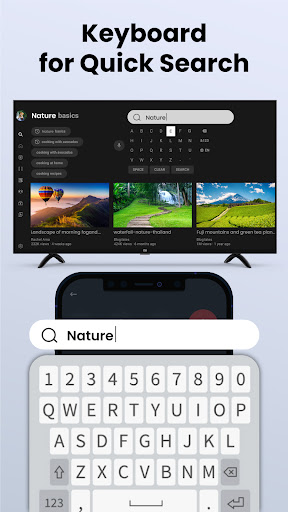
Easy Keyboard – Type effortlessly for app searches or text input, simplifying interactions on your smart TV.
Compatibility – Works with IR TVs if your Android device has an infrared sensor, and with Smart TVs over the same WIFI network.
Why Choose Our Universal Remote App for All TV?
Broad Compatibility – Supports a wide array of TV brands, including Samsung, LG, Sony, and many more, ensuring that most users can enjoy its benefits.
No Batteries Needed – Unlike physical remotes, this app eliminates the need for batteries, reducing waste and ongoing costs.
User-Friendly Design – Intuitive interface makes setup and daily usage effortless, even for non-technical users.
Free to Use – Enjoy all features at no cost, providing excellent value for home entertainment management.
Getting Started with Your TV Remote App for All TV
Installing the app is straightforward. Available on both Android and iOS, simply visit your respective app store, search for TV Remote App for All TV, and tap install. The app’s lightweight design ensures it won’t bog down your device's storage, making it a convenient addition to your smartphone.
Compatibility is extensive, supporting a multitude of TV brands. Setting up is quick; connect your smartphone to the same WIFI network as your Smart TV, or use the IR Blaster for compatible models. Within minutes, your phone transforms into a fully functional remote, replacing bulky traditional controllers and eliminating the worry of batteries running out.
Features That Make a Difference
The app boasts an intuitive interface with quick-access buttons for volume and channel control. Its voice command feature allows you to request your favorite content without lifting a finger—perfect for those moments when you’re feeling lazy. Just say, “Hey TV Remote, play the latest episode,” and it’s done.
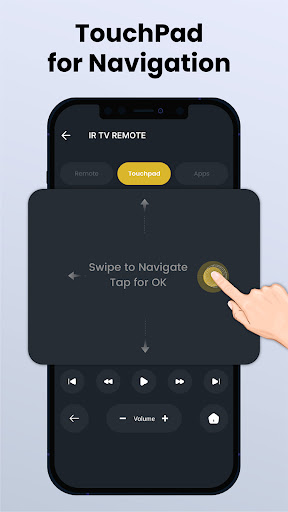
The touchpad control feature provides seamless navigation through your smart TV’s menus, apps, and settings. The responsiveness of this feature makes browsing effortless, even on larger screens. If you have multiple TVs, switching between devices is simple with just a tap, making the app versatile for households with more than one TV.
Performance-wise, the app is stable and reliable, maintaining a steady connection with your TV for swift command execution. It’s particularly useful during family movie nights or gatherings, where the need to switch channels quickly can prevent chaos and frustration.
Conclusion
The TV Remote App for All TV revolutionizes your home entertainment experience by bringing a convenient, versatile, and easy-to-use remote control directly to your smartphone. Its extensive compatibility, combined with features like voice search and screen mirroring, makes controlling multiple TVs a breeze. Whether you’re tired of losing your remote or looking for a smarter way to manage your TV viewing, this app is a must-have tool. Simplify your entertainment setup today and enjoy a clutter-free, intuitive experience with just a few taps on your phone.
Pros
- Compatible with most TV brands.
- User-friendly interface design.
- Quick setup process.
- Supports voice commands.
- Customizable remote layout.
Cons
- Contains ads in the free version.
- Limited features in the free version.
- Occasional connectivity issues.
- Requires a stable Wi-Fi connection.
- Does not support older TV models.











