

Discover the Magic of the Twinkly App
Are you ready to elevate your home ambiance with stunning, customizable lighting? The Twinkly app is a powerful tool designed to give you complete control over your smart LED lights, allowing you to create mesmerizing light displays that can transform any space. Whether you're preparing for festive celebrations, decorating for holidays, or simply wish to add a whimsical touch to your daily environment, the Twinkly app offers a comprehensive suite of features that make lighting not just functional, but truly magical. With its intuitive interface and extensive customization options, this app unlocks a new level of personal expression through lighting design.
Key Features of the Twinkly App
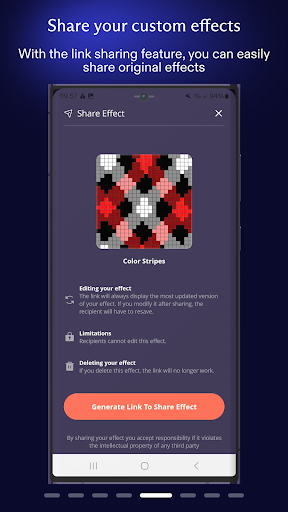
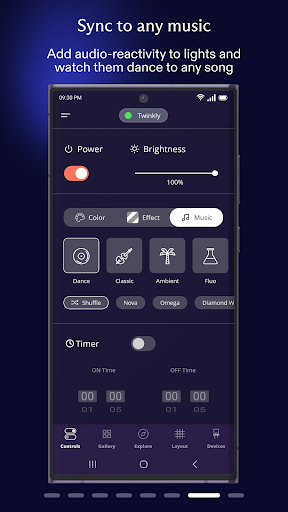
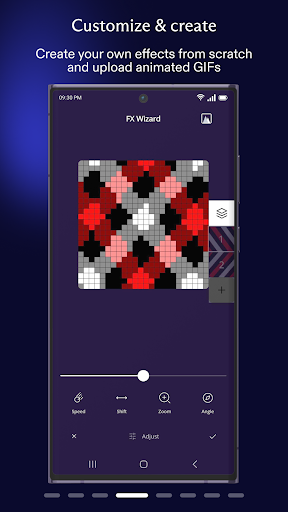
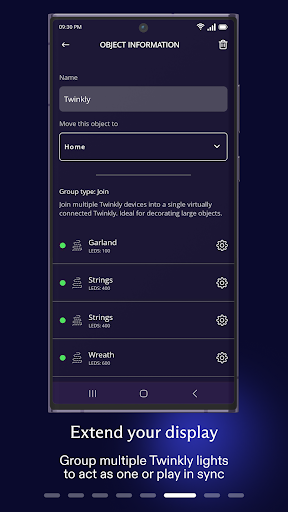
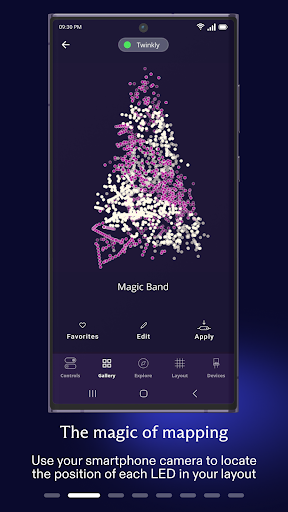
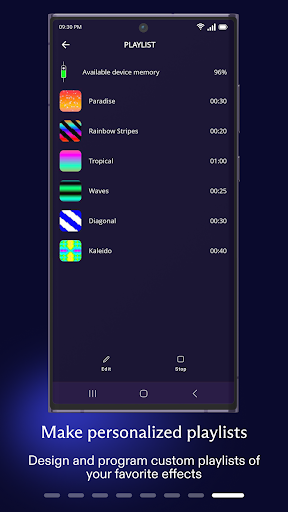
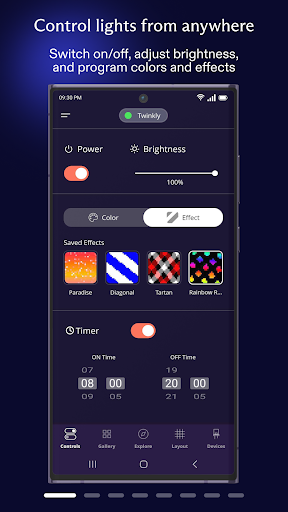
The Twinkly app is packed with innovative features tailored for both casual users and lighting enthusiasts. One of its standout capabilities is the • Map your lights function, which allows you to precisely control individual lights, enabling you to play, customize, and craft your own effects with ease. Grouping multiple devices helps you organize large installations and creates immersive lighting experiences in your home or workspace. Additionally, you can • create playlists and set timers to automate your lighting schedules, perfect for holiday displays or everyday ambiance.Further enhancing its versatility, the app provides • adjust brightness controls so you can set the perfect glow for any mood. For voice command aficionados, the connects to Amazon Alexa and Google Assistant for effortless, hands-free operation—just say the word, and your lights respond. For music lovers, the • sync lights to sounds and music with Twinkly Music feature creates lively, dynamic displays that pulse along with your favorite tracks. These capabilities make the Twinkly app not just an lighting control tool but a complete experience for creating captivating visual effects.
Getting Started with Twinkly
Embarking on your Twinkly journey involves a straightforward setup process. First, download the app, which is available on both Android and iOS platforms, ensuring everyone can join in. Connect your lights to your Wi-Fi network, and then launch the app to begin pairing your devices. While initial setup can be a bit intricate—especially for first-time users—it's generally a simple process with clear instructions. Once connected, you'll be greeted with a user-friendly interface designed to guide you through customization options effortlessly.Although the initial syncing may require patience, many users find that once everything is in place, managing your lighting setup becomes second nature. As with many smart devices, occasional connectivity issues can occur, but a quick restart of the app typically restores seamless operation. With a bit of initial effort, you'll be ready to design stunning lighting displays that transform any environment.
Why Choose Twinkly for Your Decor
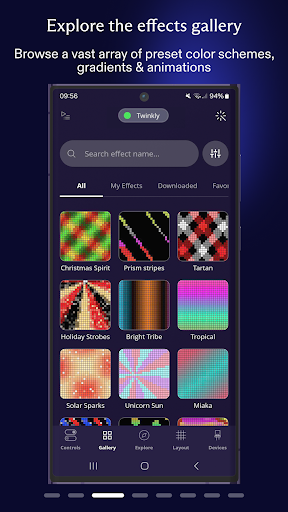
The true allure of the Twinkly app lies in its ability to turn ordinary lighting into an extraordinary experience. Its flexible customization options, such as choosing from a variety of pre-set effects or creating your own patterns, empower you to craft the perfect ambiance for any occasion. Whether you're decorating for the holidays, hosting a party, or simply want to add a touch of elegance to your everyday decor, Twinkly makes it easy to bring your vision to life.The music sync feature is especially popular at social gatherings, as lights dance in harmony with your playlist—creating a vibrant, energetic atmosphere. The app's grouping and scene customization options ensure that every corner of your space can be tailored to your taste, making your lighting setup truly one-of-a-kind. Despite some minor quirks, the ability to personalize your lighting environment makes the Twinkly app a worthwhile investment for anyone who appreciates innovative decor and smart home technology.
Pros
- User-friendly interface
- Extensive customizable lighting options
- Music synchronization for dynamic effects
- Compatibility with voice assistants
- Regular software updates
Cons
- Requires a stable internet connection
- Can be costly for larger configurations
- Limited functionality without internet access
- App performance may be slow on older devices
- Setup process may be challenging for beginners











