
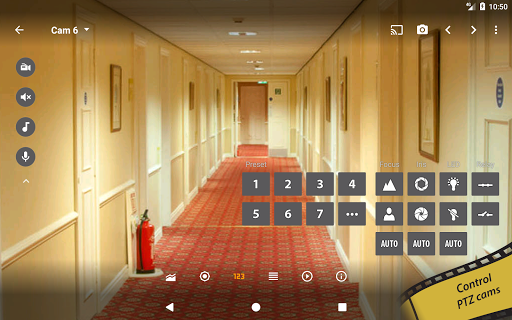
Introducing tinyCam Monitor: Your Ultimate Remote Surveillance App
If you're passionate about enhancing your home security or monitoring your property remotely, tinyCam Monitor is the perfect solution. This versatile app acts as your personal security guard, providing comprehensive control over your network cameras, IP cameras, video encoders, and DVRs. Whether you have a private or public surveillance setup, tinyCam Monitor offers a wide range of features that make it easy to keep an eye on what matters most, right from your mobile device.
Seamless Camera Integration and Setup
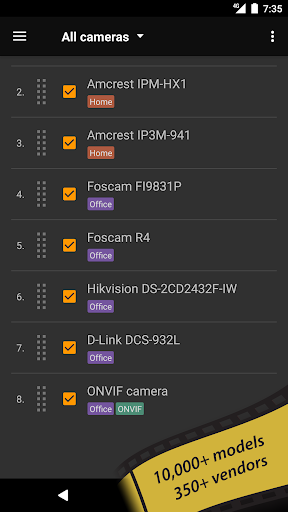
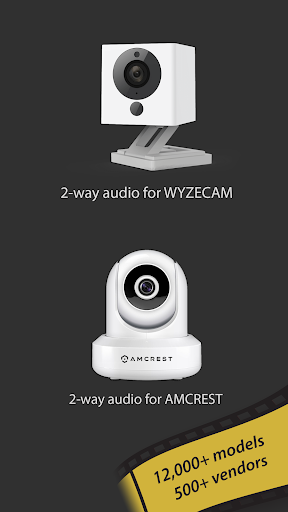
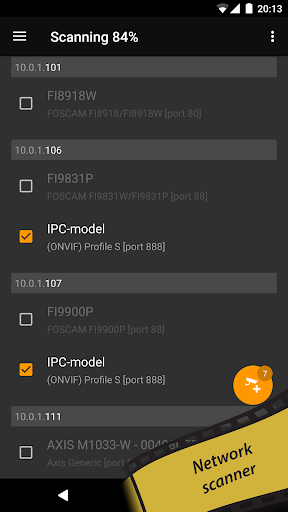
One of the standout features of tinyCam Monitor is its ability to effortlessly integrate with a diverse array of camera brands and models. It supports ONVIF Profile S IoT devices, allowing automatic detection of compatible cameras, which simplifies the setup process significantly. Whether you're using high-end security cameras or budget-friendly models, this app handles supporting •H.264 codec for cameras like Foscam and Amcrest, and •MPEG4/H264/H265 streams via RTSP protocol for brands such as Dahua, Hikvision, Reolink, and others. The app also supports P2P cameras, like Wyze Cam and Neos SmartCam, with easy pairing thanks to UID support. This extensive compatibility ensures that you can consolidate your surveillance feeds within a single, easy-to-use platform.
Remote Viewing and Live Monitoring
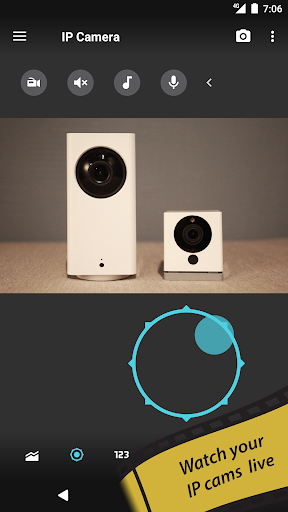
Imagine being able to check on your home or business from anywhere in the world—tinyCam Monitor makes this possible. The app enables remote access to your camera feeds, giving you real-time video views from any location. Whether you're at work, on vacation, or simply out for errands, you can instantly see what’s happening live through the app's intuitive interface. Additionally, you can monitor audio streams, making it easier to listen in on your property—ideal for situations like package deliveries or keeping an ear out for unusual sounds.
Intuitive User Interface and Customization
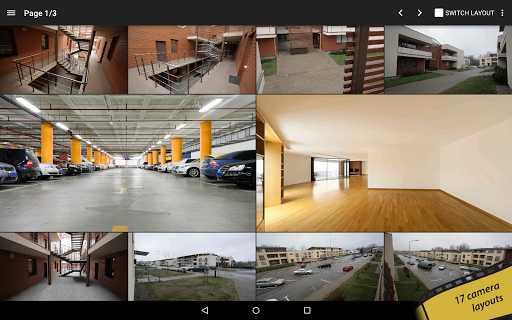
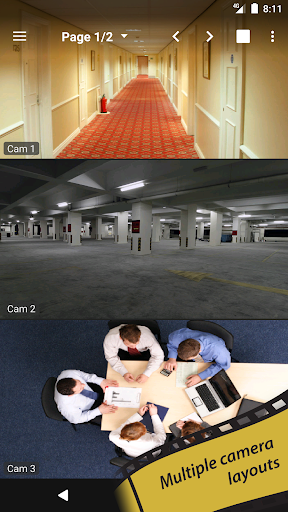
A key advantage of tinyCam Monitor is its user-friendly design. The app provides a clean, straightforward layout that makes managing multiple cameras simple and efficient. You can customize your viewing experience with 17 different layouts, allowing unlimited camera feeds to be displayed simultaneously. Features like automatic camera switching in sequence mode, grouping cameras by tags, and flexible layout options help organize your surveillance system. Setting up motion detection alerts or scheduling recordings is straightforward, giving you professional-grade security capabilities without complexity. This user-centered approach means even beginners can easily navigate and configure their monitoring system.
Enhanced Features with tinyCam Monitor PRO
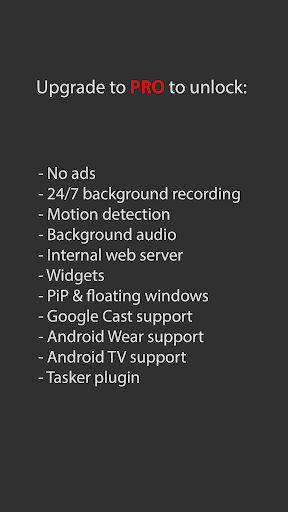
Upgrade to tinyCam Monitor PRO for an even richer experience. The premium version removes ads and adds features like 24/7 MP4 video recording straight to local or cloud storage services such as Dropbox, Google Drive, and OneDrive. You can also access recorded footage via an internal web server, making remote archiving and playback effortless. Other advanced functionalities include face detection, support for various sensors (temperature, humidity), and audio processing capabilities. The PRO version also supports Google Cast™ (Chromecast), Android Wear, widgets, floating windows, and an Android TV interface with picture-in-picture support, offering a comprehensive surveillance solution tailored for power users.
Additional Features for Enhanced Surveillance
Beyond standard camera viewing, tinyCam Monitor PRO unlocks features like time-lapse recording for long-term analysis, motion detection with adjustable sensitivity, and compatibility with front and rear device cameras for use as a dashcam or internal IP camera. The app also supports background audio for continuous monitoring, making it suitable as a baby monitor or for security sound alerts. With support for sensors such as temperature and humidity, the app extends its utility beyond video feeds, offering a multi-faceted approach to home and business security.
Community and Support
Stay connected with the tinyCam community through social channels like Reddit, Facebook, and YouTube. The app’s official website provides support, supported manufacturer lists, and options to contribute to translations. Additionally, if you're looking for more public webcams, the Worldscope Webcams integration can expand your surveillance horizon.
Conclusion: A Must-Have Security Companion
In today’s world, where security and remote monitoring are more important than ever, tinyCam Monitor stands out as a comprehensive, flexible, and user-friendly surveillance app. Its extensive support for various camera brands, intuitive design, and advanced features make it ideal for both casual users and security professionals alike. Whether you're safeguarding your home, office, or storefront, this app offers peace of mind, convenience, and peace of mind—all from the palm of your hand.
Pros
- User-friendly interface
- Supports multiple camera brands
- High video quality
- Customizable alerts
- Remote access
Cons
- Requires constant internet connection
- Limited features in the free version
- Occasional crashes of the app
- Complex setup process for beginners
- High battery usage











