

Square Team: Overview
Features and Use Cases
Home Screen
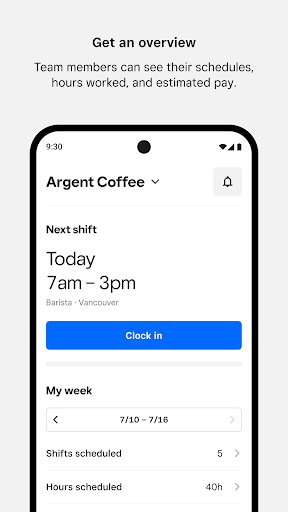
Clock-in Team members can clock in for an upcoming shift directly through Team app.
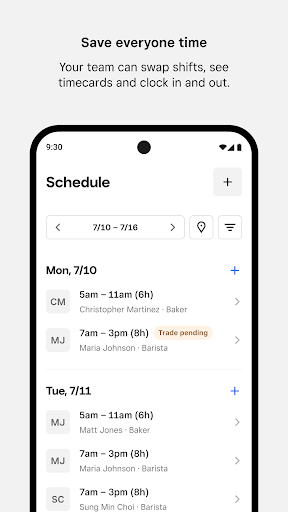
Weekly Snapshot Team members can get a quick snapshot of when and where they’re scheduled to work.
Estimated pay Team members can also see hours worked, breaks, overtime, tips and estimated pay.
Messages and Announcements
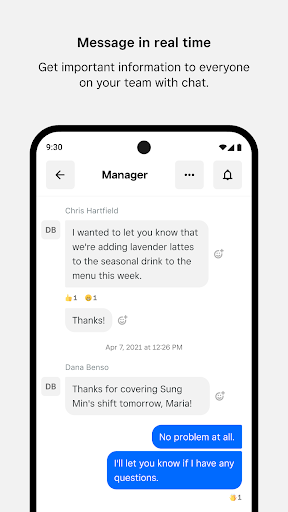
Messaging Real-time messaging for the whole team, eliminating the need to share phone numbers.
Announcements Easily broadcast important announcements, news, and updates to everyone on the team.
Shifts
Team-initiated scheduling Empower your team to request time off, swap shifts, and claim open shifts directly from the Square Team app.
Timecards, schedules and estimated pay Team members can view timecards, scheduled hours, and view estimated pay.
Clock in and out Enable team members to clock in and out, take breaks, and get notifications.
Payroll
Owners using Square Payroll can easily pay W2 employees and 1099 contractors, automatically importing timecards, tips, and commissions.
Our team of specialists will take care of the rest—we pay your team, file your payroll taxes, and send your tax payments to federal and state tax agencies.
My Pay
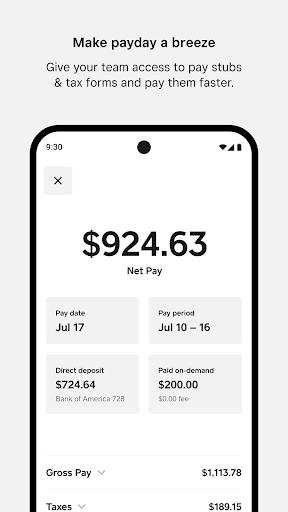
If team members get paid through Square Payroll, they can See estimated earnings, even before they get paid.
Get paid faster via Cash App.
Download tax forms.
Update their bank account or personal details.
And all staff information is stored securely.
Team Management
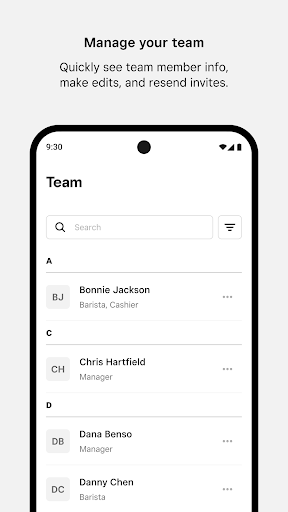
Quickly see all of the team members at your location, edit team member information directly in the app, or resend invites to the team.
More
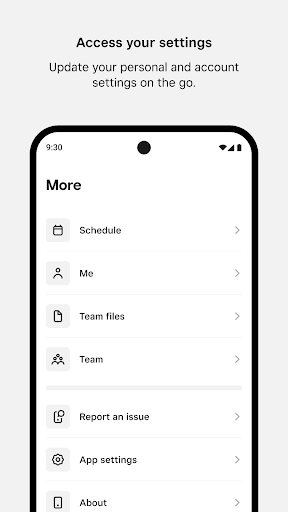
Team members can update personal and account settings on the go. Download the Square Team app and invite your team members now.
Square Team: A Blog-Style Feature Description
When it comes to managing tasks efficiently, Square Team has quickly become one of my go-to apps, and I think it might become yours too. It’s an app designed to streamline teamwork and make life a little easier for anyone juggling multiple projects at once. So, let me walk you through my experience with this handy tool. Getting started is a breeze. The app is available on both Android and iOS, ensuring that everyone on your team can get on board regardless of device preference. Once downloaded, the onboarding process is smooth and intuitive, guiding you through setting up your first team and projects. The user interface is sleek and modern, not cluttered, and navigation is straightforward. It’s clear the developers focused on user experience, with everything you need just a few taps away. I appreciate how it feels built for real-world teamwork, where decisions happen quickly and visibility across tasks matters.
One of the standout features is the task management system. You can easily create tasks, assign them to team members, and set deadlines. The app sends timely notifications to keep everyone in the loop, which is a lifesaver when managing a large team. The built-in calendar view provides a snapshot of your schedule, helping you prioritize tasks effectively. And the communication tools are a real timesaver: you can chat directly within the app, eliminating the need for switching between platforms. All of this ties together to keep discussions linked to relevant tasks, reducing back-and-forth and increasing productivity. It’s a smarter way to organize work and prevent tasks from slipping through the cracks.
Cross-platform compatibility is another major plus. Whether you’re on the go with your phone or at your desk with a tablet, you can access your projects without a hitch. The focus on collaboration is evident: by consolidating task management and communication, Square Team minimizes the friction that usually slows down projects. This means less time spent on back-and-forth and more time getting things done. The minimalist design reduces cognitive load, helping you stay focused on what matters—completing your tasks. Notifications can be tailored so you’re not overwhelmed, which makes it practical for teams of any size.
In short, Square Team has left a strong impression with its thoughtful design and functionality. It’s a versatile tool for teams of all sizes, from small startups to large enterprises, offering features that streamline task management, accelerate decision-making, and boost overall team productivity. If you’re seeking a unified solution for project coordination and real-time chat, Square Team is worth a closer look. It also benefits from Square’s broader ecosystem, which can simplify payroll and payments for organizations that rely on Square Payroll. Security and privacy are also important considerations, and the platform is built to keep employee data protected while enabling smoother, more transparent collaboration.
Pros
- Intuitive interface that makes navigation straightforward.
- Works smoothly with other Square applications.
- Strong security measures to safeguard data.
- Configurable options to match your business needs.
- Reliable and prompt customer support.
Cons
- Offline functionality is limited.
- A stable internet connection is required.
- Some features may come with a higher cost.
- Initial setup can be time-intensive.
- Occasional synchronization issues have been reported.











