

Introduction to Splitwise
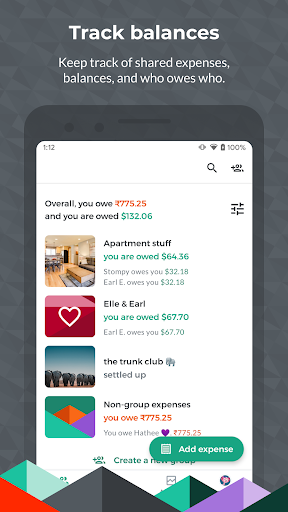
Have you ever found yourself tangled up in a web of shared expenses with friends or roommates? Splitwise is the premier app designed to make splitting bills effortless and stress-free. Whether you’re splitting rent, organizing group trips, or managing day-to-day expenses with loved ones, Splitwise provides a seamless solution that keeps everyone on the same page.
Features and Benefits of Splitwise
Ease of Use
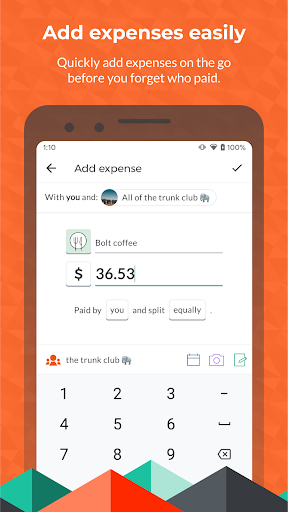
Getting started with Splitwise is quick and straightforward. The app is compatible with both Android and iOS devices, allowing you to easily sign up using your email or social media accounts. Once logged in, the intuitive interface enables you to add expenses, categorize them, and view balances with just a few taps. This simplicity ensures that splitting bills doesn’t become a frustrating task.
Group Management
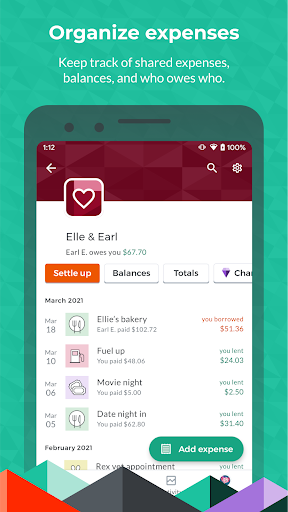
One of the key strengths of Splitwise is its ability to create and manage multiple groups. Whether you’re sharing a living space with roommates, planning a group trip, or coordinating expenses for a wedding or bachelor party, the app allows you to organize expenses effortlessly. You can add expenses, assign specific payers, and settle balances directly within the app, making it ideal for various scenarios.
Robust Expense Tracking
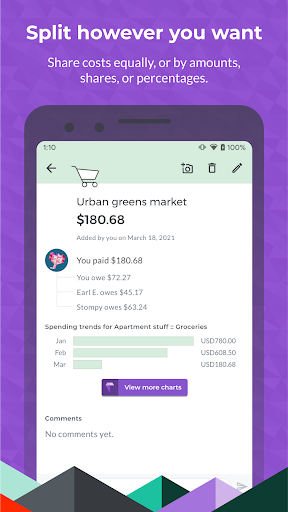
Splitwise supports multi-currency support, making it perfect for international trips or expenses involving friends from different countries. The app automatically converts currencies based on real-time exchange rates, simplifying the process. You can split expenses equitably or unequally, using percentages, shares, or exact amounts, giving you complete flexibility for different situations.
Integrations & Notifications
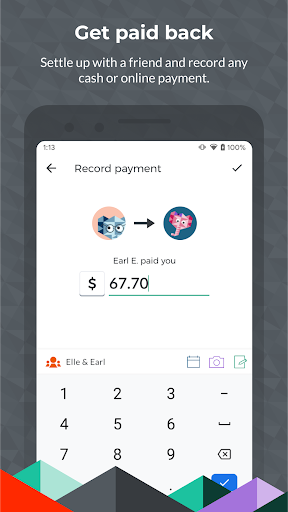
To streamline the repayment process, Splitwise integrates with popular payment platforms like PayPal, Venmo (US only), and Paytm (India only). Notifications keep you informed about outstanding balances and updates within your groups. You can also comment directly on expenses for clarity or record informal debts and IOUs.
Additional Features
Advanced features like recurring bills (monthly, weekly, yearly), activity feeds, change history, and custom user avatars enhance user experience. The app also offers export options to CSV, cloud storage for receipts, and support for over 100 currencies. For power users, Splitwise Pro unlocks features like currency conversion, spending categories, receipt scanning via OCR, and detailed budgeting tools.
Why Choose Splitwise?
Splitwise has garnered praise from mainstream media and users alike. The New York Times highlights its ability to simplify bill-splitting, while Financial Times lauds it as essential for financial tracking. Business Insider credits it with eliminating roommate conflicts over expenses, and Thrillist recommends it for all types of group travels. Its multi-platform support, combined with user-friendly design and powerful features, makes it the go-to expense sharing app for millions worldwide.
Conclusion
In summary, Splitwise is more than just a bill-splitting app—it's a comprehensive tool that fosters transparency and harmony in financial dealings among friends, family, and groups. With its robust feature set, seamless integrations, and ease of use, Splitwise effectively reduces the stress associated with shared expenses. Whether you’re managing routine costs or planning large group events, this app is an essential companion for simplifying your financial relationships.
Pros
- Simplifies sharing and tracking expenses among friends.
- Ensures smooth synchronization across multiple devices.
- Allows use of different currencies for traveling.
- Features an easy-to-navigate and intuitive interface.
- Provides comprehensive expense reports and summaries.
Cons
- Limited functionalities in the free version.
- Advertisements may sometimes be disruptive.
- Reports of occasional synchronization problems.
- Lacks an offline mode feature.
- Customer support response times can be slow.











