

Security Camera App
Overview
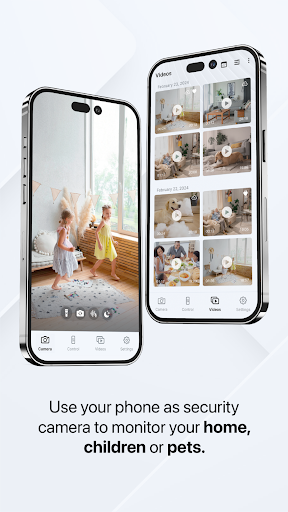
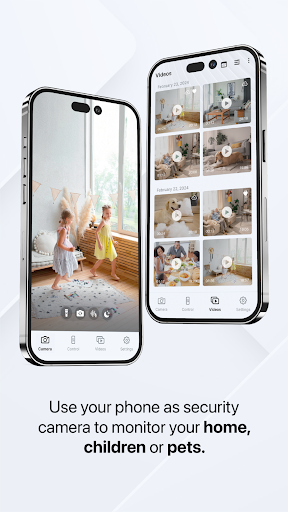
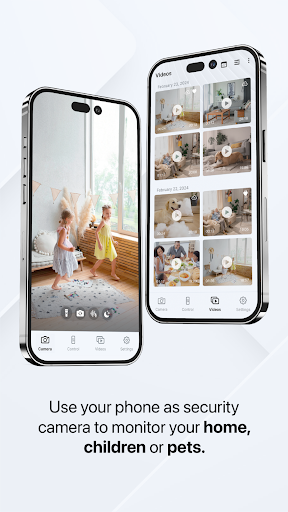
Use your phone as a security camera to record and monitor your home, children, or pets. Simply open this app, and turn your phone into a reliable security camera.
Features
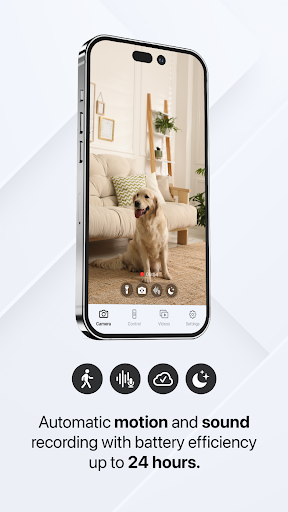
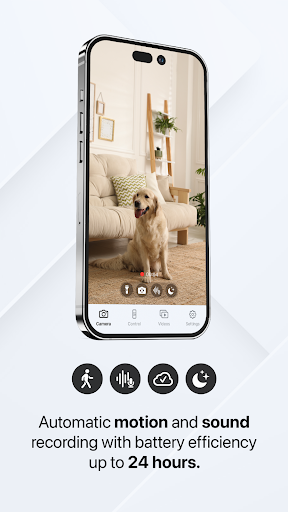
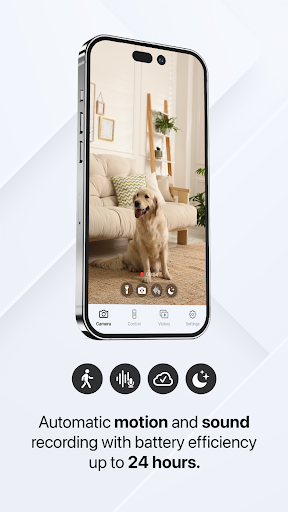
- Automatic motion and sound recording
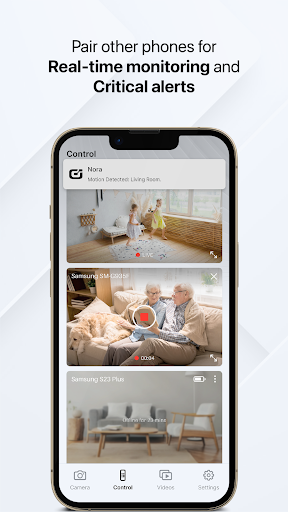
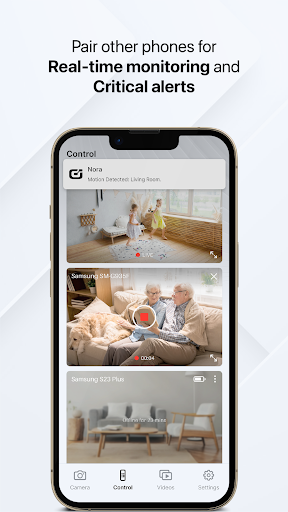
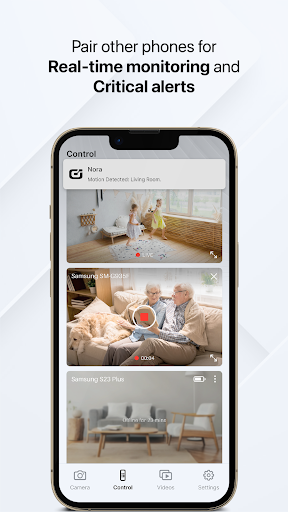
- Real-time control and monitoring
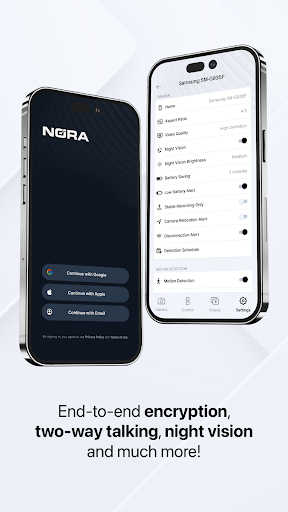
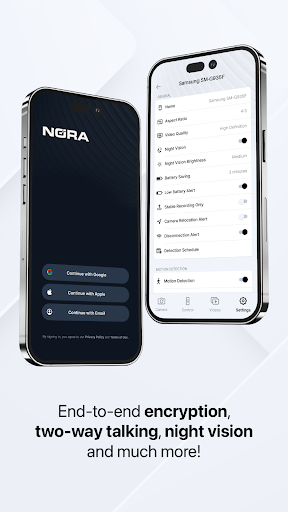
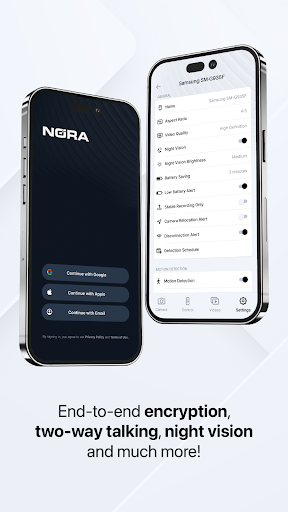
- Encrypted data and connection
- Sync and access your videos on all devices
- Automatic notifications and alerts
- Battery efficiency of up to 24 hours
- Switch between front and rear camera
- Night vision
- Flashlight
- Adjustable detection zones and schedules
- Adjustable detection schedule
- Zoom on camera
- Remote control of your other phones
- Two-way audio communication
- Enhanced AI detection (early access)
Automatic Recording
Automatically record motion using your phone's front or rear camera. Videos are saved locally and synced to encrypted cloud storage, accessible remotely from your other devices. No pairing required — ideal for single devices or those without an internet connection.
Real-Time Monitoring
Watch, control, and receive critical alerts from your other phones in real-time. Live stream from the front or rear camera to maintain constant home security.
Alerts and Notifications
Instantly receive alerts, notifications, or video clips whenever motion or sound is detected. Get notified of critical events like low battery or connection issues.
Security, Privacy and Encryption
Your connection and data is secured with industry-standard end-to-end encryption. Only you can access and control your data.
Stability and Reliability
Nora™ app turns your phone into a security camera without the limitations of dedicated hardware. Capable of offline recording or using the phone's cellular network connectivity, Nora™ operates independently of electricity outages, Wi‑Fi connectivity, or network dependency. Our robust network architecture ensures high stability and performance.
Multiple Devices
Connect up to 10 phones for real-time viewing and control. Nora™ supports phones, tablets and desktop browsers.
Adjustable Hours and Zones
Schedule recording times and customize detection zones to focus on critical areas of your home.
Enhanced AI Recognition (Beta)
Gain early access to advanced AI features aimed at drastically improving motion recognition, performance efficiency, shape detection, and alert systems. Visit oreon.com for more information.
Blog-Style Feature Description
Imagine turning an old smartphone into a reliable home security system. The Security Camera App makes this DIY idea simple, affordable, and surprisingly powerful. If you’ve ever wished for extra peace of mind without expensive hardware, this app is a thoughtful way to enhance your home surveillance. Setting up is refreshingly straightforward: install the app on a spare device, connect to Wi‑Fi, and tailor motion detection sensitivity to your environment. The best part is that you can monitor the camera feed right from your main phone, making it easy to keep an eye on your property while you’re out and about. The core appeal lies in turning a regular phone into a full-featured security solution. Motion detection triggers instant notifications, so you’re never left guessing if something happened. You can fine‑tune sensitivity to avoid false alarms from a passing car, swaying branches, or a curious pet. Night vision delivers a surprisingly clear picture in low light, ensuring you’re covered after dark. The two-way audio feature feels like a modern walkie‑talkie, letting you check in with family members or scare off intruders with a quick message. It’s especially handy for checking in on kids or pets when you’re away. Setup can be as simple as reusing an old device that’s gathering dust. After installation, you can view the feed from the main phone, enhancing convenience when you’re multitasking or away from home. The app supports offline recording as well, a practical benefit if your internet connection is slow or intermittently dropped. Even when offline, local recordings stay safe on the device and can sync to encrypted cloud storage when connectivity is restored. For those who enjoy a future‑proof option, enhanced AI recognition (beta) promises smarter motion detection and more accurate alerts, helping you distinguish between a real event and minor movement. Privacy and security are clearly emphasized. End‑to‑end encryption protects your data, and only you can access your footage across devices. The app is designed to work across multiple devices—up to ten phones—to provide real‑time viewing and control from anywhere. Whether you’re monitoring a nursery, a pet area, or a vulnerable entry point, this solution offers a practical balance of convenience and security. It’s a smart, budget-conscious approach to DIY home surveillance that repurposes an old smartphone into a robust security camera, giving you control, flexibility, and peace of mind. If you’re evaluating DIY security options, this app stands out for its combination of ease of use, versatile features, and strong privacy protections. It’s a compelling choice for home surveillance, remote monitoring, and simple, effective mobile security that doesn’t require proprietary hardware or complex installation.











