Discover the PocketBook Reader App: Your Ultimate Digital Library
If you're passionate about reading and looking for a comprehensive solution to enjoy your favorite books, magazines, comics, and audiobooks, PocketBook Reader is the perfect app for you. This free, feature-rich application supports 26 formats for both e-books and audio content, ensuring that you can access virtually any digital material without compatibility issues.
Versatile Format Support for Every Reader
Extensive Book and Audio Format Compatibility
Support of 19 book formats includes the most popular ones like EPUB, FB2, MOBI, PDF, DJVU, DOCX, RTF, TXT, HTML, and comic book formats such as CBZ and CBR. This flexibility allows users to read everything from novels and textbooks to comic books seamlessly.
Protection and PDF Features
The app can open books protected with Adobe DRM for formats like PDF and EPUB. Additionally, the PDF Reflow feature enhances readability by reflowing text in PDF files, making them easier to navigate on small screens.
Listening to Audiobooks and Audio Files
Enjoy audiobooks and audio content in formats like MP3, M4B. The integrated Text-to-Speech (TTS) engine can voice text files, turning reading into an auditory experience. You can also replace the default TTS with alternative engines available in the Play Market, creating a personalized listening experience.
Effortless Downloading, Synchronization, and File Management
Easy Content Management and Cloud Integration
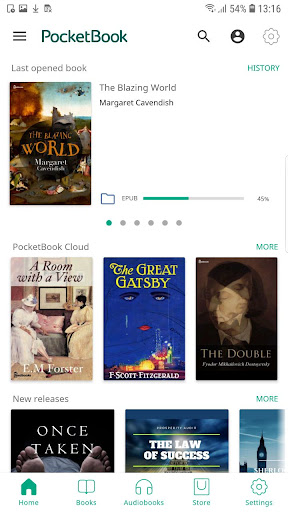
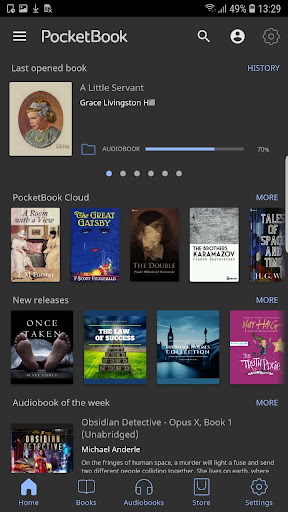
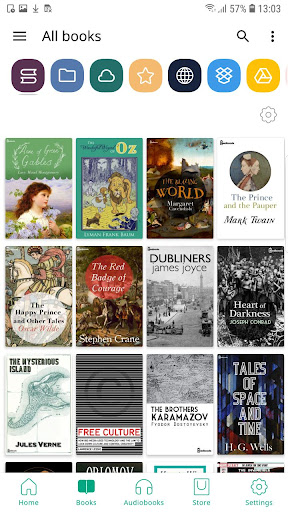
PocketBook Reader simplifies managing local files stored on your device. You can select which folders the app accesses and organize your books effectively. Moreover, the free PocketBook Cloud service enables synchronization of your books, reading positions, notes, and bookmarks across multiple devices.
Connecting External Sources
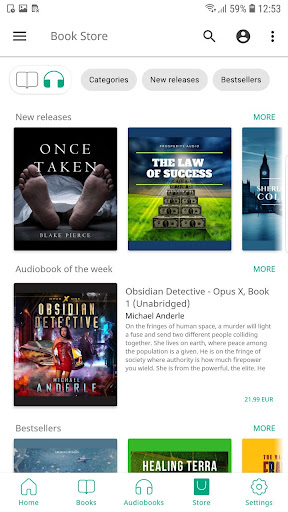
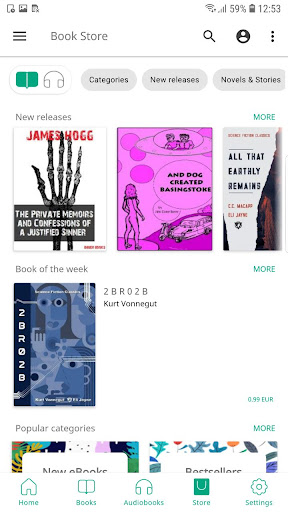
The app supports a variety of external services including Dropbox, Google Drive, Google Books, and OPDS catalogs, providing easy access to network libraries. You can even connect multiple accounts within the same service. A handy ISBN scanner allows quick searching of electronic books via barcode, and you can borrow titles or periodicals directly through the app.
Special Features for E Ink Readers
If you own a PocketBook E Ink e-reader, synchronization is effortless by scanning a QR code, bringing your entire library with you wherever you go.
Intuitive Interface and Customization Options
User-Friendly Design
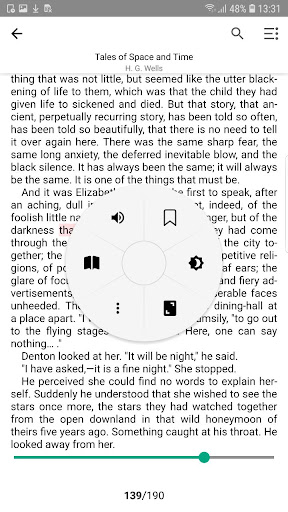
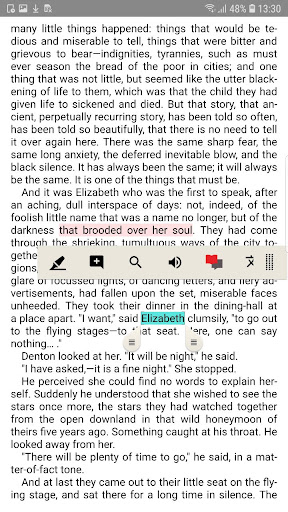
The app boasts an intuitive interface with easy navigation and a minimalistic design. You can personalize your reading environment with seven color themes and reassign buttons and display areas according to your preferences.
Reading Comfort Features
Two night-reading modes ensure comfortable reading at any time of day. You can customize font styles, sizes, line spacing, and margins to suit your taste. The page turn animations and ability to crop margins provide an even more tailored reading experience.
Home Screen Personalization
Widgets on the home screen enable quick access to your cloud services and libraries, enhancing usability and speed.
Quick Access and Advanced Search Capabilities
Efficient File Search
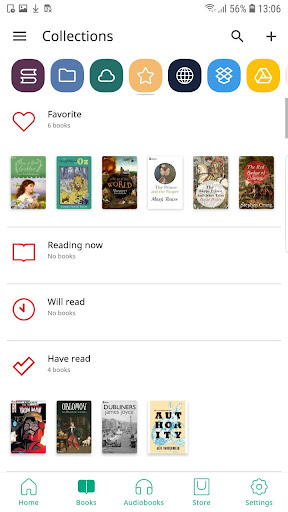
With smart searching features, PocketBook Reader locates your files within seconds, whether they are stored on your device or in specific folders. Manage files effortlessly by sorting, creating collections, filtering, and marking them as favorites.
Bookmarks, Notes, and Comments
Create and manage bookmarks, notes, and comments to organize your reading progress. Share these notes easily via email or messengers, and compile them into separate files for convenience.
Additional Features to Enhance Your Reading Experience
Built-in Dictionaries and Translators
Look up words instantly with the app’s dictionaries and translation tools, enriching your reading comprehension.
Custom Fonts and Quick Feedback
You can download and install custom fonts to customize your text display further. The dedicated support channels ensure any technical issues are resolved promptly.
Resource Links
For FAQs, tutorials, and older versions, visit the official PocketBook FAQ and the Video Tutorials.
Conclusion: Your Portable Library Awaits
In summary, PocketBook Reader offers a comprehensive reading and listening platform tailored to meet the needs of avid readers, students, and comic enthusiasts alike. Its support for multiple formats, seamless synchronization, customizable interface, and a host of features make it an indispensable app for digital reading. Whether you're looking to carry a vast library in your pocket or enjoy audiobooks on the go, this app delivers unmatched flexibility and convenience. Download PocketBook Reader today and elevate your reading experience to the next level!
Pros
- Supports various eBook formats.
- Intuitive and easy-to-use interface.
- Options to personalize reading experience.
- Allows offline access to books.
- Automatically syncs progress across devices.
Cons
- Limited support for audiobooks.
- Occasional synchronization problems.
- Advertisements present in the free version.
- Account creation needed to unlock all features.
- Few tools available for annotations.