


Introduction to ONE@Work (formerly Even)
Key Features of ONE@Work
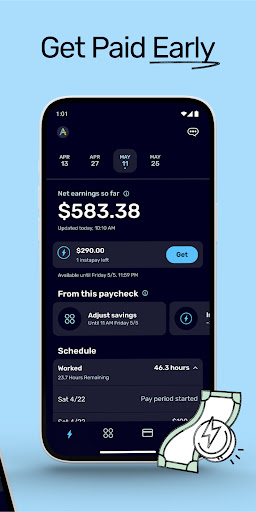
Get Paid Early with Instapay
One of the most popular features of ONE@Work is the ability to receive your net earnings before your scheduled payday through Instapay. This feature provides financial flexibility, allowing you to cover unexpected expenses without fees or hidden interest. However, note that Instapay is currently unavailable for Walmart associates in New York.
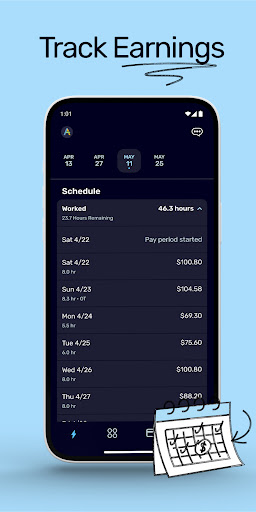
Track Your Earnings
The app enables you to effortlessly monitor your work schedule, earnings per shift, and overall paycheck amount. With clear visibility into your income, you can plan your finances more accurately, reducing the guesswork associated with managing your income streams.
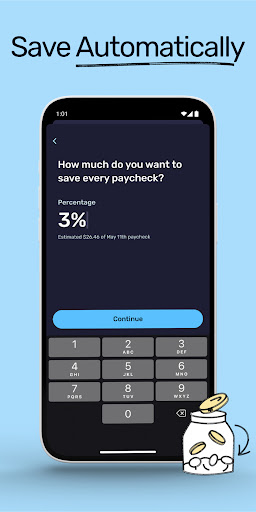
Automatic Savings
Set a specific percentage of your paycheck to automatically save each pay cycle. ONE@Work deducts this amount from your paycheck without extra effort on your part, helping you build a financial cushion effortlessly.
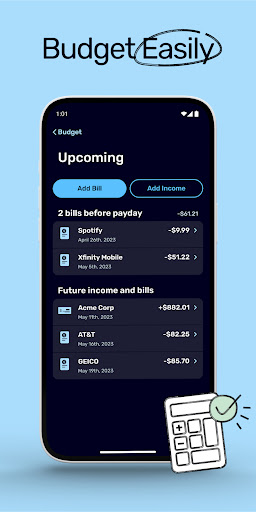
Budgeting and Expense Management
Connect your bank account to the app, and ONE@Work assists in calculating what’s okay to spend based on your income and expenses. Additionally, it categorizes your expenses, giving you a clear view of where your money goes and helping you identify potential areas to cut back and save more effectively.
Why Choose ONE@Work? Benefits and Advantages
Managing personal finances in today’s busy world can be overwhelming, but ONE@Work simplifies this process by integrating multiple essential tools into one convenient platform. Whether it’s accessing wages early when needed, setting savings goals, or tracking daily expenses, this app empowers users to take control over their financial health. Its intuitive interface makes navigation easy for everyone, regardless of tech proficiency.
Beyond basic features, ONE@Work encourages financial discipline through savings goals and expense categorization. Watching your savings grow provides a sense of accomplishment, motivating you to stay committed to your financial objectives. Moreover, the automatic budgeting feature serves as a personal financial assistant, helping you stay within your budget and avoid overspending.
Conclusion
In summary, ONE@Work stands out as a comprehensive financial app tailored to meet the needs of working individuals seeking better money management tools. From early wage access with Instapay to automatic savings and expense tracking, it covers all the essential aspects of personal finance. If you’re looking for a digital solution that offers flexibility, organization, and peace of mind, ONE@Work is definitely worth exploring. It empowers users to make smarter financial decisions, helping navigate the complexities of today’s economic landscape with confidence.
Pros
- User-friendly interface for quick navigation.
- Seamless integration with payroll systems.
- Includes financial planning tools.
- Immediate access to earned wages.
- Secure and protects user data.
Cons
- Limited customer service availability.
- Occasional app crashes reported.
- Requires consistent internet access.
- Restricted features without premium subscription.
- Potential privacy concerns regarding data handling.











