Introduction to One Block for Minecraft Maps
Welcome to the exciting world of One Block for Minecraft Maps, an innovative addon that redefines your Minecraft experience. Whether you're a seasoned player or a newcomer, this map mode offers endless possibilities, combining survival, creativity, and strategy into a unique challenge. Starting from just one block, your journey transforms into an unpredictable adventure filled with surprises, resources, and new horizons.
Core Features and Gameplay Mechanics
Start with a Single Block
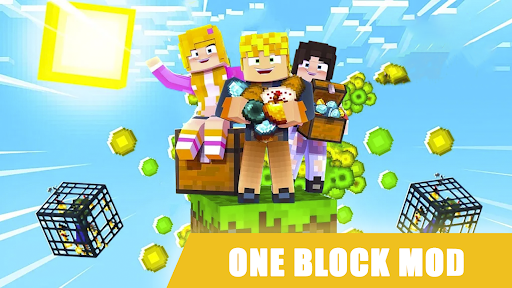
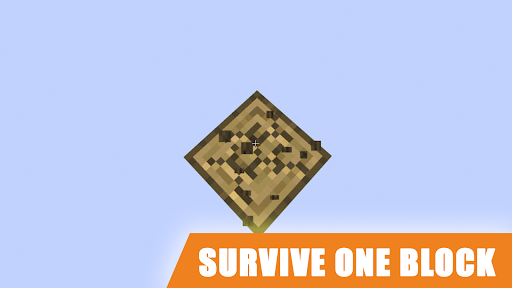
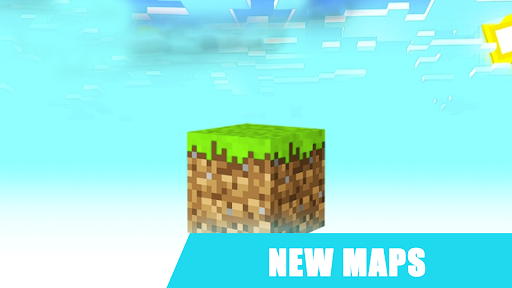
Imagine beginning your adventure on a lone block floating in the void. With One Block for Minecraft Maps, this is exactly how you kick off. Every time you break a block, a new one appears, often revealing valuable resources, dangerous mobs, or mysterious structures. It’s like unwrapping a gift with each new blok you break!
Dynamic and Unpredictable World
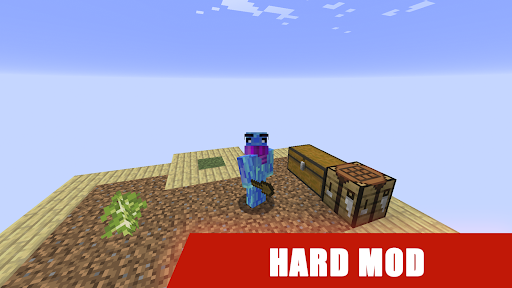
The random nature of the blocks that appear keeps the gameplay fresh and challenging. You never know what awaits beneath each surface, which makes resource management, exploration, and strategic planning essential. As you progress, you shape the landscape, craft tools, and expand your floating island—each decision impacting your survival and growth.
Challenging Survival and Resource Management
This mode encourages strategic thinking. Whether you stumble upon a block of dirt, rare diamond, or a mob guarding a hidden treasure, quick decision-making is key. The constant surprises generate an exhilarating experience that pushes your creativity to its limits.
How to Get Started with One Block Mod / Map
Getting started involves a simple process. First, download the Blok addon from the app page on your device. Launch your Block Launcher and select the desired addon, map, skin, or mod—then tap the install button. Once installed, open your Minecraft game, navigate to settings, and select the new add-on. Your world is now ready for an epic adventure with the One Block mod or map. Dive in and start crafting your unique floating island today!
Advantages of Using Our One Block Applications
- Automatic installation with just one click
- Extensive selection of addons, skins, maps, minigames, textures, and shaders
- Regular updates ensuring the latest features
- Completely free and accessible
- Realistic graphics enhanced by ray tracing technology
- Wide variety of Minecraft skin and texture packs
- Enhanced visual experience with RTX shaders
Our applications provide a seamless experience, allowing you to enjoy One Block with stunning HD visuals and innovative lighting effects. With regular updates, you’ll always have access to new content, making your gameplay fresh and engaging.
Why Choose One Block for Minecraft Maps?
Endless Creativity and Fun
Whether building a formidable fortress or a small floating garden, One Block maps inspire endless creativity. The thrill of starting with a single blok and turning it into a thriving island or base is highly satisfying. The mode challenges your problem-solving abilities and encourages you to think creatively about resource utilization, design, and expansion.
The community aspect is also vibrant. Players share their unique creations online, exchanging tips, ideas, and strategies. Connecting with other enthusiasts boosts inspiration and helps improve your skills as you experiment with different building techniques and survival strategies.
Final Thoughts: Is One Block Worth Trying?
Absolutely! One Block for Minecraft Maps offers a fresh perspective on Minecraft’s classic gameplay. Its unpredictable environment, strategic depth, and endless creative opportunities make it a must-try for all players. Whether you're interested in survival challenges, creative building, or community sharing, this mode delivers a captivating experience that keeps you hooked from start to finish.
So, grab your pickaxe, prepare for surprises, and see how much you can build and survive from just a single block. Remember, in this game, it’s not just about surviving—it's about thriving in a world of limitless potential!
Pros
- Unique gameplay with only one block to start
- Encourages creativity and problem-solving
- Compatible with both Android and iOS
- Regular updates with new features
- Great for both solo and multiplayer modes
Cons
- Limited to Minecraft players only
- Requires in-app purchases for some features
- May lag on older devices
- Can be complex for beginners to understand
- Requires internet connection for certain gameplay features