
Introduction to OBD JScan
Ever wondered what’s really going on under the hood of your car? If you’re looking for a powerful yet user-friendly car diagnostic application, OBD JScan is the perfect solution. Designed primarily for Jeep models, this app offers a robust set of features that can help anyone—from casual car owners to professional mechanics—gain insight into vehicle health and performance.
What is OBD JScan?
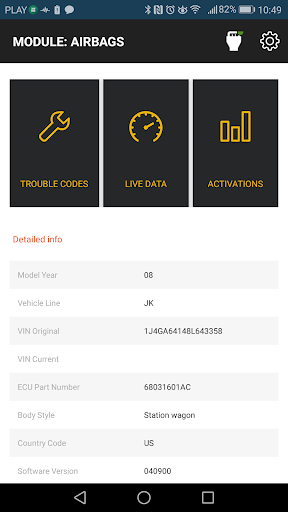
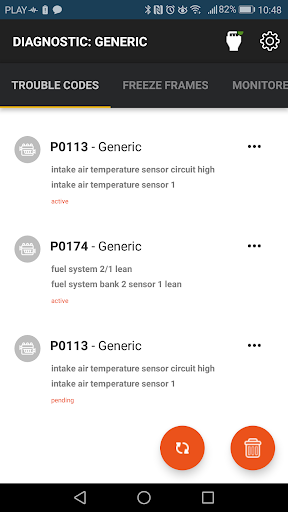
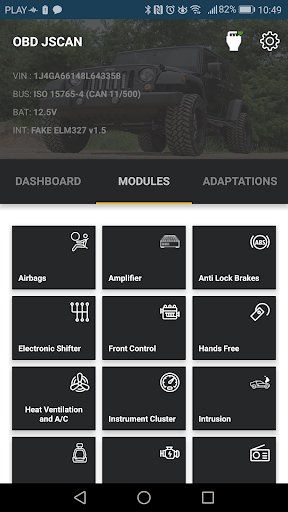
• OBD JScan is a powerful Jeep diagnostic application that provides comprehensive access to vehicle systems. The app enables users to read standard Diagnostic Trouble Codes (DTCs), monitor generic live data, and much more. What makes JScan stand out is its ability to access all modules available on your vehicle, including ABS, Steering Column, Automatic Transmission, Radio, Sway Bar, HVAC, and many additional systems. This extensive coverage helps users perform in-depth diagnostics and vehicle management.
What Can You Do with JScan?
With JScan, vehicle owners and enthusiasts can:
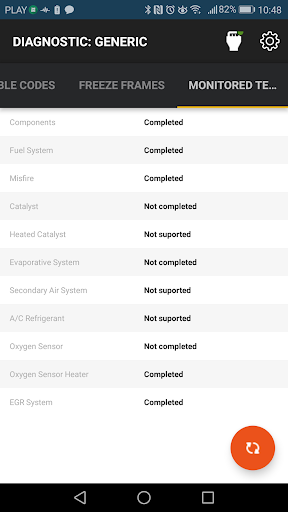
- Access, read, and clear diagnostic trouble codes across all modules
- View Live Data from sensors, including engine RPM, coolant temperature, and fuel system status
- Share vehicle trouble information with mechanics or friends
- Identify modules, VIN, and Part Number details
- Configure vehicle settings such as tire size, axle ratio, and DRL Settings
Supported Vehicles
The OBD JScan app supports a broad range of vehicles, including Jeep Wrangler JK, Jeep Wrangler JL/JT (additional hardware required to bypass security gateway), Jeep Grand Cherokee WK / WK2, Jeep Commander XK, Jeep Liberty / Cherokee KK, Jeep Compass / Patriot MK, along with various Dodge and Chrysler models such as Dodge Avenger, Dodge Grand Caravan, Dodge Journey, Dodge Durango, Dodge Ram, and Chrysler 200 / 300. Keep in mind that for some recent models (2018+), additional security bypass hardware is required. More details and hardware requirements can be checked on the official site.
Supported and Recommended OBD2 Adapters
Choosing the right OBD2 adapter is key to ensuring a smooth diagnostic experience. Preferred options include:
- Bluetooth adapters such as OBD ELM327 iCar Vgate v2.0, v3.0, v4.0 Bluetooth LE (works with iOS), OBD LinkMX, OBD LinkMX+, and adapters based on the STN1170 chip.
- WiFi adapters like OBD ELM327 iCar Vgate v2.0, v3.0, and v4.0.
Warning: Be aware that some cheap clones of the ELM327 v2.1 may cause connection issues. For the best experience, use supported and tested adapters listed on the official compatibility page.
Features and User Experience
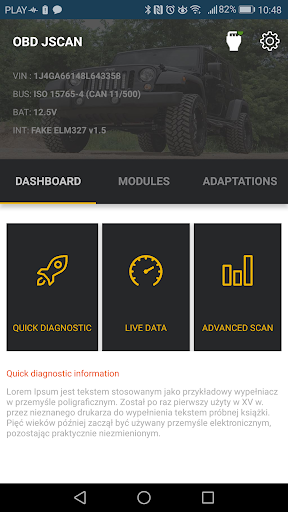
Imagine being able to diagnose and troubleshoot your vehicle with just a few taps. OBD JScan makes this possible by offering an intuitive user interface that’s easy to navigate, even for beginners. Connecting your vehicle via a compatible OBD2 adapter is straightforward—plug it into your car’s port, launch the app, and you’re ready to start exploring.
Impressive Capabilities
The app isn’t just for reading codes. It provides real-time sensor data, including engine RPM, coolant temperature, and fuel system status. Additionally, the app allows advanced functions like ABS bleeding and throttle relearns, which are typically found in costly professional tools. This comprehensive feature set ensures you can perform a range of diagnostic and maintenance tasks conveniently from your smartphone or tablet.
Performance and Ease of Use
The app performs smoothly, maintaining stable connections with most supported adapters. Its compatibility with various vehicle models makes it versatile for different users. The detailed explanations for each diagnostic trouble code are especially helpful, turning complex car diagnostics into an understandable process. It’s like having a mini mechanic right in your pocket.
Conclusion: Is OBD JScan Worth It?
For anyone serious about maintaining their vehicle or just interested in understanding their car better, OBD JScan is a fantastic choice. It combines comprehensive diagnostics with a user-friendly interface, making it suitable for both beginners and experienced car enthusiasts. Its ability to access multiple vehicle modules and perform advanced functions sets it apart from typical OBD2 apps. If you want a reliable, feature-rich, and compatible diagnostic solution, give OBD JScan a try and experience the difference it can make in your vehicle maintenance routine.
Pros
- User-friendly interface
- Real-time data monitoring
- Supports many car models
- Affordable pricing
- Customizable dashboard
Cons
- In-app purchases required
- Limited advanced features
- Occasional connectivity issues
- Not available on iOS
- Requires Bluetooth adapter











