

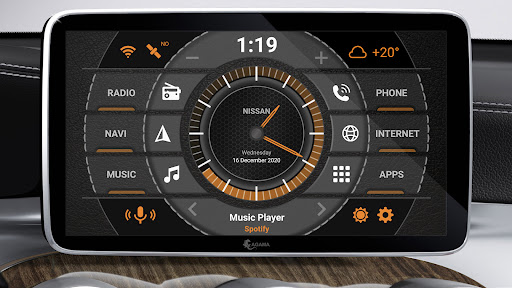
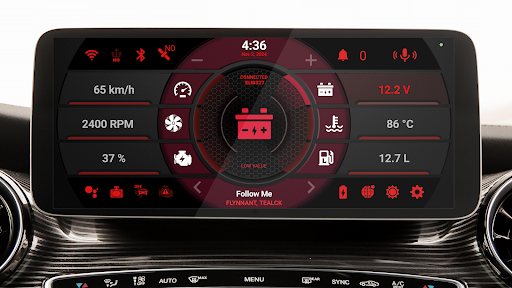
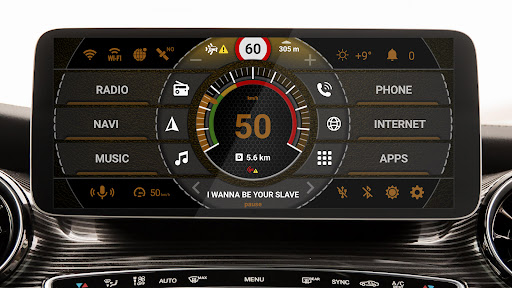
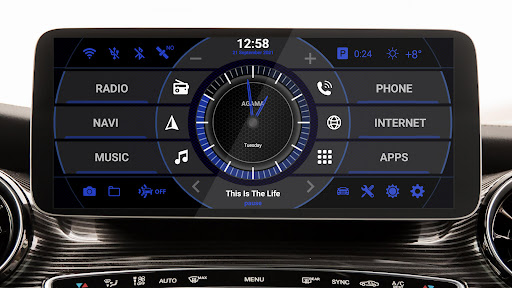
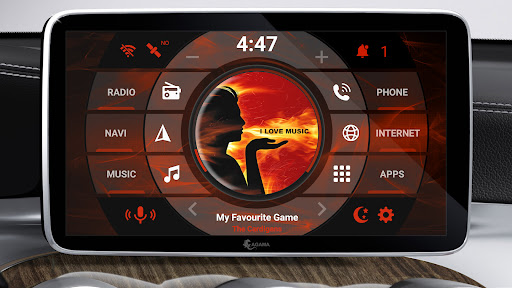
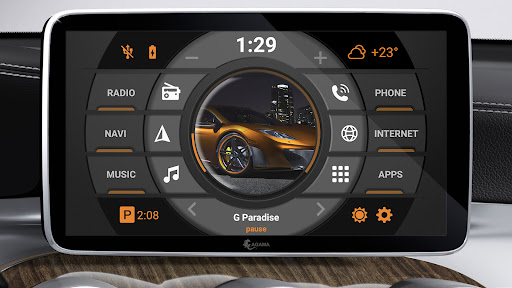
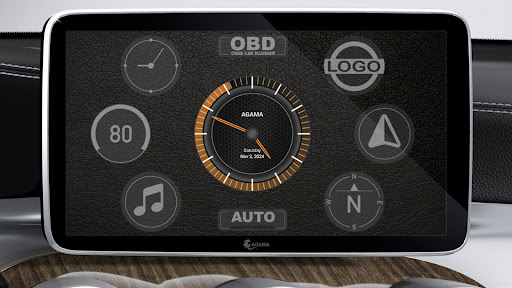
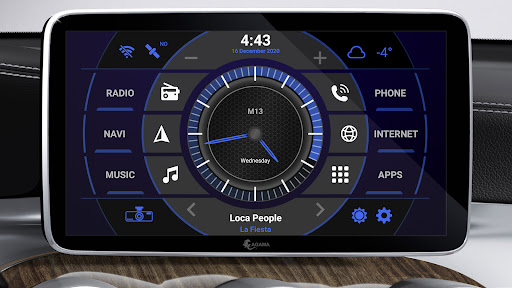
AGAMA Car Launcher Overview
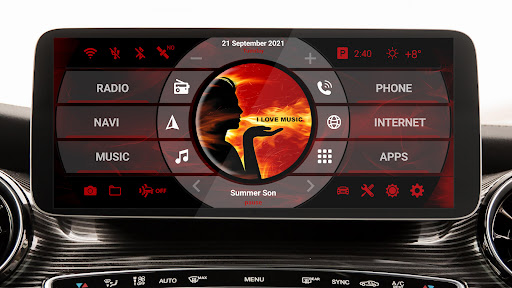
Never before has multimedia control in your car felt this comfortable. Meet the AGAMA Car Launcher, a thoughtful hub where the most useful features and essential information are just a tap away. Its simple, clean design and intuitive controls won’t intrude on your driving, while still offering flexible settings. AGAMA adapts to your car’s interior and your mood, yet it remains an elegant, reliable interface that connects the driver to the vehicle. AGAMA Car Launcher — your freedom to control.
The AGAMA Car Launcher is designed for dashboard units and audio systems running the Android operating system, as well as for Android phones and tablets used in a car. Key advantages include:
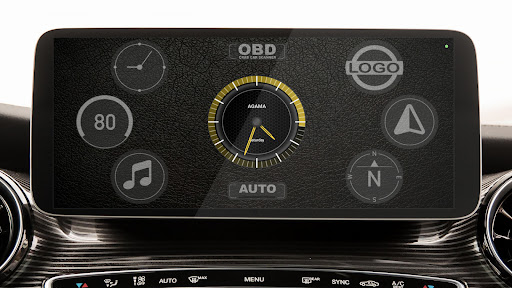
- Concise and purposeful design adjustable to the car’s style
- Flexible design settings
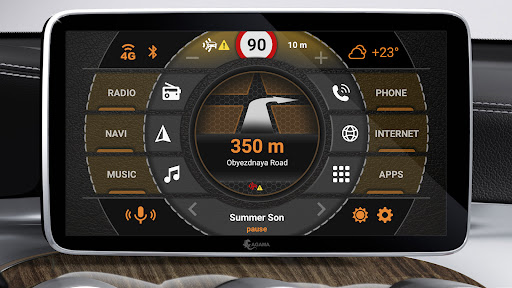
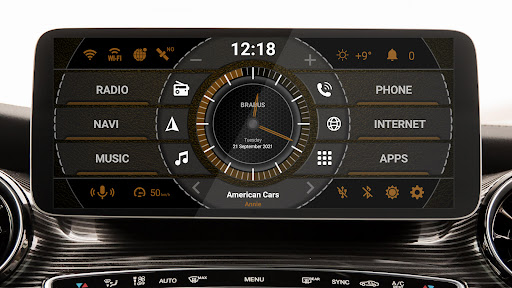
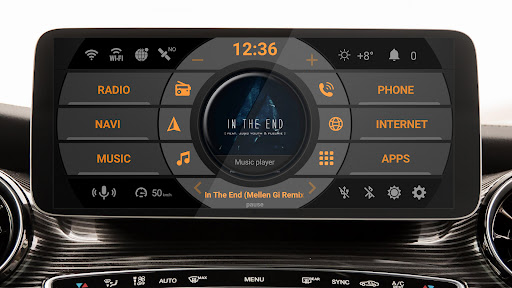
- 24 customizable buttons for quick app launches
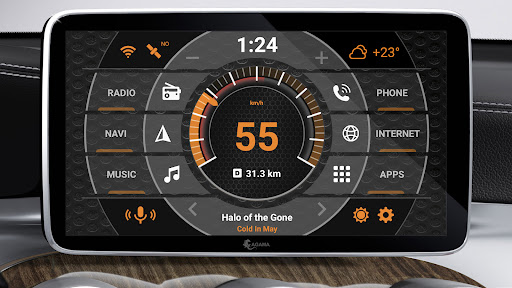
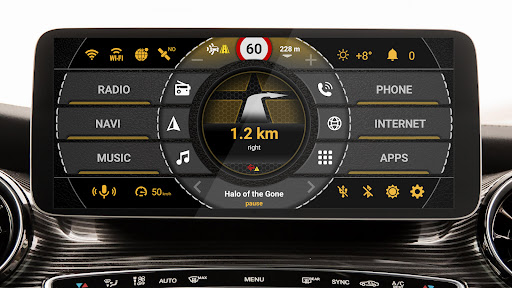
- Speedometer widget based on GPS for precise speed readings
- Music player widget supporting major music apps
- Navigator widget with route guidance
- Compass widget for travel enthusiasts
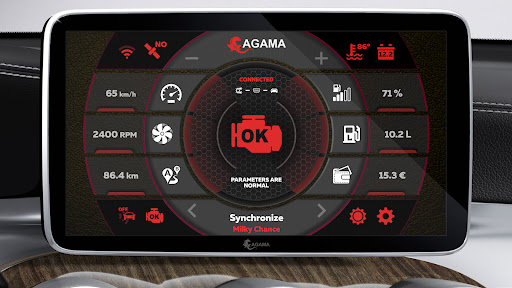
- Information display (Wi-Fi, GPS, mobile internet, Bluetooth, USB, battery)
- Local weather information with a 5-day memory
- Automatic brightness of the screen
- Voice assistant
The application is offered with a free 30-day trial. To activate the full version, a purchase is required. AGAMA is designed to deliver a smooth, responsive experience that enhances dashboard usability and driving safety, with ongoing support and updates to keep the interface fresh and reliable.
Key Features and Benefits
AGAMA combines a compact, purposeful design with highly configurable layouts that fit a variety of car interiors. The interface supports extensive shortcuts for your most-used apps, seamless GPS navigation integration, and robust music control that keeps you in control without switching screens. Real-time information widgets provide at-a-glance data on connectivity and vehicle status, while weather and brightness features help you plan ahead and adapt to changing conditions. The system is designed for broad compatibility with Android head units and related devices, ensuring a cohesive experience on the road.
Beyond aesthetics, AGAMA emphasizes usability and safety. Voice commands enable hands-free operation for navigation, calls, and media control, helping you stay focused on driving. The inclusion of a real-time speedometer, engine status indicators, and other vehicle data gives you practical insights during long trips or daily commutes. This combination of practical tools and a refined design makes AGAMA a compelling choice for drivers seeking a modern, capable infotainment launcher that enhances rather than distracts from the journey.
User Experience and Review
From a user perspective, AGAMA Car Launcher stands out in the realm of car infotainment customization. It brings a new level of control and style to your driving experience, offering a launcher crafted specifically for cars that makes essential apps and information easily accessible while on the move. The design is sleek and modern, with customization options that let you tailor colors, widgets, and layouts to suit your dashboard and mood. Shortcuts for frequently used apps reduce fiddling with devices, enabling you to focus more on the road.
The feature set goes beyond looks: GPS navigation integration, music control, and support for popular music apps allow you to enjoy tunes without switching screens. Voice commands provide a hands-free option that improves safety by keeping your hands on the wheel and eyes on the road. Real-time vehicle diagnostics present key metrics—speed, fuel level, engine status—in a clear, digestible format, making it valuable for long road trips as well as daily commutes. Overall, AGAMA Car Launcher blends style with practicality to enhance your driving experience. If you’re considering upgrading your car’s infotainment system, AGAMA is a strong choice that functions as more than an app—it's a dependable driving companion that keeps everything you need within reach.
Blog-Style Feature Description
In the evolving world of car infotainment, AGAMA Car Launcher stands out by marrying convenience with thoughtful design to elevate every drive. Engineered for dashboard units and Android-based systems, this launcher delivers quick access to the apps and information drivers rely on, without compromising safety or aesthetics. Its cross-platform approach extends to iOS where supported, ensuring a broad audience can enjoy a cohesive in-car experience. The interface is sleek and highly adaptable, inviting users to switch between minimalist and vibrant themes, tweak colors, widgets, and layouts, and arrange shortcuts for their most-used tools. The result is a customizable dashboard that feels personal, reduces fiddling with devices, and keeps the focus on the road ahead.
Performance and integration are at the heart of AGAMA. Navigation is integrated, music control is streamlined, and the launcher supports voice commands for hands-free operation, making it easier to manage media and directions while keeping hands on the wheel. Real-time vehicle diagnostics deliver essential data—speed, fuel level, engine status—in a clear format, offering reassurance on long trips and daily commutes. Local weather information with a multi-day memory helps plan routes and schedules, while automatic screen brightness adapts to changing lighting, ensuring readability without distraction. The overall experience is a driving companion that feels capable and intuitive—designed to enhance safety, comfort, and enjoyment behind the wheel. If you’re upgrading your car’s infotainment system, AGAMA Car Launcher deserves serious consideration as a stylish, functional solution that makes every journey smoother and more connected. Its emphasis on customization, ease of use, and robust features sets it apart from other launchers on the market, making it a worthy investment for drivers who value control and convenience on the road.
Beyond the basics, AGAMA invites you to personalize your in-car workspace. Shortcuts can be created for frequent tasks, while color schemes and widget layouts let you reflect your taste and driving conditions. The hands-free capabilities, including voice control, help reduce distractions, and the continuous flow of real-time data—from current speed to engine health—gives drivers confidence on unfamiliar routes. In short, AGAMA Car Launcher transforms the car’s infotainment system into a responsive, stylish cockpit that aligns with how you drive. It’s more than a tool; it’s a dependable companion designed to keep you connected and in control every mile of the journey.
With ongoing updates and a focus on driver-centric features, AGAMA remains a strong contender for anyone seeking a polished, powerful car launcher. The combination of customization, practical functionality, and an emphasis on safety makes AGAMA a standout choice in the automotive software space. If you’re upgrading your vehicle’s head unit or looking to modernize your dashboard experience, AGAMA Car Launcher offers a compelling balance between form and function and a genuinely enjoyable driving experience.
Pros
- Extremely customizable user interface
- Smooth performance and seamless transitions
- Supports a broad variety of widgets
- Intuitive and user-friendly navigation
- Works with the majority of car models
Cons
- Some features are restricted in the free version
- Requires many permissions
- Occasional minor bugs
- May consume battery more quickly
- Ads appear in the free version










