
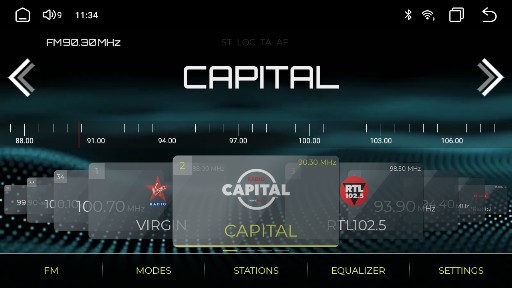
Introduction to NavRadio+
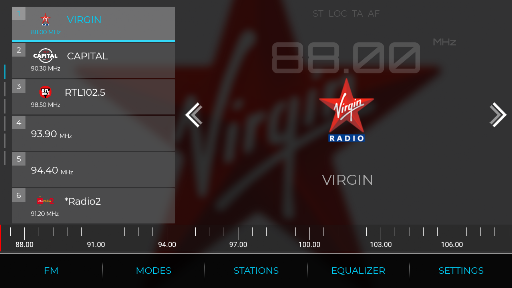
Are you tired of juggling multiple applications just to tune into your favorite radio stations while driving? If so, NavRadio+ is the perfect solution that transforms your in-car radio experience. Designed specifically for Android car navigation head units, NavRadio+ offers a comprehensive, user-friendly interface combined with extensive customization options, making it an essential tool for radio enthusiasts on the go.
Compatibility and Device Support
NavRadio+ is optimized for a wide range of Android car head units, ensuring smooth operation across various devices. It supports head units based on MTC/HTC firmware with CPUs like PX3, PX5, PX6, and PX30. Additionally, it works seamlessly on head units built on the TopWay platform featuring chipsets such as Allwinner T3, T8, Intel SC9853, UIS7862, and UIS8581A. For those with FYT or DUDUOS firmware, it functions well with chipsets like UIS7870, UIS7862, UIS8581, and sc9853i. Special note: For S32F0 based head units, a rooted ROM may be necessary. The app is also compatible with firmware from ROCO K706/QF01-3-5, as well as head units modeled as K2001, K2401, K2501, and K4811. Keep in mind, NavRadio+ is not compatible with non-listed firmware platforms. For testing, a free version without logos is available for download, allowing users to verify compatibility without restrictions.
Key Features and Customization
NavRadio+ stands out with its extensive customization and user-centric features. Users can personalize their interface through a variety of options, including:
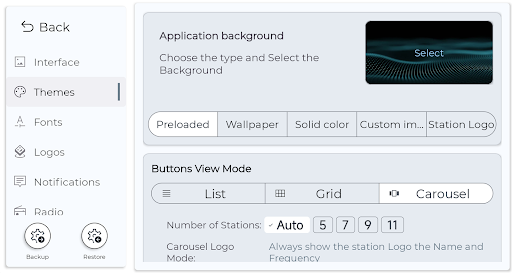
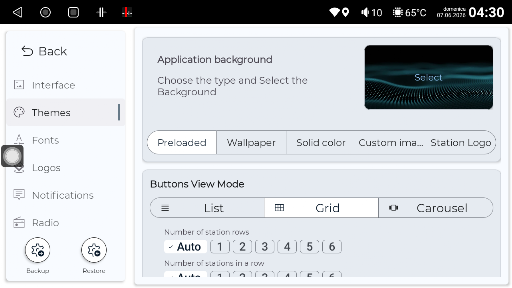
- Wallpapers: Choose from around 30 presets, system wallpapers, solid colors, or upload personal images.
- Color Themes: Select from 20 predefined themes or create custom schemes.
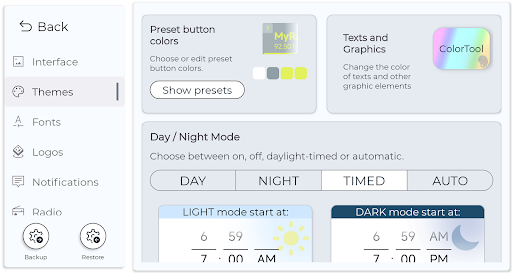
- Night Mode: Enable automatic, timed, or manual activation synchronized with your car's lighting system (specific to MTC).
- Display Settings: Adjust resizable text elements, fonts, and toggle fullscreen modes with ease.
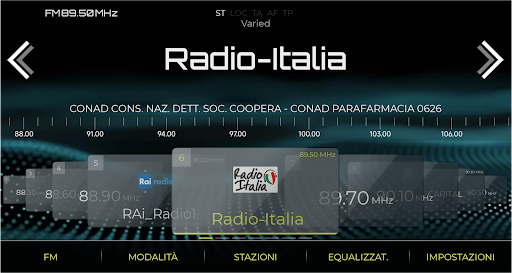
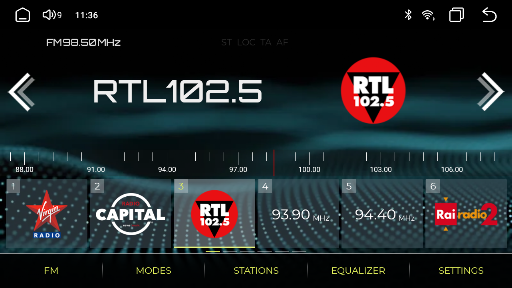
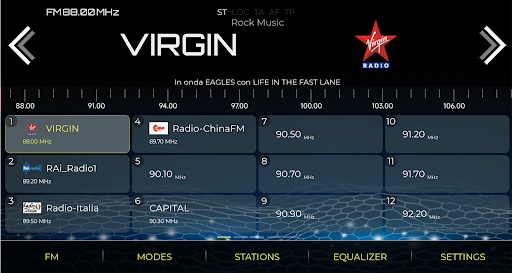
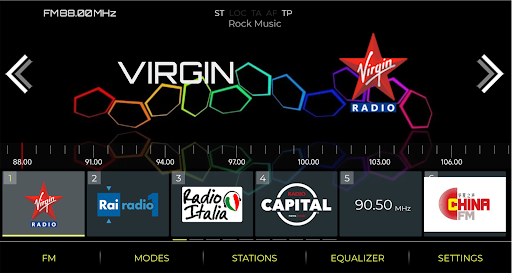
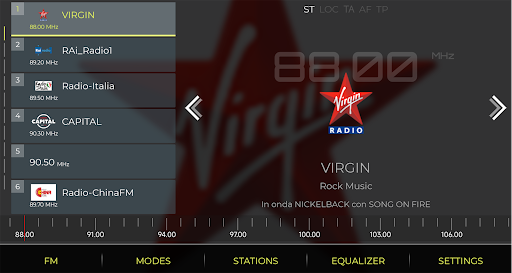
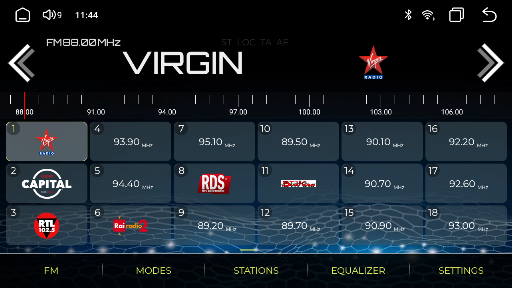
- View Modes: Switch between vertical list, horizontal grid, and fullscreen views. The app supports multiple grid configurations like 1x5, 2x3, 3x4, etc., for optimal viewing.
Radio Station Management & Localization
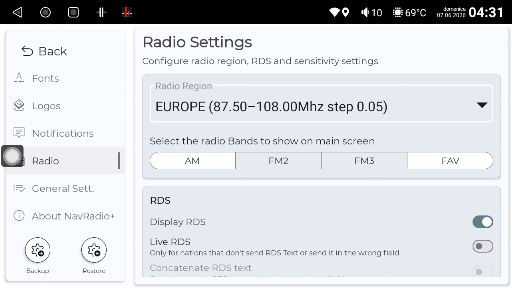
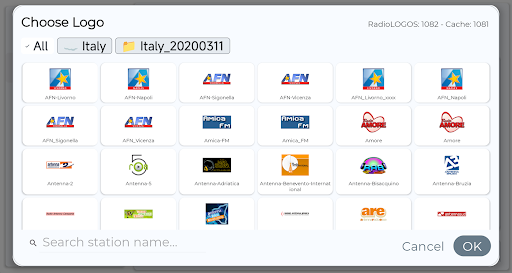
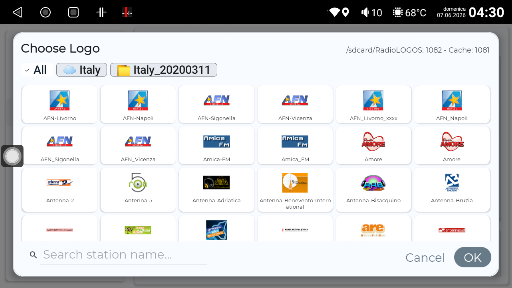
Managing your favorite radio stations is simple and flexible with NavRadio+. The app allows editing of station details like position, frequency, name, logo, and favorites. Stations can be sorted alphabetically or by frequency and saved in a JSON format, enabling easy restoration or sharing. The app supports regional configurations, allowing users to select their radio region for optimized tuning. Logos are available by nationality, including countries such as Germany, France, Italy, Japan, and the USA, among others. This extensive library boosts station recognition and improves user experience.
Additional Functionalities
Beyond basic radio tuning, NavRadio+ offers features like notification toast messages, metadata sharing with launchers (e.g., Agama, FCC, CarLauncher), and support for various display resolutions, including 800x480, 1024x600, 1280x720, and 1920x1080. The app supports background playback, enabling users to listen to radio while using other apps — perfect for multitasking during road trips. Additional utilities include a homepage widget (horizontal and vertical), a floating widget for quick access, autostart on boot, and backup/restore options for app settings—ensuring a seamless user experience.
Performance and Reliability
One of the standout qualities of NavRadio+ is its stable connectivity. Whether you're in urban areas or rural landscapes, the app maintains a reliable connection with minimal interruption. It is designed to be lightweight, optimizing data usage and ensuring quick response times. An intelligent feature automatically switches between online streaming and offline playback of downloaded content, so you can enjoy your favorite stations without internet access.
Localization & Station Logos
The app features an extensive collection of station logos based on country and region, including Europe, South America, North America, China, Malaysia, the Philippines, Australia, New Zealand, and Japan. This wide variety enhances station recognition and provides a personalized, professional feel to your radio interface.
Conclusion
In the crowded world of radio apps, NavRadio+ distinguishes itself through its robust customization options, broad compatibility, and reliable performance. Whether you're a casual listener or a dedicated radio enthusiast, this app provides an elevated listening experience tailored to your preferences. With features like station management, logo personalization, background play, and region-specific tuning, NavRadio+ becomes an indispensable companion for your road trips and daily commutes. Download it today and enjoy seamless, high-quality radio entertainment right from your Android car head unit!
Pros
- User-friendly interface
- Accurate GPS navigation
- Customizable settings
- Frequent updates
- Low battery consumption
Cons
- Limited offline maps
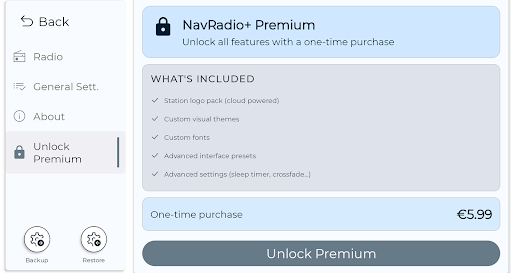
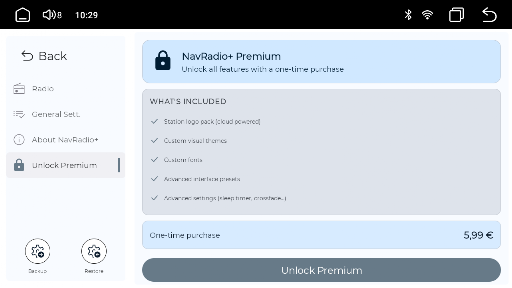
- Subscription required for full features
- Occasional ads
- May drain data quickly
- Not compatible with all devices











