


Description of the MySynchrony App
If you're searching for a convenient way to manage your private label credit card accounts, the MySynchrony app is an excellent solution designed for seamless mobile account management. Built to support Android devices with Android 11 and above, this app allows users to handle their credit accounts swiftly and securely, providing a range of features to enhance your financial control on the go.
Key Features and Functionality
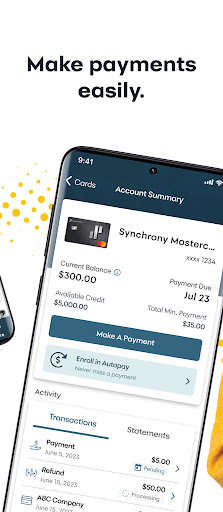
With MySynchrony, you gain the ability to perform vital account activities from anywhere at any time. The app enables you to log in securely using TouchID/Fingerprint Authentication, ensuring your financial information remains protected. Managing your private label credit card accounts is simplified—whether you're making a payment, reviewing your balance and credit limit, or browsing your transaction and payment history, all can be accomplished with a few taps.
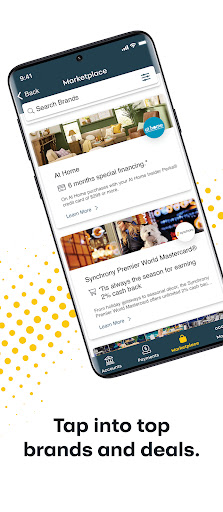
The app also provides convenient features to make payments and schedule future payments. Additionally, users can securely add multiple bank accounts to streamline the process of paying their bills. For those interested in saving or exploring deals, the app offers access to savings, discounts, and offers from partners nationwide. This ensures that users can take advantage of special promotions right from their mobile device.
It's worth noting that although MySynchrony allows management of private label credit cards issued by Synchrony Bank through their mobile platform, it does not support Synchrony Bank Savings accounts. Despite this limitation, the app remains a powerful tool for everyday credit account activities.
Transitioning from Synchrony Apps
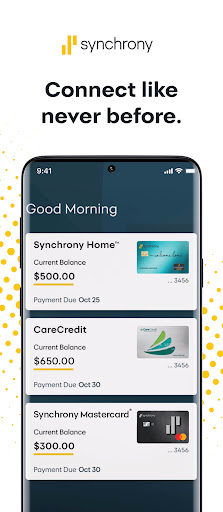
In late December, Synchrony HOME™ and Synchrony Car Care™ apps will be phased out. However, all account holders using these apps can still access their account features via MySynchrony. Transitioning is straightforward—simply login with your existing credentials, and you'll be able to continue managing your accounts without disruption. This makes the move to MySynchrony an easy choice for users seeking a unified, modern platform for managing their credit accounts.
Reasons to Choose MySynchrony
People often find themselves dreaming about new furniture, gadgets, or other purchases but hesitate because of budget constraints. With MySynchrony, turning those dreams into reality becomes more attainable. The app serves as your digital financial assistant, helping you stay on top of payments and account activity, ensuring you avoid late fees and maintain good credit health.
The intuitive design of MySynchrony makes navigation effortless. Whether you're checking your available credit, reviewing recent transactions, or making a payment, the user-friendly interface guides you smoothly through each step. The real-time alert system is another standout, providing timely notifications for upcoming payments or suspicious account activity—giving you peace of mind and a personal alarm system for your finances.
Moreover, the payment calculator feature offers valuable insights into how extra payments can accelerate your debt payoff, providing better control over your financial planning. Despite occasional lag during peak usage times, the app’s security measures and ease of use make it a reliable tool for everyday credit management.
Conclusion
In summary, MySynchrony is an effective, secure, and user-friendly application designed for managing private label credit cards issued by Synchrony Bank. Its comprehensive features—from making payments, monitoring balances, to exploring deals—equip users with everything needed for convenient financial oversight directly from their mobile devices. If you're looking to stay organized and in control of your credit accounts while on the move, MySynchrony is undoubtedly a valuable app to add to your digital toolkit.
Pros
- User-friendly interface for easy navigation.
- Secure account management with encryption.
- Access to promotional offers and deals.
- Real-time account alerts and notifications.
- Convenient bill payment options.
Cons
- Limited customer support availability.
- Occasional app crashes reported.
- Some features require a strong internet connection.
- Limited language support.
- No dark mode option.











