
Introducing MyMoney Pro - Expense & Budget: Your Personal Finance Companion
Today, let's explore MyMoney Pro - Expense & Budget, an intuitive and reliable app that seamlessly integrates into your daily routine, helping you manage your personal finances with ease. Whether you're tracking expenses, setting budgets, or visualizing your financial health, this app is designed to be your trusted partner on the journey to financial wellness.
Simple and User-Friendly Interface
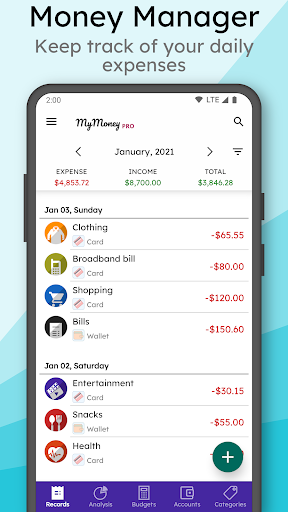
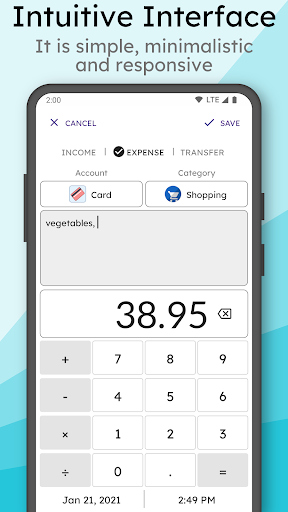
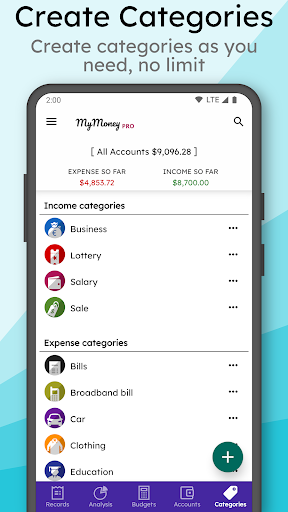
From the moment you open MyMoney Pro, you'll notice its straightforward and user-friendly interface. There's no need to be a financial expert to navigate its features. The app's layout is clean and intuitive, making it easy to record your •Income and •Expenses. Just input your earnings and spending, and the app automatically categorizes each transaction into various categories like Cars, Foods, Clothing, and more. It feels like maintaining your personal ledger, but without the messy handwriting.
Effortless Budget Management
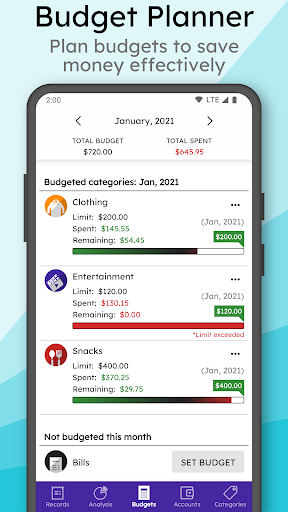
One of the standout features of MyMoney Pro is its powerful •Budget Planner. Setting monthly budget limits for different spending categories helps you stay on track with your financial goals. The app gently nudges you when you're approaching your set limits, acting like a helpful financial advisor whispering, "Maybe skip that extra latte today." Whether it's managing groceries, dining out, or miscellaneous expenses, you can customize your budget to suit your lifestyle. This feature is invaluable for those who aim to control spending habits and boost savings.
Visual Insights into Your Finances
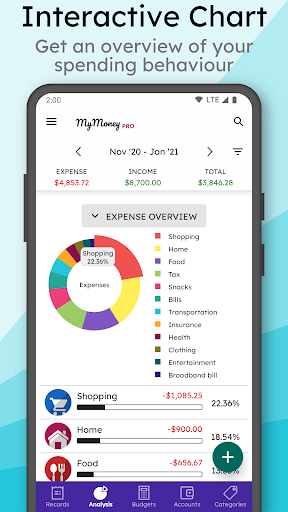
If you're a visual learner, MyMoney Pro offers vibrant •Charts and Graphs that provide a clear overview of your financial situation. Pie charts depict how your money is allocated across categories, while bar graphs reveal spending trends over time. These visual summaries make it easier to identify where your money flows and help you adjust your habits accordingly. Spotting that you spend too much on takeout or entertainment has never been easier, fostering smarter financial decisions.
Secure Data with Sync & Privacy Features
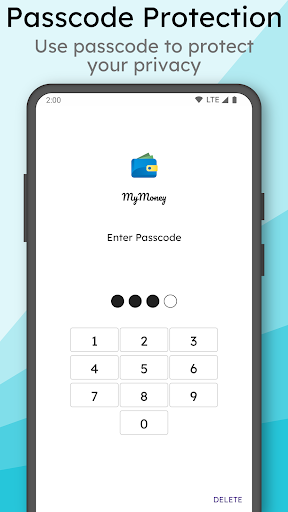
Security is a priority in MyMoney Pro. The app encrypts your data and offers secure cloud syncing, ensuring that your sensitive financial information remains protected. Additionally, your data can be backed up and restored easily, providing peace of mind. With •Passcode protection and customizable privacy settings, only you have access to your financial details. Whether you switch devices or need to restore data, your financial snapshots are always safe and accessible.
Multi-Account Management and Customization
Manage multiple accounts effortlessly with the •Wallet, Cards feature. You can independently track funds across different wallets, credit cards, or savings accounts and customize each with specific icons and titles, making your financial overview more organized. Additionally, tailor the app to your preferences by choosing your •Currency sign and decimal place, enhancing your experience in line with your local standards.
Premium Features for Enhanced Control
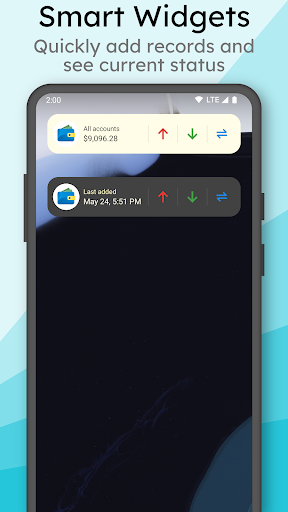
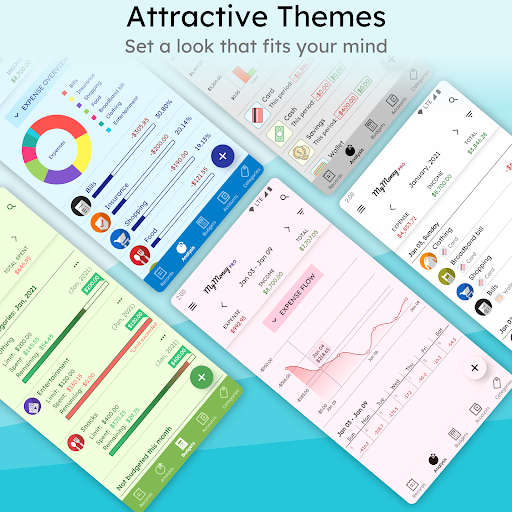
For users seeking advanced options, MyMoney Pro offers a •Pro Version that includes additional benefits like more •icons, multiple •themes, passcode protection, and a smart input feature for the homescreen widget. You also get extended viewing modes such as 3-month, 6-month, and annual summaries, helping you analyze your financial growth over different periods and make smarter money decisions.
Conclusion
In summary, MyMoney Pro - Expense & Budget isn't just an expense tracker; it's a comprehensive personal finance management tool that makes controlling your finances simple and enjoyable. With its intuitive layout, powerful features, and secure data handling, MyMoney Pro equips you with everything you need to understand your expenses, set achievable budgets, and visualize your financial progress. Start using this app today and take a confident step towards financial freedom—your wallet will thank you!
Pros
- User-friendly interface
- Easy navigation
- Provides comprehensive budgeting tools
- Supports multiple currencies
- Features detailed expense tracking
- Allows customization of expense categories
Cons
- Free version has limited features
- Lacks integration with banking applications
- Experiences occasional synchronization problems
- Offers limited customer support options
- Requires frequent updates











