
Introduction to My Mitsubishi Connect
Mitsubishi Connect is an innovative platform designed to provide vehicle owners with a safe, secure, and convenient driving experience. Through the My Mitsubishi Connect Mobile Application, users can access a range of smart features that enhance their connection with their vehicle. Whether it's remotely starting your car, locking or unlocking doors, or managing charging settings for plug-in hybrid models, this app aims to simplify and elevate everyday driving.
Key Features of the My Mitsubishi Connect App
Remote Vehicle Commands
The app enables remote commands such as remote start, door lock/unlock, activating the horn and lights. These features ensure you can control your vehicle from anywhere, providing peace of mind and added convenience—perfect for cold mornings or when you're in a rush.
Vehicle Management and Safety
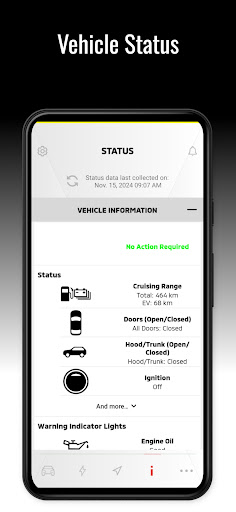
Manage your vehicle's status with real-time updates, including tire pressure and fuel level. The app also sends you maintenance alerts, helping you stay on top of vehicle health and avoid unexpected breakdowns. It’s like having a personal service assistant that keeps your car in optimal condition.
Navigation and Connectivity
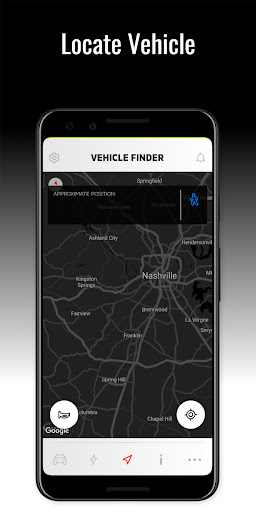
Enjoy seamless navigation with directions and traffic updates that sync with your vehicle's built-in system. The hands-free calling and music streaming features make every journey more enjoyable. Additionally, the app allows you to locate your vehicle easily—whether it’s in a crowded parking lot or a busy street—adding convenience and reducing stress during your daily commute.
Plug-In Hybrid Electric Vehicle (PHEV) Services
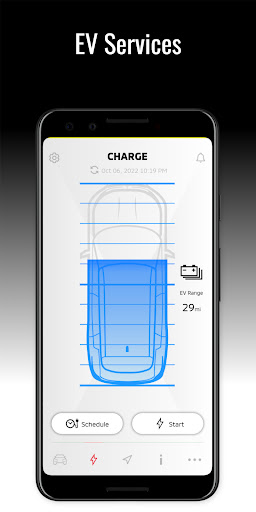
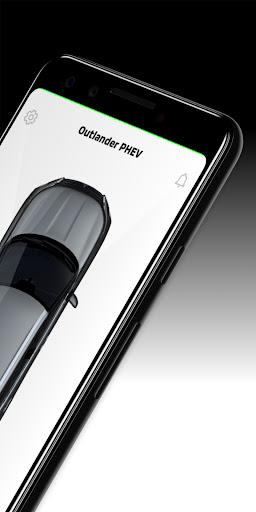
For Plug-In Hybrid Electric Vehicles (PHEV), the app provides helpful tools such as viewing charging status, managing charging schedules, and adjusting charging settings to optimize efficiency and convenience.
Account and Notifications Management
Users can manage their account settings and customize notifications according to their preferences. The app also offers easy access to contact Customer Care for inquiries related to Safeguard and Remote Service Packages.
Model Compatibility and Requirements
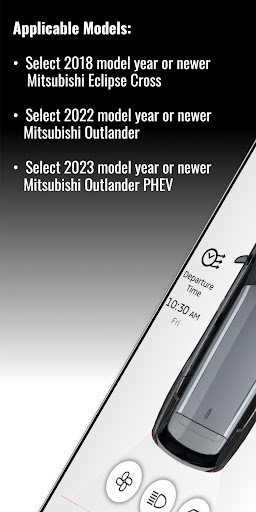
The app is compatible with select Mitsubishi models, including:
- 2018 model year or newer Mitsubishi Eclipse Cross
- 2022 model year or newer Mitsubishi Outlander
- 2023 model year or newer Mitsubishi Outlander PHEV
*Note: An active subscription and Mitsubishi Telematics Control Unit are required to access all features. Also, functionality depends on cellular network availability and coverage limitations.
The Experience of Using My Mitsubishi Connect
If you’ve ever wanted to feel like you’re driving the car of the future, My Mitsubishi Connect makes that a reality. The app feels intuitive and user-friendly, making vehicle management seamless for everyday drivers.
Convenience and Personalization
Imagine starting your car remotely on a chilly morning, or easily finding your vehicle during a busy day. The app’s sleek interface allows quick navigation through its features, with smooth loading and straightforward controls. You can even customize notifications and set preferences to tailor the experience specifically to your needs.
Enhanced Safety and Peace of Mind
The real-time status updates, maintenance alerts, and vehicle locating features contribute to safer, more confident driving. Knowing your vehicle’s health and being able to control it remotely helps you avoid surprises and ensures your car is always ready when you need it.
Connectivity and Integration
With integrated navigation, hands-free calls, and music streaming, the application seamlessly connects your smartphone with your vehicle’s system. This interconnected experience elevates your driving while keeping safety and convenience at the forefront.
Conclusion
My Mitsubishi Connect transforms your driving experience by combining smart technology with everyday practicality. Whether you’re managing charging schedules for your PHEV, checking vehicle health, or simply enjoying the convenience of remote control, this app enhances how you interact with your Mitsubishi vehicle. If you own a compatible model, exploring the features of Mitsubishi Connect can truly make every drive smoother, safer, and more connected.
Pros
- Live updates on vehicle status.
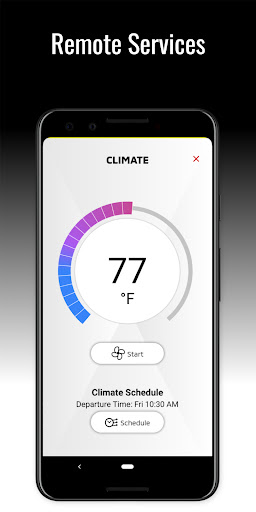
- Remote climate control capability.
- Find My Car feature for easy location.
- Customizable alert notifications.
- Complete trip history recording.
Cons
- Limited support for older vehicle models.
- Charges for access to premium features.
- User interface may feel complicated.
- Occasional connectivity problems.
- Limited features available outside the USA.











