

My Kitchen: 3D Planner — A Blog-Style Feature Description
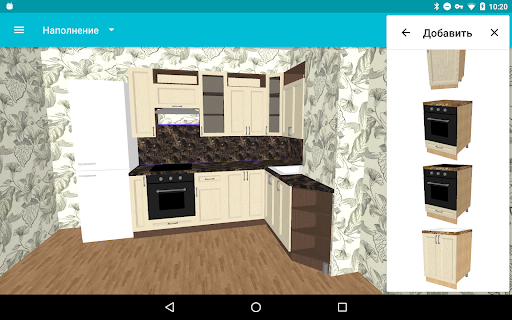
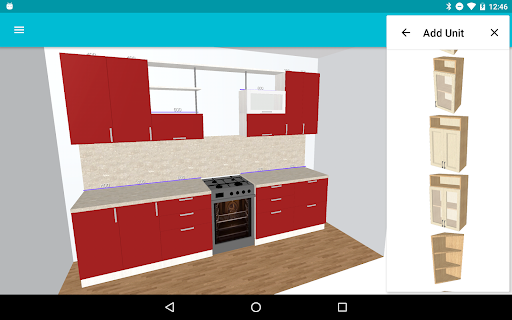
Are you looking for new kitchen furniture and want to find the perfect interior design? My Kitchen: 3D Planner makes it easy to explore layouts and bring your ideas to life. This app appeals to both busy homemakers and professional designers, letting you become the designer of your own space. You can mix a variety of modules, remove unnecessary components, and curate a practical toolkit for your kitchen project. The free version covers essential capabilities: create, open, and save projects; adjust kitchen content (cabinets, appliances, hoods, windows, doors, and other modules); save images; configure room shapes, floor and wall colors; share drafts with friends to gather feedback; undo actions for smoother editing; select cabinet doors and handles; import different color variants to mirror real-life finishes; and export DAE (Collada) files. If you want more features, upgrade to the PRO version to unlock additional options like enhanced module editing. A trial period follows installation and subscription, making it easy to test drive the full experience. For beginners and seasoned designers alike, tutorials are available to help you master the basics and accelerate your kitchen design journey. As you refine your layout, you’ll discover how thoughtful placement of tabletops, cabinets, and shelves creates a space that’s both practical and stylish.
Intuitive Design and Templates
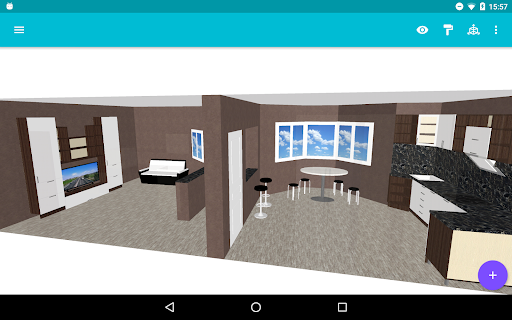
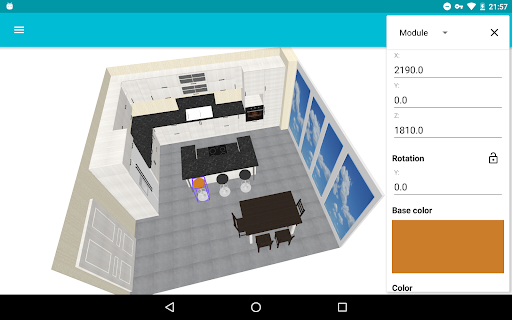
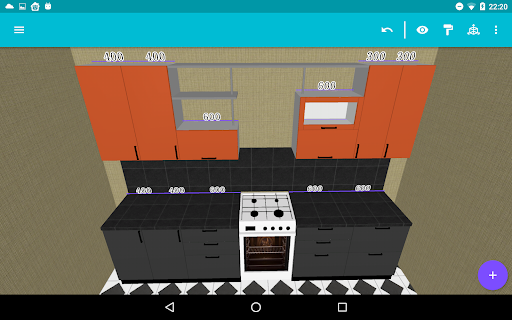
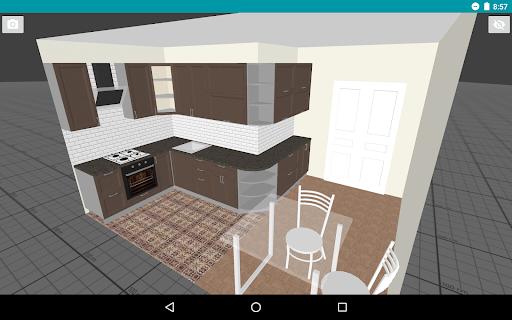
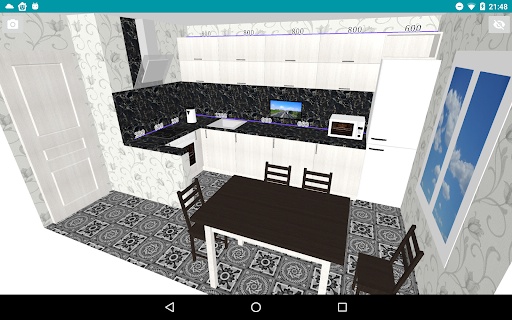
The user interface is incredibly intuitive, so you don’t need to be a tech expert to get great results. My Kitchen: 3D Planner offers a range of customizable templates that cater to different aesthetics—modern, rustic, or minimalist—so you can start quickly and still tailor every detail. A standout feature is the drag-and-drop capability: pick up a virtual kitchen island and place it somewhere else with ease, turning planning into a satisfying, puzzle-like experience rather than a daunting task. The 3D rendering is realistic, giving you a convincing view of how your dream kitchen will look in real life and helping you iterate with confidence.
Design Flexibility and 3D Realism
Customization options are extensive. You can tweak countertop materials, cabinet finishes, hardware, and color schemes to match your taste. The high-quality 3D rendering provides a true-to-life preview, so you can see textures, lighting, and proportions before committing. Beyond aesthetics, the app supports layout experimentation to maximize space efficiency—an especially valuable feature for smaller kitchens where every inch counts. It’s almost like stepping into a real showroom, but with the comfort of testing ideas from your own home.
Ease of Use and Global Accessibility
Saving and sharing designs is straightforward: save a project, share it with friends or professional designers for feedback, and refine your plans based on input. The app accommodates different workflows by supporting both metric and imperial measurement systems, ensuring usability for users around the world. This collaborative, flexible approach helps bridge personal creativity with expert guidance, making kitchen planning less intimidating and more enjoyable.
Getting Started and Tutorials
To help you hit the ground running, there are tutorials designed for beginners. You can explore the resource titled Kitchen design Tutorials For Beginners. The guidance is updated regularly to expand capabilities and keep your design toolkit current. Explore the documentation and sample projects to see practical applications of the features, from basic layouts to more advanced configurations, and use the tutorials as a stepping stone toward building your dream kitchen with confidence.
Kitchen design Tutorials For Beginners: https://mykitchen3d.com/en/tutorials
Pros
- Intuitive interface for easy design
- Realistic 3D visualization of kitchen plans
- Extensive library of kitchen appliances
- Customizable color and material options
- Offline functionality for planning anytime
Cons
- Limited features in the free version
- Occasional app crashes reported
- Advertisements can be intrusive at times
- Requires substantial storage space
- No direct customer support channel











