

Introduction to Money Manager (Remove Ads)
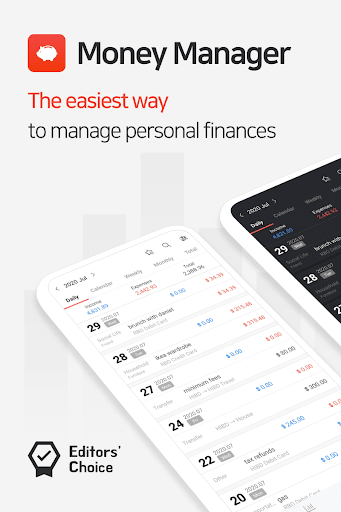
If you're seeking an efficient tool to keep your personal finances organized and under control, Money Manager (Remove Ads) is an exceptional option. Designed to streamline personal asset management, this app offers a comprehensive suite of features without the distraction of advertisements. Whether you're a beginner or a seasoned financial planner, this application provides intuitive interfaces and powerful capabilities to help you understand and optimize your financial health effortlessly. Let’s explore what makes this app a must-have for managing your money effectively.
Main Features of Money Manager (Remove Ads)
PC Management Functionality
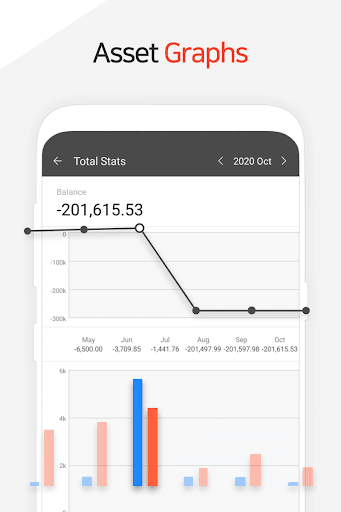
One standout aspect of Money Manager (Remove Ads) is its PC manager feature, allowing users to view and manage their finances over Wi-Fi. On your PC, you can easily edit and sort data by date, category, or account group. The graphical displays of account fluctuations provide a clear visual overview of your financial trends, helping you stay informed about your financial progress and make smarter decisions.
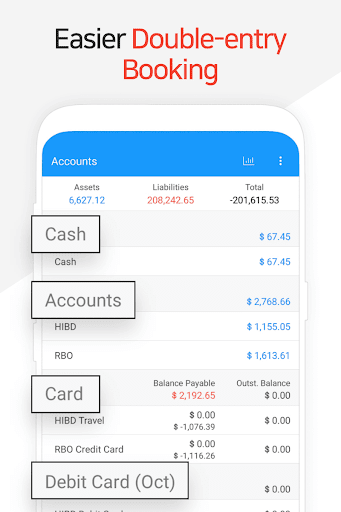
Double Entry Bookkeeping System
The app utilizes a robust double entry bookkeeping method, elevating your asset management precision. It not only records income and expenses but also automatically deposits funds into your account when income is entered and withdraws funds when expenses are added. This comprehensive approach ensures your financial records are accurate and consistent, providing a clear picture of your financial standing at all times.
Budget Management and Visualization
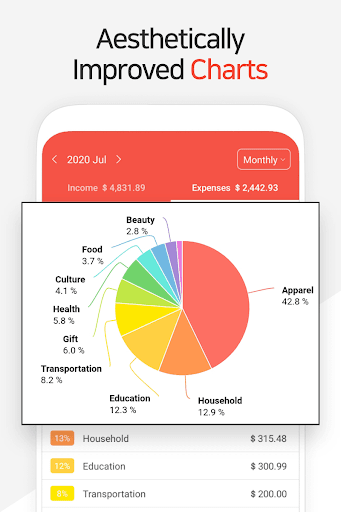
Managing a budget is straightforward with Money Manager (Remove Ads). You can set your monthly budgets and track expenses via graphs and charts. This visual data allows you to quickly see how your current spending compares to your planned budget, helping you identify areas where you can cut back and save more efficiently.
Card and Debit Card Management
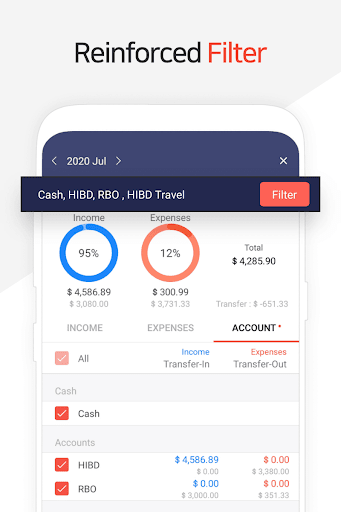
The app supports credit card and debit card management features. By entering your settlement date, you can view the payment amount and outstanding balances. Seamlessly connect your debit cards to your accounts for automated automatic debit operations, simplifying bill payments and improving your financial organization.
Security Features: Passcode and Biometric
Security is prioritized with options to set a passcode and support for biometric login. These measures ensure that your sensitive financial data remains private and protected, giving you peace of mind whenever you access your account.
Transfer, Recurring Payments, and Automatic Transfers
Enhance your financial management with the transfer and recurrence functions. Transfer funds effortlessly between assets, and automate payments such as salary deposits, insurance premiums, term deposits, or loan repayments. Setting automatic recurring transactions reduces manual effort and helps maintain consistent financial routines.
Instant Graphs and Statistics
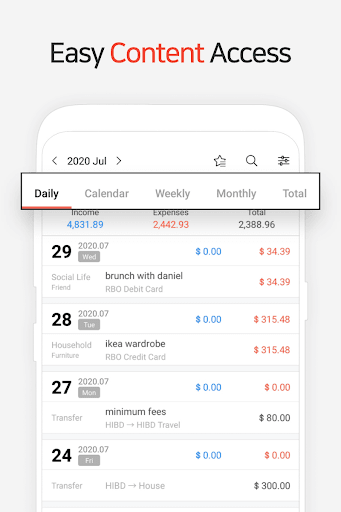
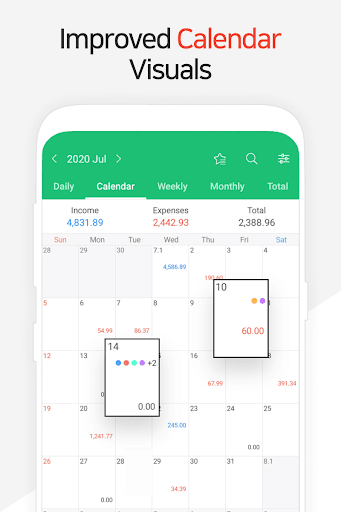
Based on the data entered, the app provides instant statistical insights. View expenditure and income categorized by type and analyze monthly trends with straightforward graphs. Tracking your assets and financial flow visually makes it easier to identify patterns and areas requiring attention.
Bookmark and Quick Input Functions
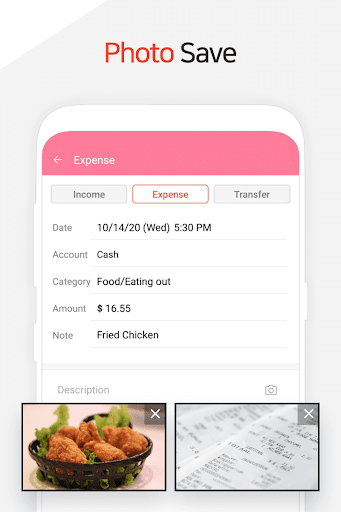
Frequent expenses can be saved as bookmarks for quicker input, saving you time during regular transactions. This feature streamlines data entry, enhancing user convenience.
Backup and Data Recovery
Data security is crucial, and Money Manager (Remove Ads) supports creating and viewing backups in Excel files. You can restore data when needed and utilize Google Drive backup for cloud storage, ensuring your financial information is safe and accessible across devices.
Additional Useful Functions
Other notable features include the ability to change the starting date for your financial tracking, a built-in calculator for quick amount calculations, and the sub-category toggle('ON-OFF') option to customize your expense classifications.
Why Choose Money Manager (Remove Ads)
For those committed to maintaining a clear overview of their finances, Money Manager (Remove Ads) offers an ad-free environment that fosters focus and efficiency. Its seamless user interface makes entering and analyzing financial data simple and intuitive, whether you're on a smartphone or desktop. The app's security features safeguard your sensitive financial data, while cloud sync and backup functions ensure your information is reliable and always available. With features like budget tracking, automatic transfers, and visual reports, it empowers users to take control of their financial future. If you're serious about managing your money smarter and more effectively, this app fits the bill perfectly.
Pros
- User-friendly interface
- Detailed financial reports
- Supports multiple currencies
- Free from advertisements for an uncluttered experience
- Ability to back up and restore data
Cons
- Limited free functionalities
- Steep learning curve for beginners
- Lacks bank integration
- Requires manual data entry
- Limited options for customer support











