

Introduction to the Merrick Bank Mobile App
The Merrick Bank goMobile app is a completely free, feature-rich mobile banking solution designed to empower users to manage their accounts seamlessly from their smartphones. Whether you're checking your account balance, scheduling payments, or keeping an eye on your FICO® Score with goScore®, this app brings your bank to your fingertips. With an updated, modern interface, the app makes managing your finances straightforward and efficient, optimized for Android™ devices and accessible 24/7 for all Merrick Bank customers.
Main Features of the Merrick Bank goMobile App
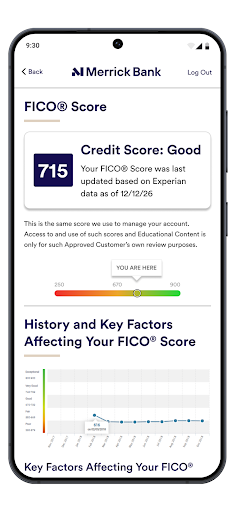
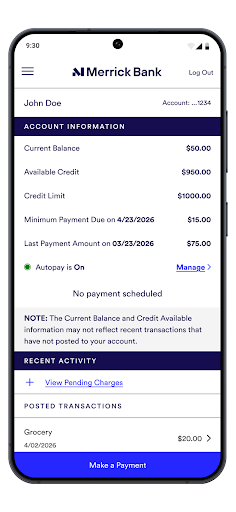
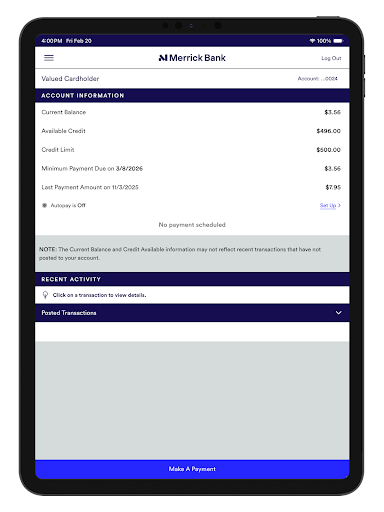
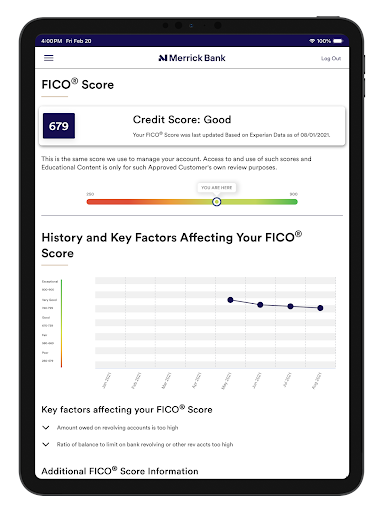
The app offers a wide range of key features tailored to simplify your financial life. You can easily check your current account balance, view detailed transaction history, and monitor your payment schedule. Setting up and receiving notifications ensures you're always informed about important account activities. One standout feature is the ability to view your FICO® Score via goScore®, helping you stay on top of your credit health and avoid surprises. Additionally, users can view their monthly billing statements with ease, providing complete transparency and control over their financial accounts.
Getting Started with the App
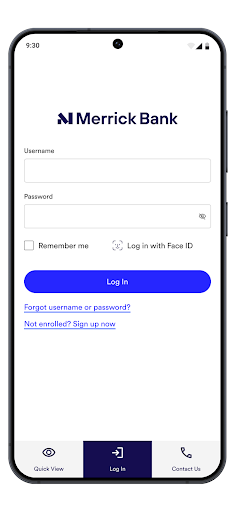
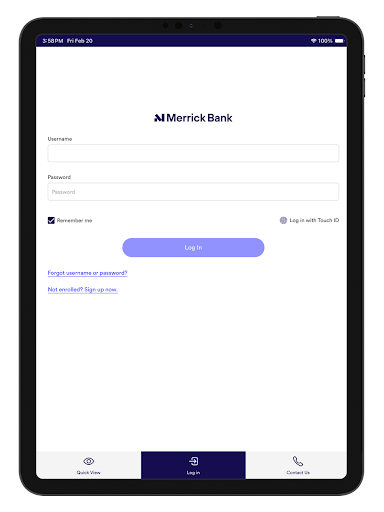
To access the Merrick Bank goMobile app, simply log in using your existing online Cardholder Center username and password. If you're not enrolled in the Cardholder Center yet, you can sign up on your desktop by visiting www.merrickbank.com/cardholdercenter. Once enrolled, you're ready to enjoy the convenience of mobile banking right on your device, anytime you need it.
Enhanced Security Features
Security is a top priority for Merrick Bank Mobile. The app employs advanced measures, including device recognition technology and encryption, to protect your sensitive data. For added convenience and safety, fingerprint ID login is supported. If you suspect unauthorized activity or lose your card, you can quickly freeze your account directly within the app, giving you peace of mind and control over your account security.
Additional Functionalities
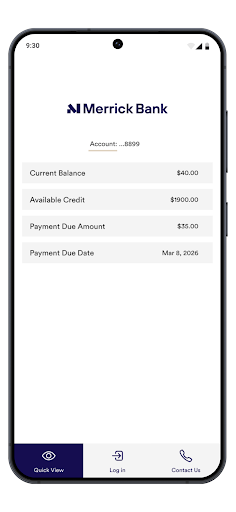
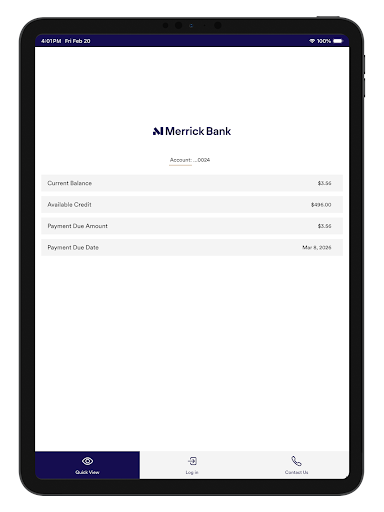
Beyond basic account management, the app offers quick view options for rapid access to key information, set and schedule payments effortlessly, and manage alerts related to account activities. Users can review recent transactions and access payment history at any time, making it easier to track your financial habits and stay organized. The app’s streamlined design and robust features make it a comprehensive tool for modern financial management.
User Experience and Feedback
The Merrick Bank Mobile app boasts a clean, intuitive interface that appeals to users of all technical levels. Setup is quick and straightforward, and the dashboard provides a snapshot of your credit and account details — akin to having your bank at your fingertips 24/7. Users appreciate real-time transaction alerts that notify them instantly of purchases or payments, enhancing security and awareness of spending habits. The mobile check deposit feature is especially convenient, allowing you to deposit checks by simply snapping a photo, thus eliminating the need for a trip to the bank.
Areas for Improvement
While the app covers essential features effectively, some users have noted opportunities for enhancement. For example, adding budgeting tools within the app could help users better manage and categorize their expenses. Additionally, a few reports of minor glitches, such as issues with mobile check deposits not processing on the first attempt, have been observed. However, these are limited and tend to be minor inconveniences compared to the app's overall performance.
Conclusion: Is the Merrick Bank Mobile App Worth Downloading?
Overall, Merrick Bank Mobile stands out as a dependable and user-friendly mobile banking application. Its core functionalities—like viewing your account balance, monitoring transactions, setting up alerts, and checking your FICO® Score—are robust and designed to help you stay in control of your finances on the go. The app's emphasis on security, combined with its simple interface and helpful features such as mobile check deposit and card controls, make it a valuable tool for Merrick Bank customers seeking convenient digital banking solutions. If you want an app that delivers secure, efficient, and straightforward mobile banking, the Merrick Bank goMobile app is well worth downloading and using regularly.
Pros
- User-friendly interface
- Quick account access
- Secure login methods
- Real-time account updates
- Easy bill payment
Cons
- Limited features
- Occasional app crashes
- Slow customer support
- No fingerprint login
- Basic design











