

Introduction to Infocar - OBD2 ELM Scanner
Key Features of Infocar - OBD2 ELM Scanner
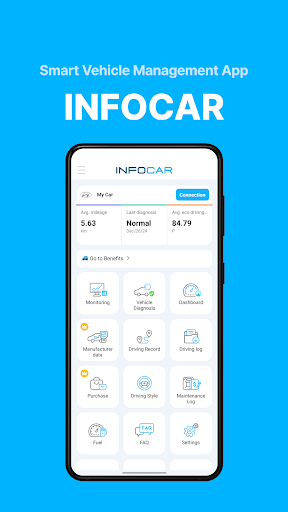
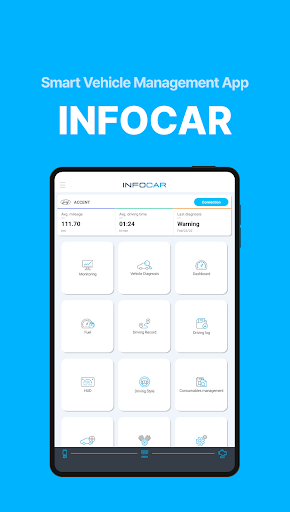
Smart Vehicle Management
Manage your vehicle more efficiently with Infocar. From vehicle diagnostics to driving style analysis, this app helps you understand your car’s health and driving behavior with ease. It supports a broad range of vehicle models by accessing extensive manufacturer data, making it close to workshop-level diagnostics at your convenience.
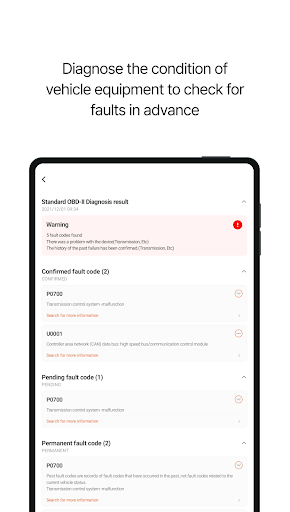
Vehicle Diagnostics
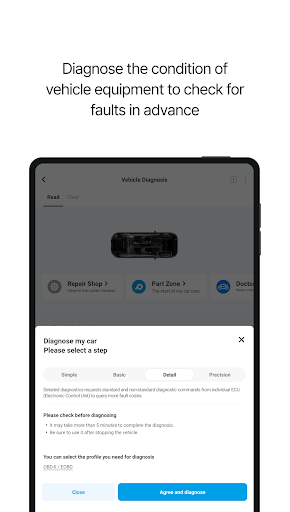
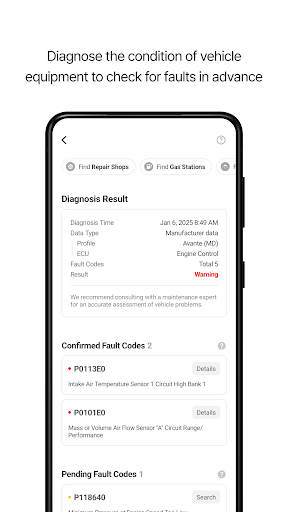
With Infocar, you can perform self-diagnosis on your vehicle. Detect malfunctions across various systems, including ignition, exhaust, and electronic circuits. The app provides detailed error code explanations, categorizes issues into three levels for clarity, and allows you to delete error codes directly from your ECU with a simple tap—saving time and money on repairs.
Manufacturer Data Access
The app offers access to over 2,000 manufacturer-specific data sensors tailored to your vehicle. This feature provides results that are nearly 99% identical to workshop diagnostics, enabling you to manage and monitor your vehicle comprehensively. You can view diagnostic results categorized by control unit (ECU), giving you an in-depth understanding of different vehicle systems.
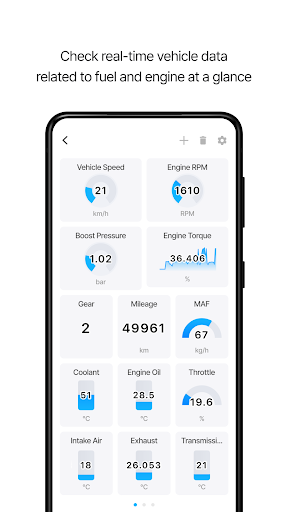
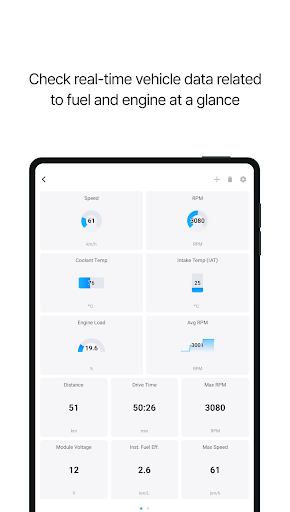
Real-Time Monitoring
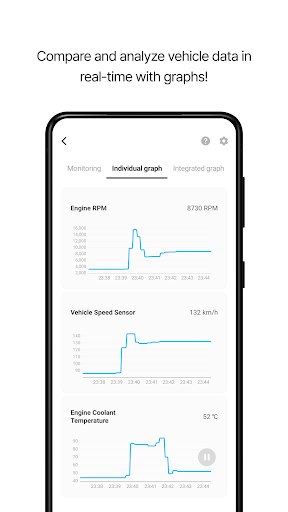
Monitor more than 800 OBD2 sensor data points in real-time, giving you instant access to your car’s current status. The app visualizes this data through graphs and charts, making it easy to interpret performance metrics such as engine load, temperature, and speed, helping you stay informed during every drive.
Dashboard and HUD (Head-Up Display)
The intuitive dashboard consolidates essential driving data on a single screen. Customize your display to monitor real-time fuel efficiency, remaining fuel level, and more. The HUD feature projects key information like speed, RPM, and trip distance onto your windshield, allowing for safe and convenient driving with vital info at a glance.
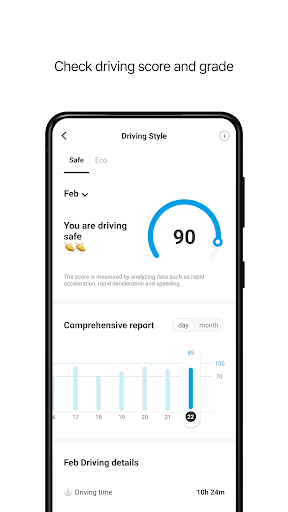
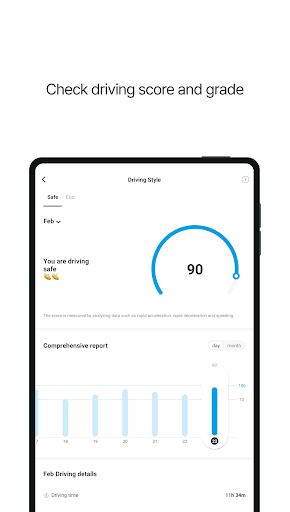
Driving Style Analysis
Evaluate your driving habits with scores for safety and economy. The app’s algorithms analyze your driving records, offering insights to help you drive more efficiently and safely. Continuous monitoring with statistical graphs aids in improving your driving behavior over time.
Driving Records & Playback
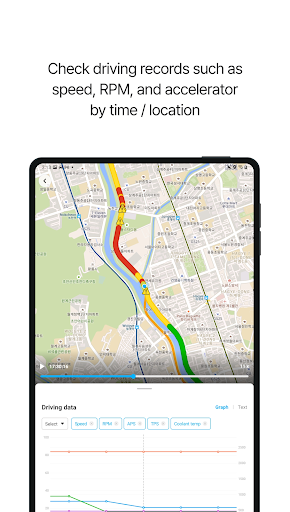
Keep an extensive log of all your trips, including distance, duration, average speed, and fuel efficiency. Receive alerts for speeding, sudden acceleration, or harsh braking, with data displayed on an interactive map. Playback your drives to review speed, RPM, and acceleration patterns at specific times and locations. Export these logs as Excel files for detailed analysis or record-keeping.
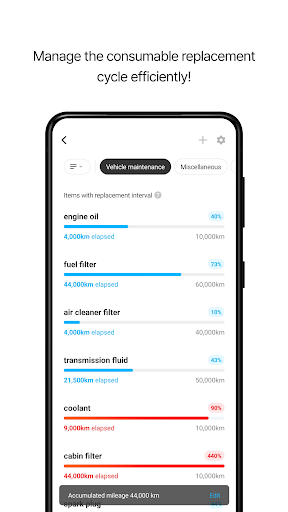
Vehicle Management & Maintenance
Plan maintenance work by managing replacement schedules based on manufacturer recommendations and your vehicle’s mileage. Keep track of expenses related to repairs and consumables, review spending by category or date, and budget accordingly, all within the app.
Compatibility and Permissions
Infocar supports various OBD2 devices compliant with international standards, optimized for proprietary hardware for full feature access. It requires permissions such as Bluetooth, location, microphone, camera, and media access for features like wireless connection, voice recording, parking location, and report downloads. You can access primary features without all permissions being granted.
Support and Subscription
For troubleshooting Bluetooth issues or vehicle registration questions, users can contact support through the app’s FAQ section. Infocar is free to use, but certain advanced features may require subscriptions or in-app purchases. Subscription management is straightforward via your account settings, and uninstalling the app does not cancel ongoing subscriptions.
Why Choose Infocar - OBD2 ELM Scanner?
Imagine having a mini mechanic in your pocket—Infocar makes this possible with its comprehensive suite of diagnostic tools and vehicle management features. The app’s intuitive interface, real-time data, and detailed reports empower car owners to take charge of their vehicle’s health, prevent costly repairs, and optimize driving habits. Whether you’re monitoring engine performance, tracking driving behavior, or managing maintenance schedules, Infocar is the perfect companion for smarter vehicle ownership and ensuring your car runs smoothly for miles to come.
Pros
- User-friendly interface for easy navigation.
- Compatible with most OBD2 devices.
- Real-time data monitoring and logging.
- Comprehensive diagnostic trouble code library.
- No subscription required for basic features.
Cons
- Limited advanced features in the free version.
- Some devices may require manual setup.
- Occasional connectivity issues reported.
- Interface may seem outdated to some users.
- Advertisements are present in the free version.











