
inCarDoc Pro | OBD2: The Ultimate Car Diagnostic and Monitoring App
Discover the power of inCarDoc Pro | OBD2, an innovative app designed to transform your smartphone into a personal car doctor. Whether you're a car enthusiast or a casual driver, this app offers comprehensive diagnostics, real-time monitoring, and valuable insights to keep your vehicle running smoothly.
How inCarDoc Pro Works
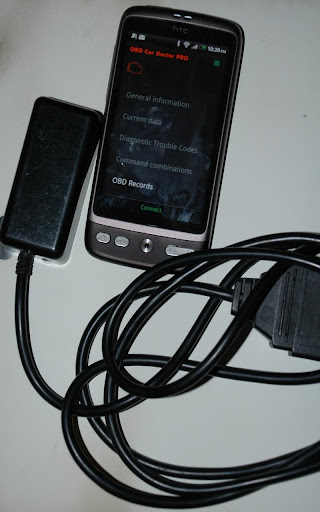
The app connects seamlessly to your vehicle’s OBD-II (On-Board Diagnostics) system, acting like the brain of your car. Using an ELM327 or compatible OBD scanner via Bluetooth or WiFi, inCarDoc Pro retrieves a wealth of data from your car’s ECU (Engine Control Unit). Once connected, it can read both real-time and stored diagnostics parameters, giving you a clear picture of your vehicle’s health. Before purchasing, you can check compatibility with the free version available on this link.
Key Features of inCarDoc Pro
Diagnostics and Fault Code Clearing
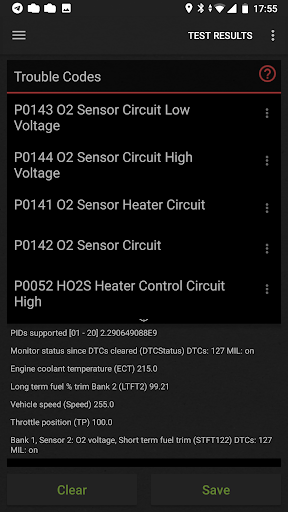
The app serves as a fault codes reader and scanner, allowing you to identify and clear diagnostic trouble codes (DTC). It displays Check Engine (MIL) status, freeze frame data, and descriptions, helping you understand what’s wrong with your vehicle. Sharing diagnostics data is easy if you consult a professional mechanic.
Real-Time Data Monitoring
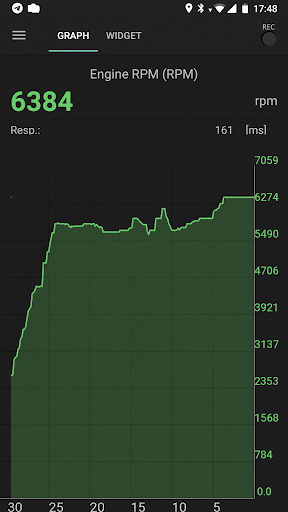
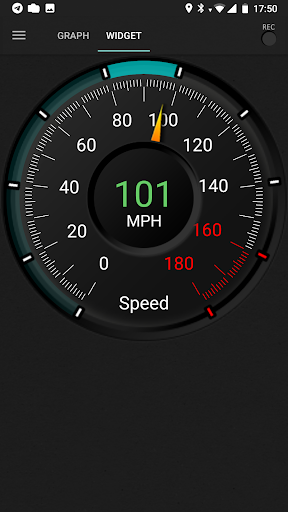
Stay informed with live parameters such as speed, RPM, coolant temperature, and O2 sensor readings. Visualize this information through charts, widgets, and analog/digital gauges, giving you a high-tech dashboard experience.
Fuel Economy and Trip Logging
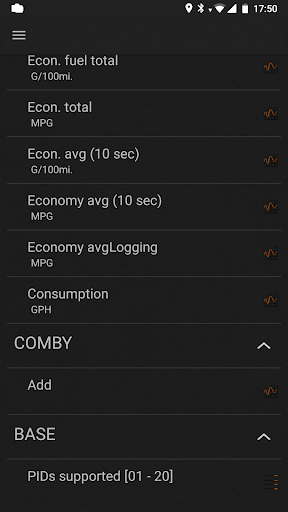
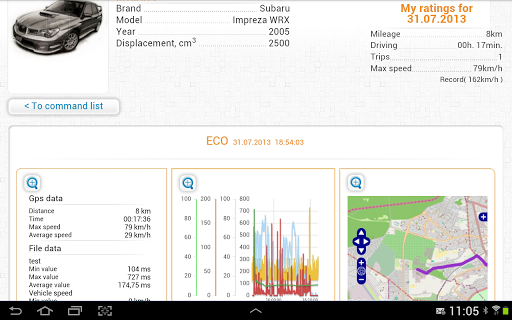
The Economizer feature acts as a trip computer, tracking your vehicle’s fuel consumption over trips, days, or specific periods. Input details like engine displacement and volumetric efficiency to enhance accuracy. This helps drivers optimize driving habits and save on fuel costs.
Additional Functionalities
- Logbook notes: record fueling, maintenance, and service history.
- GPS data: view speed, altitude, and location for trip analysis.
- Web upload: store data remotely for future reference.
- Console mode: advanced users can send direct OBD2 commands.
- Custom configurations: adapt settings for non-standard protocols or parameters.
Note that some limited functionality is available without an ELM327 scanner, mainly in GPS mode, such as speed and altitude.
Compatibility and Usage Tips
The app supports various OBD-II adapters, including Bluetooth, WiFi, Kiwi BLE, V-Gate iCar BLE, and Carista. To ensure smooth operation, avoid running multiple OBD2 apps simultaneously, which can interfere with Bluetooth or WiFi connections. Be aware of potential issues with counterfeit ELM327 clones—reading user reviews and forums can help you choose reliable equipment.
Why Choose inCarDoc Pro?
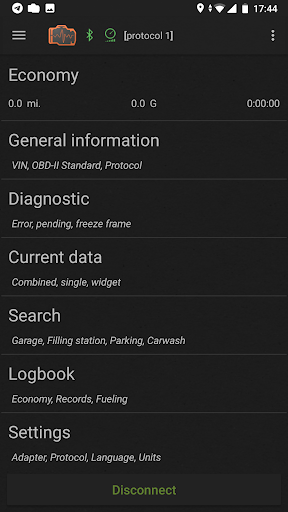
Designed with user convenience in mind, inCarDoc Pro | OBD2 offers a straightforward setup—simply connect your OBD scanner, launch the app, and start diagnosing. Its intuitive interface makes it accessible even for those new to vehicle diagnostics, while advanced features cater to seasoned enthusiasts. Plus, with features like background data recording and server uploads, you can keep comprehensive logs of your vehicle’s performance over time.
Conclusion
If you're seeking a reliable OBD2 diagnostics app that combines ease of use with powerful features, inCarDoc Pro | OBD2 is an excellent choice. It acts as a mini mechanic in your pocket, offering essential insights into your vehicle’s condition and helping you prevent costly repairs. Embrace smarter driving by leveraging this versatile app to monitor your car’s health and fuel efficiency right from your phone. Whether you want to clear engine codes, view real-time data, or log driving statistics, inCarDoc Pro makes vehicle management simpler and more accessible than ever before.
Pros
- Comprehensive diagnostics features.
- Real-time vehicle monitoring.
- User-friendly interface.
- Supports a wide range of vehicles.
- Detailed error code descriptions.
Cons
- May require additional hardware.
- Occasional connection issues.
- Limited free features.
- Complex for beginners.
- In-app purchases can be costly.











