
Hue Light App Remote Control: Elevate Your Home Lighting
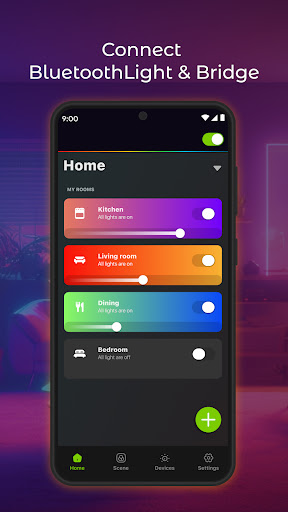
Hue Light App Remote Control transforms how you interact with your Philips Hue lighting setup. Designed for home automation enthusiasts, the app connects Hue lights and the Hue Bridge to deliver a seamless, centralized experience. Whether you're at home on the sofa or away from your house, you can connect, control, and manage your lighting with ease from a single app.
Built for speed and simplicity
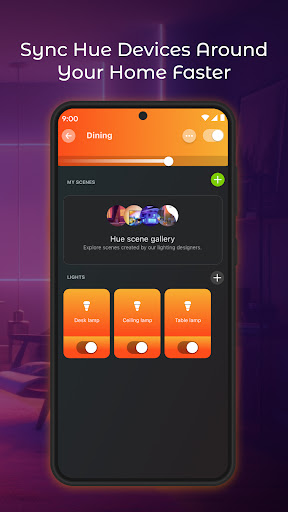
New widget support puts lighting control on your home screen for quick access. The setup is fast—just add your Hue Light and Bridge devices, and you’ll be ready to light up a mood in seconds. Once connected, you can organize lights by rooms and zones, and confidently manage 50+ bulbs as a single cohesive system.
Extensive scenes and personal customization
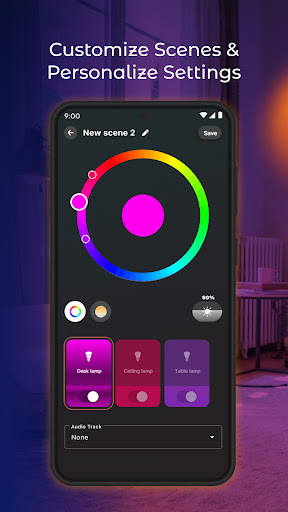
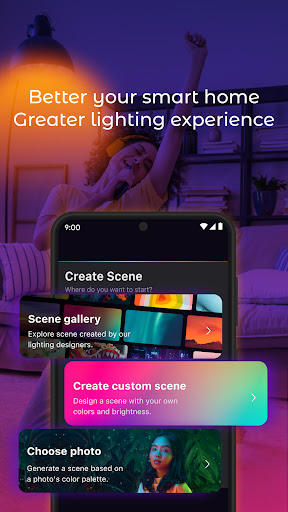
With over 200 scenes crafted by professional lighting experts, you’ll find mood presets for movie nights, work sessions, and lively gatherings. Prefer something unique? Create your own scenes, such as a Paris Light Show or a Midnight mood, tuned to your mood, time of day, or location. Personalization goes beyond presets—adjust brightness, color, and dynamics on the fly to keep your space in sync with your moment.
Presence, scheduling, and voice control
Schedule lights to wake you up with a gentle sunrise or dim down as the evening settles in. You can simulate occupancy when you’re away by enabling randomized on/off patterns. The app also integrates with voice assistants like Alexa and Google Assistant, letting you command your lighting with simple spoken phrases for hands-free convenience.
Real-world use: reliability and comfort
In practice, the interface feels clean and intuitive, making it easy to navigate even if you’re not a tech pro. Controls respond quickly with minimal lag, and sending a command to multiple lights at once is effortless for cohesive scenes. On occasion, a connection hiccup can occur requiring a quick re-pair, but this doesn’t significantly detract from the overall experience. This translates to a reliable home theater setup and a more comfortable daily routine, since lighting can adapt to your schedule without manual fiddling.
Why this app stands out
Hue Light App Remote Control isn’t just a remote—it’s a complete lighting experience. It brings Philips Hue to life with a thoughtfully organized interface, robust scene library, and flexible automation options. Whether you want cinematic ambiance, bright productivity lighting, or party-ready color moments, this app makes advanced lighting control accessible to everyone. If you’re seeking a modern, scalable solution for smart home lighting, this app is worth trying today. It’s a scalable solution that grows with your smart home as you add more Hue devices or build more complex automations.
Pros
- Intuitive user interface for easy navigation.
- Seamless integration with smart home systems.
- Wide range of customizable lighting effects.
- Responsive customer support team.
- Supports voice control via major assistants.
Cons
- Requires Philips Hue Bridge for full features.
- Limited functionality without internet.
- Initial setup can be time-consuming.
- Updates may occasionally disrupt settings.
- Some advanced features are paywalled.











