
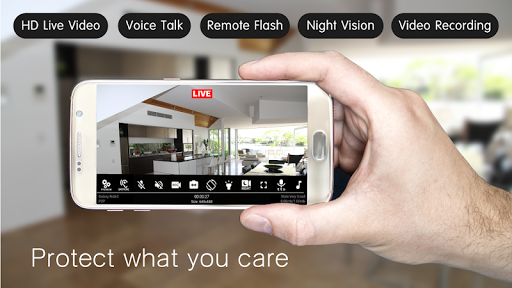
Discover the Power of Home Security Camera - SeeCiTV
Are you worried about the security of your home when you're away? The Home Security Camera - SeeCiTV app offers an innovative and budget-friendly solution by transforming your old smartphone or tablet into a high-quality surveillance device. Whether you want to keep an eye on your pets, monitor your kids, or watch over your property, this app makes home security accessible and straightforward.
Transform Old Devices into Security Cameras
If you have a •old Android device gathering dust, don’t let it go to waste. With SeeCiTV, you can easily repurpose it as a reliable security camera. This clever approach eliminates the need for expensive commercial security cameras, saving you money while providing you with excellent surveillance quality. Simply install the app on your device, connect it to your Wi-Fi network, and you're ready to start monitoring your home in real-time.
Simple and Fast Setup Process
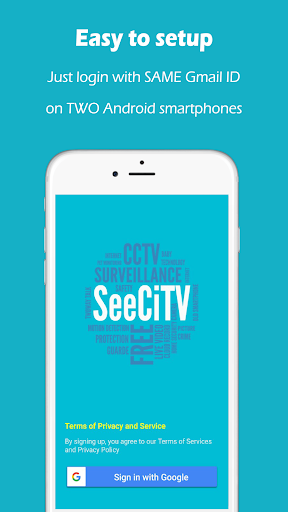
Setting up the Home Security Camera - SeeCiTV is remarkably quick and easy. The only requirement is a stable Wi-Fi connection—no need for a SIM card or additional hardware costs. Install the app on two or more Android devices, then log in using the same Gmail account. One device will serve as the camera, capturing live footage, while the other functions as the viewer, displaying the video feed. With just a few clicks, your home security system is operational, with no complicated network configuration needed.
Stay Connected Anytime, Anywhere
With SeeCiTV, you gain the convenience of remote access, allowing you to check on your home or loved ones from anywhere with an internet connection. Whether you're at work, traveling, or simply relaxing elsewhere, you can stream live video with high clarity, thanks to fast Wi-Fi or 4G networks. This ensures you stay connected and informed about your home’s security at all times.
High-Quality Video & Two-Way Audio
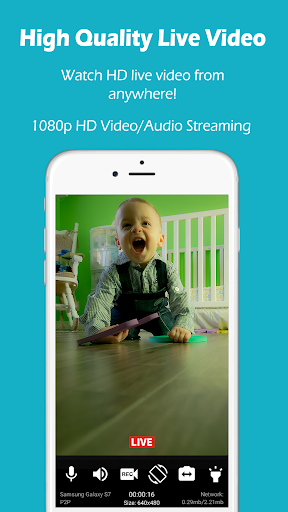
Experience crisp, clear 1080p HD video with real-time two-way audio. This feature lets you not only see what’s happening but also communicate directly through your devices. Whether you're checking in on your children, pets, or ensuring everything is okay at home, SeeCiTV provides seamless interaction and high-definition surveillance, making your security setup both functional and user-friendly.
Optimized For Minimal Battery Usage & No Overheating
Unlike some security apps that drain device batteries or cause overheating, SeeCiTV activates the camera only when needed, conserving power and preventing excessive device heat. This intelligent operation ensures your old smartphones and tablets continue functioning efficiently over extended periods, offering peace of mind without the hassle of frequent recharging or device shutdowns.
Enhanced Security Features to Protect Your Privacy
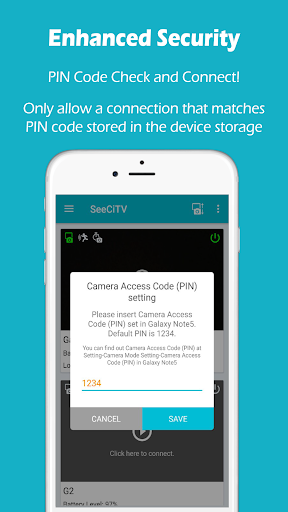
Security is a top priority with SeeCiTV. The app leverages •P2P technology along with industry-standard TLS/DTLS encryption and •ECDSA certificates. You can also set up personalized passwords for added safety. Rest assured that your footage remains private and only accessible to you, ensuring your data is protected against unauthorized access.
Advanced Motion Detection for Reliable Recording
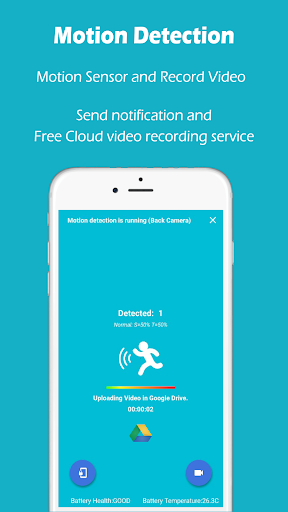
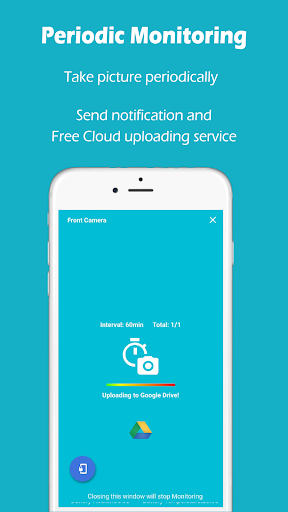
Never miss important moments with SeeCiTV’s sophisticated motion detection technology. It captures video clips before and after detecting movement using a •ring buffer technology. This comprehensive recording approach guarantees you won't miss sudden or fast-moving events. Saved footage, including alerts, can be stored securely in your Google Drive with 15GB of free storage, facilitating easy review of past incidents.
Remote Control & Multi-Device Compatibility
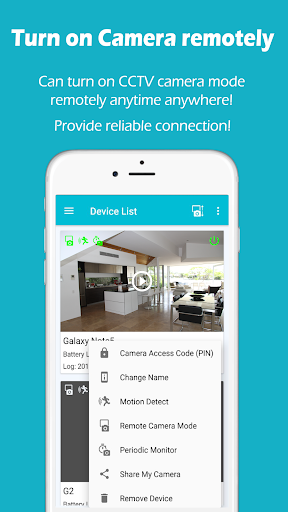
Forgot to turn on your camera before leaving? No problem. The app allows you to remotely control your surveillance devices—turn cameras on or off as needed—directly from your phone or tablet. Plus, if you own multiple Android devices, you can transform each into a camera or viewing station, providing an expandable and flexible security setup tailored to your needs.
Key Features at a Glance
- Real-time video & audio streaming
- Up to 1080p Full HD resolution
- Two-way audio communication
- Front and back camera support
- Remote flashlight control
- Live video recording
- Advanced security features
- Powerful motion detection with cloud recording
- Remote camera on/off control
System Requirements and Future Plans
To get started, you need at least two compatible Android devices connected to a high-speed internet connection, such as 4G or fast Wi-Fi, for optimal video quality and smooth streaming. The developers also plan to extend support to iOS and Web platforms, broadening accessibility in future updates.
Download and Bring Your Old Devices to Life
Download SeeCiTV today and repurpose your unused devices into a reliable home security system. Its ease of use, powerful features, and cost-effective setup make it an ideal choice for anyone looking to enhance home security without extra expenses. Enjoy peace of mind knowing you can monitor your home remotely and securely at any time, simply using your existing Android devices.
Pros
- Easy to set up and configure.
- High-quality video streaming.
- Supports multiple cameras.
- Intuitive user interface.
- Provides real-time alerts and notifications.
Cons
- Requires a stable internet connection.
- Limited free functionalities.
- Occasional app crashes.
- Drains battery quickly.
- Subscription required for access to full features.











