

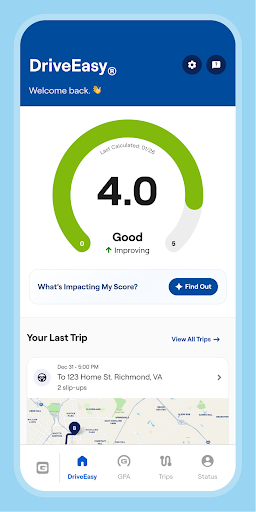
Overview of the GEICO Mobile - Car Insurance App
Managing your car insurance has never been easier with the GEICO Mobile app, hailed as the #1 insurance mobile app for its user-friendly features and comprehensive functionalities. Whether you're dealing with unexpected lane changes in life, need quick access to your policy info, or require roadside assistance, this app is designed to be your reliable digital companion. It transforms the often complicated process of managing insurance into a seamless experience, offering convenience, control, and peace of mind—all from your smartphone.
Key Features of the GEICO Mobile App
Digital ID Cards
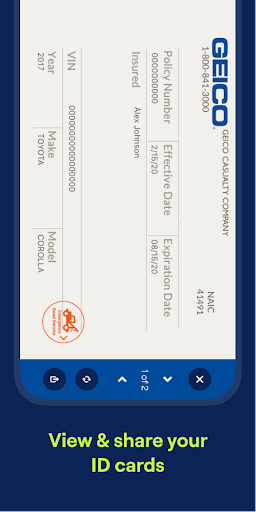
Say goodbye to the hassle of rummaging through your wallet for insurance ID cards. The GEICO Mobile app allows you to access your digital ID cards anytime, anywhere. You can easily view them within the app or add them directly to your Apple Wallet, making it simple to present proof of insurance during traffic stops or accidents. This feature ensures you're always prepared without the clutter of physical cards or expired documents.
Bill Payments and Policy Management
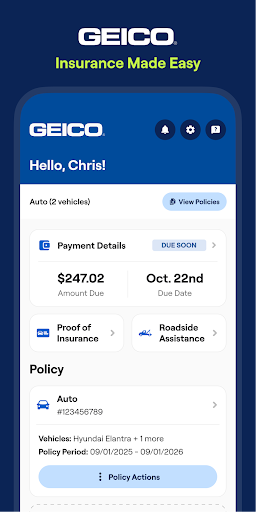
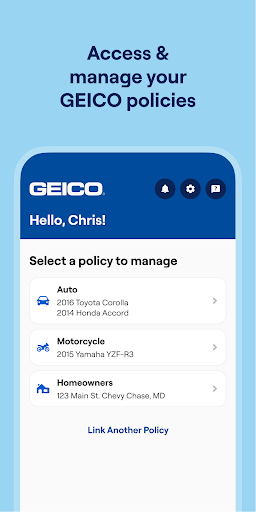
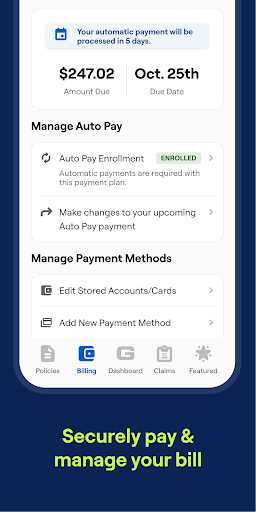
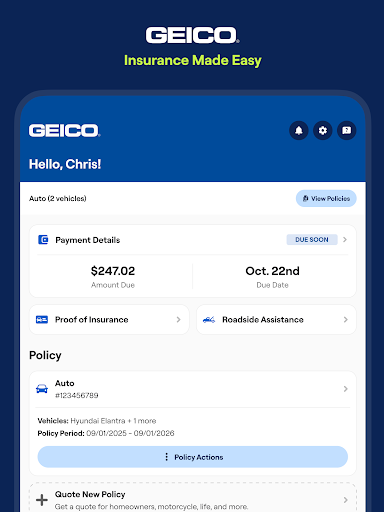
Managing your insurance bills is now just a few taps away with the GEICO Mobile app. You can quickly make payments through multiple options that suit your needs, offering the flexibility of choosing the payment amount and method. Need to update your policy, add a vehicle, or change coverage? The app streamlines these tasks, giving you full control over your policy—saving you time and eliminating the need for lengthy customer service calls.
Roadside Assistance
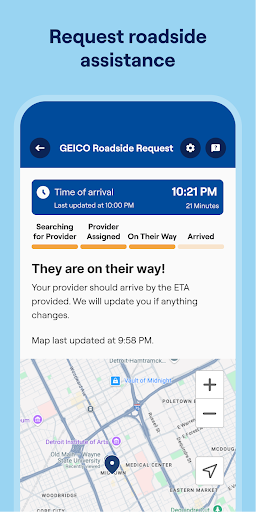
Being stranded is stressful, especially in unfamiliar places or bad weather. The GEICO Mobile app provides instant access to roadside assistance. With just a few taps, you can request a tow, flat tire change, or help with a dead battery, no matter where you are. It’s like carrying a mechanic in your pocket, ensuring help is always nearby when you need it most.
Claim Submission and Management
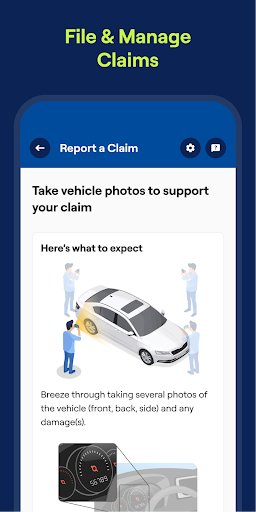
Filing and tracking insurance claims can be a nerve-racking process, especially after minor accidents like a fender bender or windshield damage. The GEICO Mobile app simplifies this experience by letting you submit photos, track the status of your claim, and communicate directly with claims representatives. It’s convenient to handle everything from your sofa, helping you get back on the road with minimal hassle.
Virtual Assistant
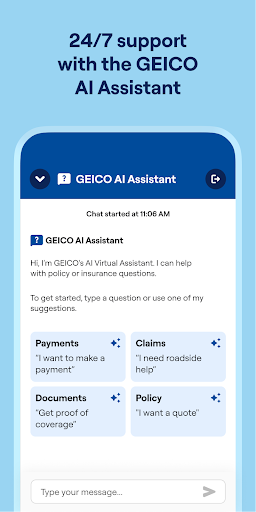
Ever wish you had a tiny insurance expert in your pocket? The GEICO Virtual Assistant is here to answer questions about your policy or bills. This smart tool provides instant assistance and guidance, making it easier to understand your coverage details or resolve common issues without waiting in line or on hold.
Vehicle Care and Alerts
Your vehicle needs regular attention too, and the app helps you stay on top of it. From scheduling maintenance reminders to checking for recall alerts, and locating nearby trusted service providers, the app acts like a caring hand for your car. It’s essentially a virtual hug for your vehicle, ensuring it stays in optimal condition.
Why Choose the GEICO Mobile App?
The GEICO Mobile app is not just a digital tool but a trustworthy sidekick that makes car insurance management straightforward and stress-free. Its comprehensive features—ranging from digital ID cards, effortless bill payments, 24/7 roadside assistance, to easy claim management—are designed to fit effortlessly into your busy life. Whether you’re a tech-savvy driver or prefer simple solutions, this app adapts to your needs, providing peace of mind on the go.
Download the GEICO Mobile - Car Insurance app today and hit the road with confidence, knowing that help, information, and control are always a tap away.
Pros
- User-friendly interface for easy navigation.
- Quick access to digital ID cards.
- Efficient roadside assistance feature.
- Customizable payment options.
- Real-time claim tracking available.
Cons
- Limited coverage options in certain areas.
- Occasional app crashes reported.
- Some features require a strong internet connection.
- Limited customer support on weekends.
- In-app advertisements can be distracting.











