
Garmin Drive™ App Overview
Real-time information and connectivity
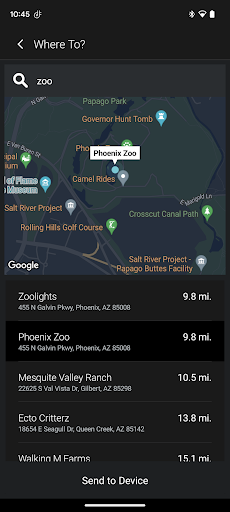
The Garmin Drive™ app offers a simple, convenient solution for the latest Garmin automotive navigators and dash cams. It delivers real-time traffic updates, parking information, advanced weather, and access to photoLive traffic cameras for compatible devices. It also enables you to send and receive calls, texts, and notifications from a Bluetooth-enabled mobile device, helping you stay connected without taking your eyes off the road.
Dash Cam and camera access
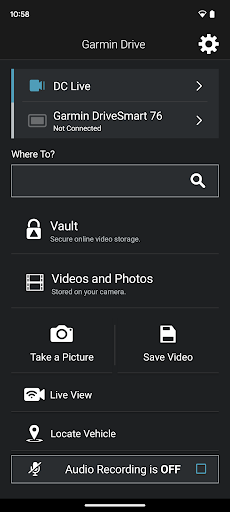
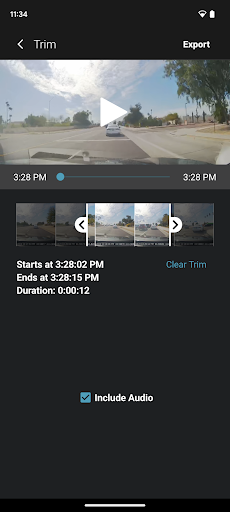
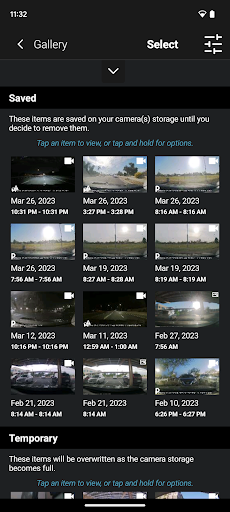
For compatible dash cams, the app provides quick access to camera controls, settings, and recorded footage. Up to four dash cams can be wirelessly connected with the Dash Cam Auto Sync feature, offering comprehensive coverage around a vehicle from multiple viewpoints.
Video sharing and Picture-in-Picture
The Garmin Drive™ app can create a “picture-in-picture” video from any two perspectives at the same time, making it easy to review footage and share videos with friends, insurers, or legal authorities.
Garmin Speak™ with Amazon Alexa
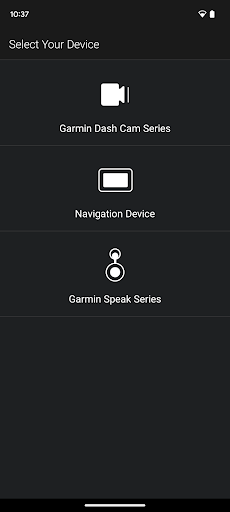
Garmin Speak™ with Amazon Alexa brings Alexa into your vehicle. You can ask Alexa to hear music, news, and more, along with enjoying Garmin turn-by-turn navigation. Stream audio from your vehicle’s stereo by connecting Garmin Speak to your stereo via Bluetooth or AUX. Older Bluetooth-capable Garmin navigators remain compatible with the Garmin Smartphone Link app, and older Wi‑Fi-enabled Garmin dash cams can access video footage through the Garmin VIRB app.
Why Garmin Drive™ Stands Out for Road Enthusiasts
A user-friendly roadmap to confident driving
If you’re like me and love hitting the road with confidence, the Garmin Drive™ app might become your new best friend. The interface is purposefully uncluttered and intuitive, so you don’t have to fumble through complex menus while you’re driving. The layout places essential functions within easy reach, making it possible to plan, adjust, and navigate without pulling over. It’s a practical companion that keeps key tools at your fingertips and reduces distractions on the move.
Real-time traffic and smart routing
Imagine cruising along to your favorite tunes when traffic suddenly slows ahead. The app’s real-time traffic updates proactively flag delays and suggest smarter routes that can save you both time and stress. It feels like having a personal traffic assistant along for the ride, helping you avoid bottlenecks and keep your journey smooth.
Comprehensive maps and points of interest
The maps are detailed, frequently updated, and cover a wide area, so you’re rarely left stranded in unfamiliar territory. The built-in points of interest feature is a game-changer, helping you quickly locate a quick bite, a gas station, a hotel, or other essentials—like having a trusted local guide in your pocket.
Safety features and driver alerts
Safety is a core focus, with alerts for speed limits and sharp curves designed to support safe driving. Driver alerts notify you of upcoming school zones or animal crossings, providing timely cues to stay vigilant. These thoughtful touches demonstrate that Garmin has thoughtfully balanced convenience with safety on every journey.
The verdict
In my view, the Garmin Drive™ app is a must-have for anyone who spends significant time on the road. It transcends a simple navigation tool to become a comprehensive driving companion that puts real-time information, reliable maps, and practical safety features right in your hands. If you’re seeking a solution that can make every trip smoother, safer, and more enjoyable, give Garmin Drive™ a spin. Once you try it, you’ll wonder how you ever managed without it.
Pros
- User-friendly interface
- Detailed navigation updates
- Customizable map views
- Real-time traffic alerts
- Multiple language support
Cons
- Requires frequent app updates
- Limited offline capabilities
- Some features need subscription
- High battery consumption
- Occasional map inaccuracies











