
FillUp - Gas Mileage Log
Overview
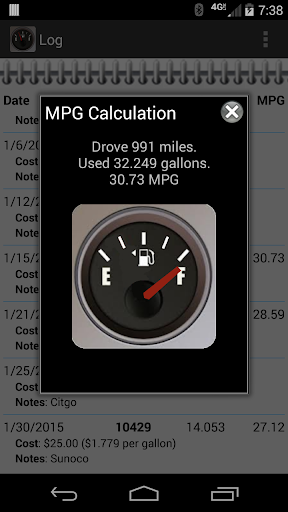
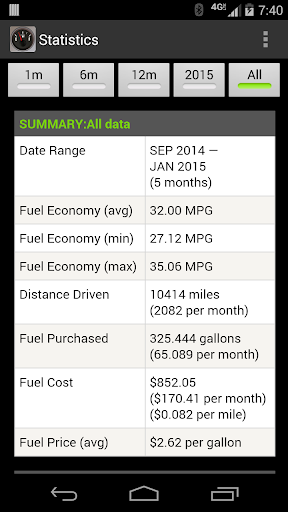
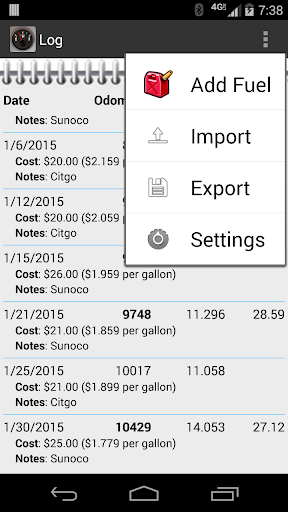
FillUp is a simple, easy-to-use app designed to calculate and track your car’s gas mileage, fuel economy, and overall efficiency. When you fill up, just enter the amount purchased and your current odometer value, and FillUp will do the rest. It computes your fuel efficiency, maintains a detailed log of every purchase, and presents plots and statistics that help you understand how your vehicle is performing over time. This gas mileage tracker is built to be unobtrusive yet powerful, giving you clear insights without clutter.
The app is designed with practicality in mind: it supports one or more vehicles, so you can manage a small fleet or multiple cars with ease. It can calculate and plot average gas mileage, and it also computes monthly totals for gas purchased and distance driven. All data stays on your device, so you won’t use your data plan for tracking your fuel use. You can import and export your data to CSV files on your device’s storage, making it simple to back up or migrate records. For added convenience, you can share CSV files with other apps for cloud backups (Dropbox, e-mail, and more), and generate an HTML report to share insights with others. Best of all, FillUp is totally free with no ads and it’s open source, so you can trust and customize it.
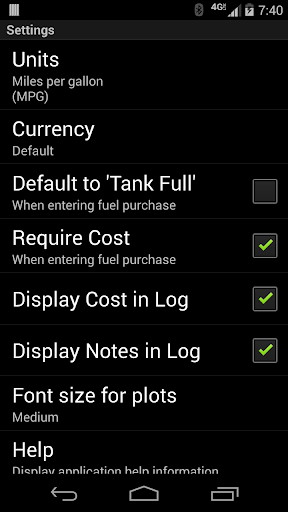
In addition to ease of use, FillUp offers flexible unit handling so you can work in the units you prefer. It supports multiple calculation modes and measurement systems, including miles per gallon (MPG), kilometers per liter (KM/L), liters per 100 kilometers (L/100KM), and both US and UK variants of MPG. This makes it an excellent gas mileage log and fuel economy tracker for international users as well as everyday drivers who want a clearer picture of their fuel efficiency.
Key Features
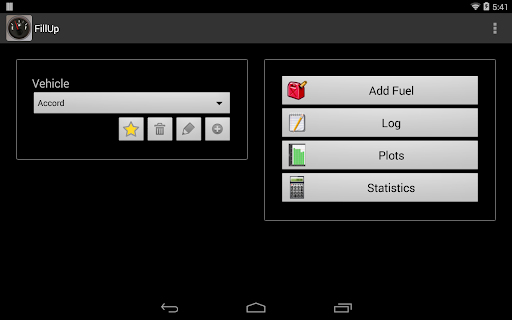
Manages data for one or more vehicles.
Calculates and plots average gas mileage.
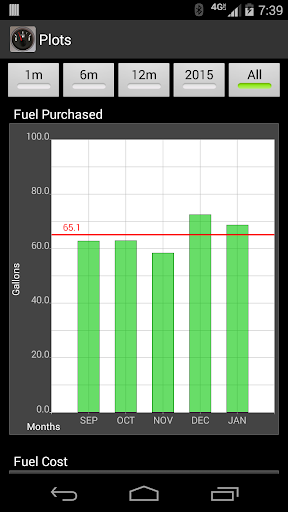
Calculates and plots monthly totals for gas purchased and distance driven.
Stores all data on the device – doesn’t use your data plan.
Can import/export your data to CSV files on your sdcard.
Share the CSV files with other Apps for cloud backup! (Dropbox, e-mail, etc.)
Share statistics as an HTML report file.
Totally FREE!! No ads!
Open source
Selectable units of measurement — can calculate:
miles per gallon (MPG)
kilometers per liter (KM/L)
liters per 100 kilometers (L/100KM)
miles per imperial gallon (UK MPG) – from miles and liters
miles per imperial gallon (UK MPG) – from kilometers and liters
kilometers per gallon (KPG)
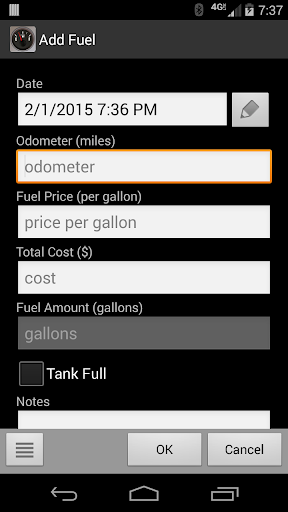
Selectable data entry mode — when adding fuel data, choose which values to enter:
Enter Total Cost and Fuel Amount, FillUp will calculate Fuel Price
Enter Fuel Price and Total Cost, FillUp will calculate Fuel Amount
Enter Fuel Price and Fuel Amount, FillUp will calculate Total Cost
Getting Started and Everyday Use
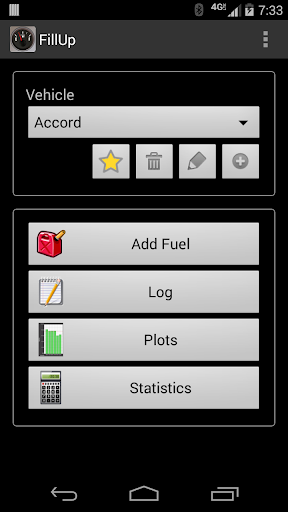
Getting started with FillUp is refreshingly straightforward. After installing, you can quickly set up your vehicle details and you’re ready to begin logging fuel purchases. The interface emphasizes a clean, minimal design, so there are no distractions—perfect for busy drivers who want a reliable way to monitor fuel consumption without being overwhelmed by features.
Logging mileage is a breeze: enter the amount of fuel added, the price, and the current odometer reading, and FillUp handles the calculations. Over time, you’ll see your mileage patterns and spending trends emerge in charts and reports, which makes it easier to spot when your car drinks more fuel than usual. The historical data is a treasure for anyone who loves data, offering a clear view of how your efficiency changes across seasons, trips, and maintenance intervals.
Beyond the basics, FillUp shines with thoughtful extras. You can track multiple vehicles—handy for small fleets or households with more than one car. Backups are simple thanks to CSV export, and there’s a convenient option to share important statistics as an HTML report. The app is designed to be practical, accurate, and a pleasure to use—perfect for anyone who wants to save money at the pump while gaining a better understanding of their car’s fuel habits.
SEO-Focused Summary for Readers
If you’re searching for a dependable gas mileage log, FillUp – Gas Mileage Log is a top pick. It combines a precise gas mileage calculator with a robust fuel economy tracker, offering a fuel efficiency log that’s easy to maintain. Whether you’re comparing MPG across vehicles, tracking KM/L for a global trip, or monitoring monthly fuel costs, FillUp helps you stay on top of your fuel use. Its offline data storage, CSV import/export, and HTML reporting make it a practical choice for drivers who want to optimize fuel economy, cut costs, and gain clearer insights into their driving habits. Best of all, this open-source solution is free, lightweight, and designed with a clean, user-friendly experience in mind.
Pros
- Intuitive, user-friendly interface for easy navigation.
- Provides detailed fuel-economy statistics.
- Supports multiple vehicles for household use.
- Data syncs seamlessly across devices.
- Customizable fuel types and measurement units.
Cons
- No GPS integration for auto-fill.
- No cloud backup for data security.
- Limited report export options.
- Free version includes intrusive ads.
- No reminders for maintenance schedules.











