

Discover the Ecobee App: Your Smart Home Climate Solution
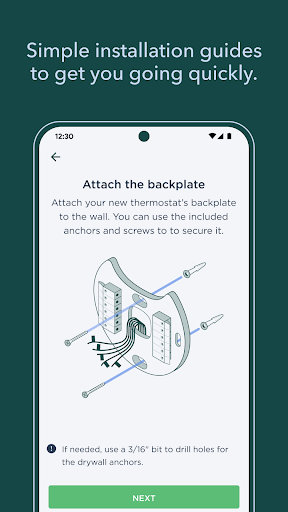
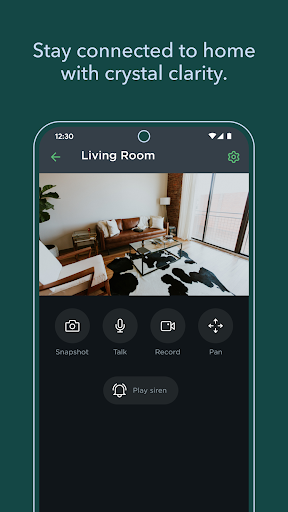
Imagine transforming your home into a space that learns and adapts to your unique needs, behaviors, and preferences. The ecobee app makes this possible by seamlessly integrating control over your •smart thermostat, •SmartCamera, and •SmartSensor. Whether you're relaxing at home or away, the app ensures optimal comfort and peace of mind. Setting up your ecobee devices is straightforward with step-by-step instructions that guide you through the installation process, making it accessible even for those new to smart home technology.
Intuitive Control and Customization
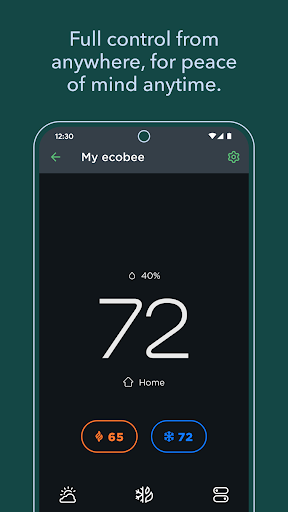
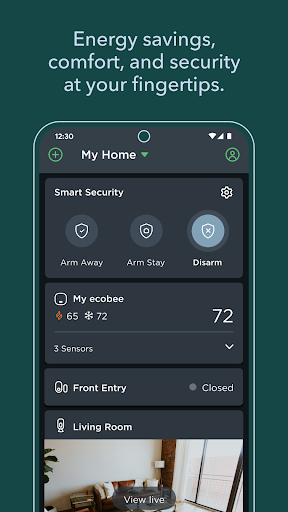
The ecobee app features a sleek and user-friendly interface designed to serve as your personal smart home assistant. The intuitive dashboard displays essential controls such as adjusting temperature, setting schedules, or activating vacation mode—all accessible with just a few taps. Over time, the app predicts your preferences, enabling automatic adjustments that adapt to your lifestyle. This personalization not only enhances comfort but also helps you manage your energy consumption more effectively.
Energy Saving Features
A standout aspect of the ecobee app is its focus on •energy efficiency. With rising energy costs, monitoring and reducing usage is more important than ever. The app provides detailed energy reports that help you understand your consumption patterns, revealing how small changes can lead to significant savings. Moreover, the •smart algorithms optimize your heating and cooling systems, ensuring that energy isn’t wasted when you’re away or during off-peak hours. These features make managing your home’s climate not only convenient but also environmentally friendly.
Smart Home Integration
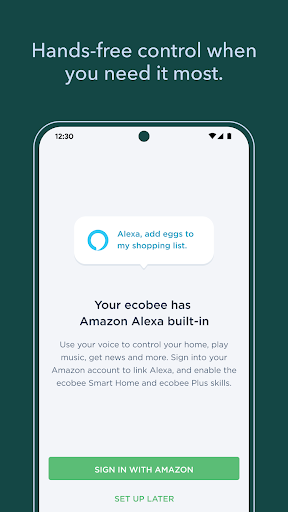
The ecobee app excels at integrating with other •smart home devices such as Alexa, Google Assistant, and Apple HomeKit. This compatibility allows you to control your devices through voice commands, streamlining your daily routines and increasing efficiency. Whether adjusting the temperature with a quick voice command or automating routines based on your schedule, the integration broadens the functionality of your smart home ecosystem and amplifies convenience.
Additional Features and Benefits
Beyond temperature control, the ecobee app enables you to set up •smart automations with Autopilot, monitor entryways, windows, drawers, and cabinets with intelligent alerts, and even explore •eligible rebates from your utility company to save on energy costs. These features collectively create a more responsive and energy-conscious living environment, tailored to your lifestyle and needs.
Why Choose the ecobee App?
In today’s world, managing your home’s climate efficiently is crucial for comfort, cost savings, and environmental sustainability. The ecobee app makes this simple and accessible, combining ease of setup with advanced smart features. It not only enhances your living space but also promotes a greener lifestyle by optimizing energy use with intelligent insights and automation. Whether you’re a tech enthusiast or just looking for a hassle-free way to control your home’s climate, the ecobee app offers a comprehensive solution that adapts to you. Embrace a smarter, more energy-efficient way of living—experience the convenience and benefits of ecobee today.
Pros
- Easy to set up and use interface.
- Compatible with smart home devices.
- Remote temperature control feature.
- Provides energy-saving insights.
- Supports multiple user profiles.
Cons
- Premium features require a subscription.
- Limited customization options.
- Occasional connectivity issues.
- High initial cost for some users.
- App updates can be infrequent.











