Discover the Benefits of the CloudLibrary App
CloudLibrary is a must-have application for avid library users and digital book enthusiasts. Designed to bring the library experience directly to your mobile device, this app makes borrowing, managing, and exploring both physical and digital content incredibly simple and enjoyable. Whether you’re looking to borrow eBooks, Audiobooks, or physical items, CloudLibrary provides a versatile platform that enhances your reading journey.
Seamless Access and User-Friendly Interface
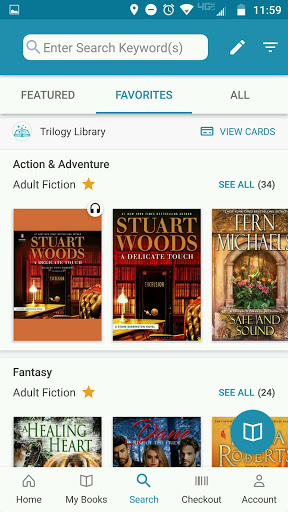
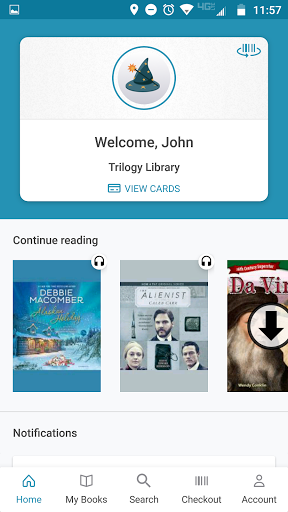
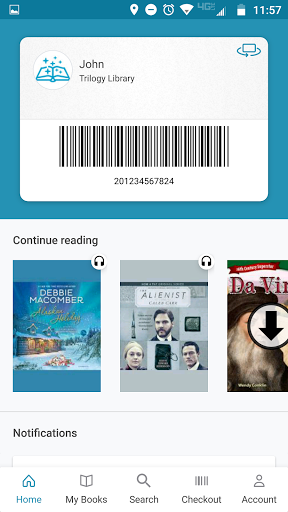
Getting started with CloudLibrary is effortless. The app offers an accessible library card feature that conveniently displays your card when you're near your library. Managing multiple library cards from a single device is also straightforward, allowing you to switch accounts with ease. Once logged in, users can browse thousands of titles, thanks to an intuitive search function that filters by title, author, genre, or language.
Enhanced Digital and Physical Content Management
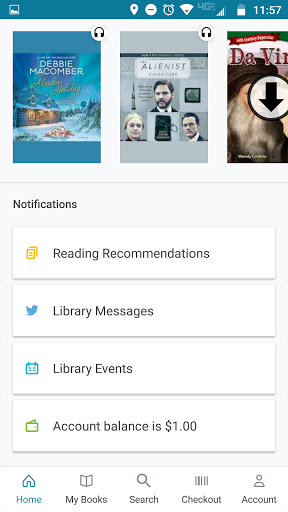
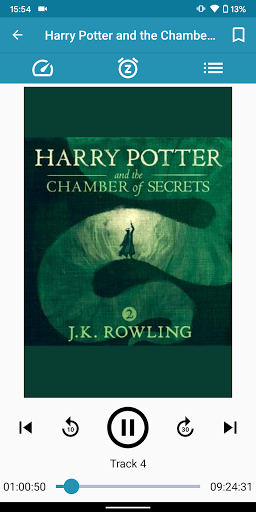
With CloudLibrary, you can download and enjoy a wide range of free eBooks and Audiobooks. The app keeps track of your borrowed items and provides helpful receipts and due-date reminders to keep your reading on schedule. The packable checklists and push notifications alert you when holds are available, ensuring you never miss out on popular titles.
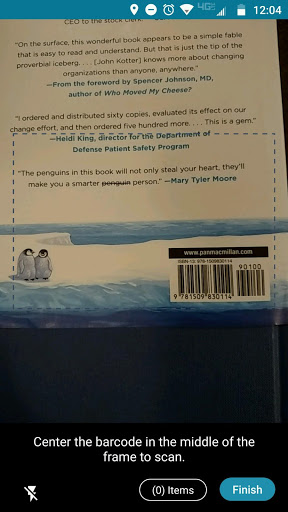
Furthermore, users can borrow physical books and print items directly through the app, simplifying the checkout process at your library. The interface consolidates your current borrowed books, reading history, titles on hold, and saved favorites into one easy-to-navigate dashboard.
Personalized Reading Experience
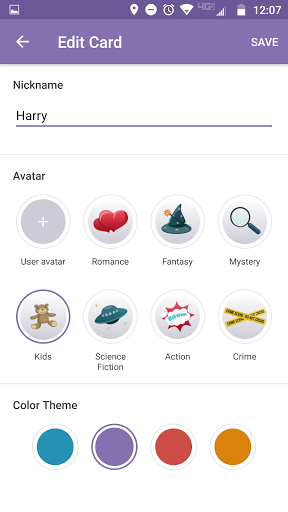
Designed with user enjoyment in mind, CloudLibrary offers customization options such as Themes, Avatars, and Nicknames. When available through your library subscription, you can personalize your homepage bookshelves by genre and filter content based on format, availability, or language. This customization makes browsing and selecting titles hassle-free.
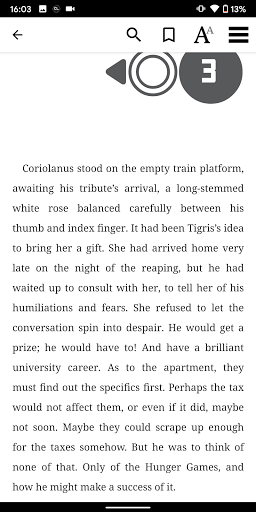
For digital reading, the app allows you to adjust font size, margins, and background colors to create your ideal reading environment. You can search within eBooks for specific phrases, bookmark pages, and add notes—making reference and annotation seamless. When finished, you can return titles early, making them available for other readers.
Intelligent Recommendations and Multi-Device Syncing
The app intelligently recommends new titles based on your reading history and preferences, guiding you toward new authors and series. Additionally, CloudLibrary supports content syncing across multiple devices, allowing you to pause reading on one device and pick up right where you left off on another—perfect for busy readers on the go.
Community and Events
Beyond individual reading, CloudLibrary also provides access to upcoming library events and programs. This feature helps users stay connected with their local library community and participate in activities, workshops, or book clubs.
Why Choose CloudLibrary?
In summary, CloudLibrary is a comprehensive digital library companion that makes reading more accessible, personalized, and interactive. Its robust features—ranging from easy borrowing and management of both digital and physical items to personalized customization and smart recommendations—make it an essential tool for modern readers. Despite some minor technical hiccups, its continual updates demonstrate a commitment to improving the user experience. Whether you're a casual reader or a dedicated book lover, CloudLibrary offers a seamless gateway to a world of literature right at your fingertips. Dive into digital reading today and explore all the resources this innovative app has to offer!
Pros
- Extensive collection of eBooks
- User-friendly interface
- Offline reading capability
- Synchronization across multiple devices
- Regularly updated content
Cons
- Limited selection of audiobooks
- Requires library membership
- Occasional app crashes
- Lacks customization options
- Slow loading times