

Citizens Bank Mobile Banking
Experience the convenience of managing your finances anytime, anywhere with the Citizens Bank Mobile Banking app. Designed to put your banking needs at your fingertips, this mobile application offers a comprehensive suite of features that make handling your money effortless and secure.
Seamless Account Management
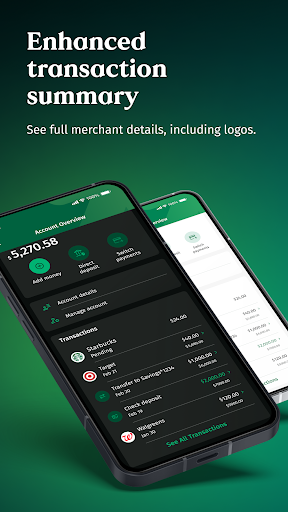
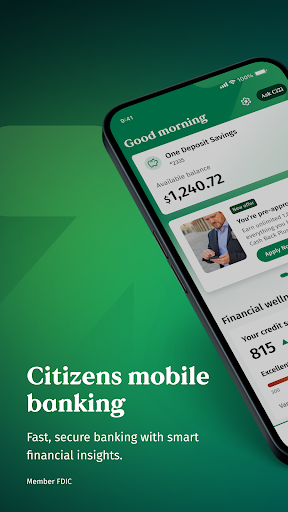
With the Citizens Bank Mobile Banking app, you can instantly view up-to-date balances and recent account activity. Need to ensure your funds are available? The app provides real-time insights into your accounts, helping you stay on top of your finances. Additionally, you have the flexibility to freeze and unfreeze debit cards directly from your device, giving you control over your card security without the need for a branch visit.
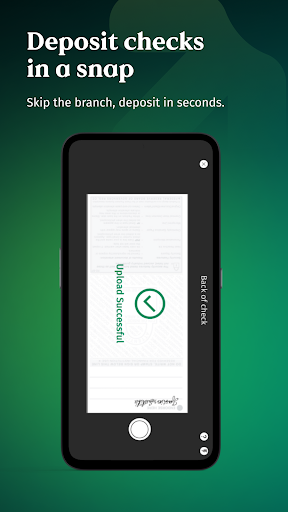
Easy Check Deposits
Say goodbye to trips to the bank with the mobile check deposit feature. Simply snap photos of your checks using your smartphone camera, submit them through the app, and enjoy same-business-day credit on deposits made by 10 pm ET. This quick and straightforward process makes managing your deposits more convenient than ever.
Secure Money Transfers
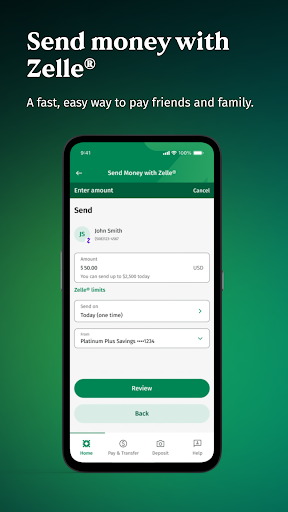
Transfer funds effortlessly with options that suit your needs. Whether it's between your Citizens accounts or to non-Citizens accounts, the app makes it simple. Plus, with the integration of Zelle®, you can send money securely to friends and family quickly and reliably, all within a familiar and intuitive interface.
Manage Bills with Ease
The app consolidates all your bill payments into one accessible platform. You can view your payment history, add new payees, and schedule payments. Many users appreciate the ability to set up automatic bill payments, helping to prevent late fees and ensuring your bills are paid on time—saving you effort and worry.
Enhanced Security Measures
Your security is a top priority for Citizens Bank. The mobile app employs advanced encryption and security protocols to safeguard your data. If your device is lost or stolen, you can quickly lock your card from the app, providing peace of mind and control over your finances in any situation.
User-Friendly Experience
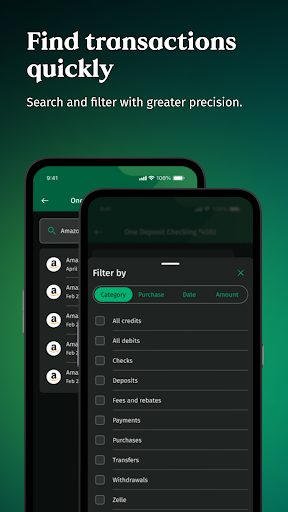
Designed with an intuitive and clean interface, the Citizens Bank Mobile Banking app offers a smooth user experience. Navigating through account details, transaction history, and service features is simple, regardless of your tech proficiency. For added convenience, the app includes a ATM locator feature that helps you find the nearest bank branch or ATM wherever you are.
Final Thoughts
In today's fast-paced world, time management is crucial, and the Citizens Bank Mobile Banking app delivers just that. It empowers you to take full control of your finances, whether you're checking balances during a coffee run or paying bills during your lunch break. For existing Citizens Bank customers, downloading and using this app can significantly enhance your banking experience, providing convenience, security, and peace of mind in your daily financial routines.
Pros
- Intuitive interface with straightforward navigation
- Fast access to account balances and transaction details
- Secure login using biometric authentication
- Real-time alerts for account activity
- Mobile check deposit feature
Cons
- Fewer features than desktop version
- Occasional app crashes during peak times
- Delayed updates for new transactions
- Customer support not built into the app
- Most functions require an internet connection











